SEO Web Design: 7 Tips to Help Your Site Rank
7 Web Design Tips that will make your SEO better. Which tips should you follow, and why, you can find out in this article.
 6 min read
SEO web design means building a website so that search engines can find, read and rank it, and so that visitors enjoy using it once they arrive. Design and SEO are often treated as separate jobs, but many ranking problems start with design choices.
Below are seven practical SEO web design tips, from mobile layouts to image handling, that you can apply to a new site or an existing one.
Why SEO and web design belong together
Web design decides how a site looks and behaves. SEO is the work of helping search engines understand a site and show it to the right people. A designer can ignore SEO and still produce a beautiful page, but that page may be slow, hard to crawl or confusing to read. Search engines notice, and so do visitors.
Design affects SEO in three main ways. It shapes the speed and stability of each page. It decides how content is structured, so both people and crawlers can follow it. And it controls how easy the site is to use, which influences whether visitors stay or leave. That is why it pays to involve SEO from the start of a project, not as a fix at the end. Our web design process guide shows where those checks fit.
For the basics of how search works, Google’s own SEO starter guide is clear and free.
7 SEO web design tips
1. Design for mobile first
Google uses the mobile version of a page to index and rank it, a system called mobile-first indexing. Whatever is missing on mobile may be missing in search. Use a responsive layout so one site adapts to every screen, and make sure the mobile page has the same text, images and links as the desktop one. Check that buttons are large enough to tap and that nothing hides behind a pop-up.
2. Give every page a clear structure
Structure helps people scan and helps search engines understand what a page is about. Use one main heading (H1) per page, then H2 and H3 headings in logical order. Keep paragraphs short. Put the most important content first. Use a clear page title and a meta description that describes the page honestly. Google explains how it chooses title links if you want to see the detail. Keep your homepage concise and move the longer explanations to service or product pages, where you can focus each page on one topic.
3. Make the site fast
Speed is one of the biggest design-related SEO factors. Visitors leave slow pages, and Google measures loading, responsiveness and layout stability through the Core Web Vitals. A good target is a Largest Contentful Paint of 2.5 seconds or less, an Interaction to Next Paint of 200 milliseconds or less and a Cumulative Layout Shift of 0.1 or less.
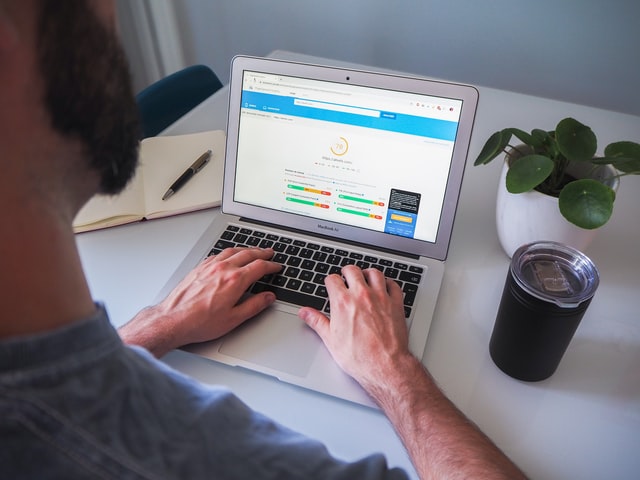
Design choices cause most slow pages: huge hero images, many fonts, heavy sliders, autoplay video and long chains of scripts. Use fewer fonts and weights, compress images, avoid effects that add little and test on a mid-range phone. Our guide to choosing a hero image covers one of the biggest culprits.
4. Keep pages readable
Content is the heart of SEO, but design decides whether people actually read it. Choose a text size of at least 16 pixels for body copy, a comfortable line length and strong contrast between text and background. Avoid pale grey text, cramped lines and blocks of text with no breaks. If visitors cannot read a page, they leave, and the work you put into quality content is wasted. Typography details such as letter spacing matter more than most people expect.
5. Make navigation simple and link pages together
A user-friendly site lets people find what they want in a few clicks. Keep your main menu short, use plain labels and link related pages to each other with descriptive anchor text. Internal links help visitors move on and help search engines discover and understand pages. Avoid pages that can only be reached through a search box or a script. For more detail, read our guide to website navigation.

6. Optimise your images
Images make pages more attractive, but they are also the heaviest part of most sites. Resize them to the size they are shown, compress them and use modern formats such as WebP or AVIF where your platform supports them. Write short, honest alt text that describes what is in the image, for example “Electrician fitting a consumer unit”, not a list of keywords. Use descriptive file names, set width and height so the page does not jump while it loads, and load images lower on the page lazily. Google has more advice on image SEO.
7. Make the site easy for search engines to crawl
A page that cannot be crawled cannot rank. Make sure important content is in the HTML, not only loaded by scripts after the page opens. Use a clean URL structure, an XML sitemap and a robots.txt file that does not block key pages. Add structured data where it applies, for example for a local business, product or FAQ, and test it before you publish. Check for broken links and avoid duplicate pages. If you want ongoing help with the technical and content side, a specialist digital marketing agency such as VM Digital can support the work after launch.
A quick SEO web design checklist
- The site works on mobile and the mobile page has all the key content.
- Every page has one H1, logical headings, a clear title and a meta description.
- Largest Contentful Paint, Interaction to Next Paint and Cumulative Layout Shift pass on key pages.
- Body text is readable and has enough contrast.
- The menu is short, and related pages link to each other.
- Images are compressed, sized, and have alt text.
- Pages can be crawled, and a sitemap is submitted in Google Search Console.
Common SEO web design mistakes
- Choosing a template for looks without checking its speed and code quality.
- Hiding key content in tabs, sliders or scripts that crawlers may skip.
- Using images of text instead of real text.
- Launching a redesign without redirecting old URLs, which can wipe out rankings. If you plan one, read our guide to website redesign first.
- Stuffing keywords into headings and alt text instead of writing for people.
Many of these overlap with general web design mistakes. Fix them early and your site will be easier to maintain and easier to rank. If you are still learning SEO itself, our list of SEO learning techniques is a good next step, and you can read our advice on how to choose a web design agency when you are ready to hire.
Frequently asked questions
Does web design affect SEO?
Yes. Design affects page speed, mobile usability, content structure and navigation, all of which influence how search engines read a site and how visitors behave on it.
What is SEO-friendly web design?
It is design that is fast, works well on mobile, has a clear structure and heading order, uses optimised images and can be crawled easily, while still serving the visitor’s goals.
Should SEO be part of the design process from the start?
Yes. Planning page structure, URLs, speed and content before designing is far cheaper than rebuilding later, and it means designers and SEO specialists work towards the same goals.
Is responsive design necessary for SEO?
Google recommends responsive design and indexes the mobile version of pages, so a site that works poorly on phones is at a clear disadvantage.
Need an SEO-ready website for a client?
Inkyy is a white label design and development team for agencies. Our in-house team builds fast, well-structured websites that you deliver under your own brand. See our design services or book a 15-minute call.