10 Web Design Skills You Need for a Successful Career
In new article for Inkyy Website Design Studio you will find out which few skills are useful for successful career in web design.
 6 min read
Web design skills are a mix of creative, technical and people skills, and the designers who do best are the ones who build all three. You do not need to master everything at once, but you do need to know what a client or an agency expects from you.
Below are 10 web design skills that matter for a successful career, grouped into design, technical and business skills. For each one you get what it means, why it matters and where to start. If you are just starting out, read our guide on web design for beginners first.
What does a web designer do?
A web designer plans how a website looks and works. That includes the layout, colours, typography, images and how people move from page to page. A good design is easy to use, suits the brand and the audience, and works on every screen. Some designers also build the site; others hand their designs to a developer. Our post on becoming a web designer explains the path in more detail.
At a glance, the skills are: design tools, visual design, typography and UX on the design side; HTML and CSS, JavaScript, responsive and accessible design and a CMS on the technical side; and SEO basics and communication on the business side.
Design skills
1. Design tools
Learn the main tools first. Most teams now design websites in Figma, which handles layouts, components, prototypes and handoff to developers in one place. Photoshop is still useful for editing photos and Illustrator for logos, icons and vector artwork.
Short video clips are common on websites now, so basic video editing helps too. A browser-based editor such as invideo can handle simple cuts and captions without a big learning curve (this is a sponsored link).
2. Visual design
Visual design is choosing colour, shape, space and imagery so a page looks right and guides the eye. The tools are grids, colour palettes, contrast, spacing and visual hierarchy. Start by copying layouts you admire, then change one thing at a time to see what each choice does. Our posts on colour schemes and grid-based layouts are a good next step.
3. Typography
Typography shapes how people read and feel about a page. Size, weight, line length and spacing carry meaning, and weak type choices make even a good layout hard to read. Pick one readable font for body text and a second for headings at most, and keep sizes on a clear scale. Check the result on a phone, where small type and long lines show up quickly.
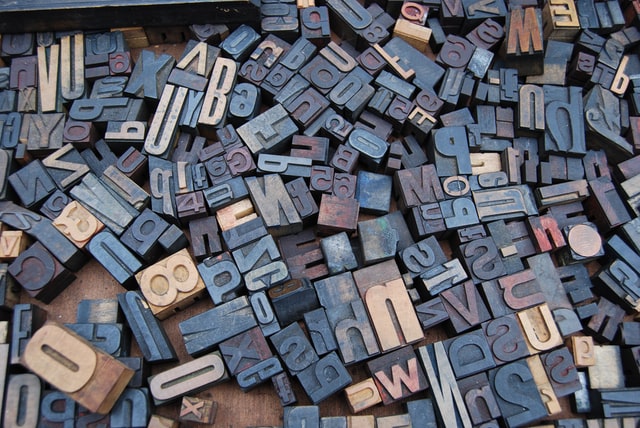
Read our typography tips, the guide to font pairing and the post on letter-spacing.
4. UX thinking
User experience (UX) is how a site feels to use. A designer with UX skills starts with the question: what is the visitor trying to do, and what is in the way? That means thinking about navigation, page structure, forms, and the words on buttons. Sketching a wireframe before you design is the simplest way to practise it. Talk to a few real users when you can, because their problems are rarely the ones you guessed. Even five short conversations will show you where people get stuck, and that is worth more than any amount of guessing.
Technical skills
5. HTML and CSS
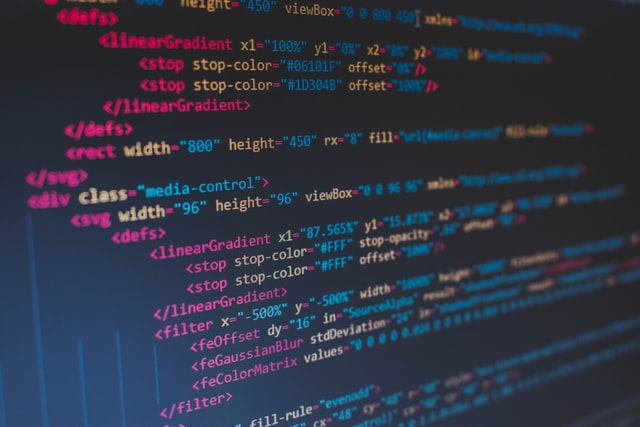
Many designers think they never need to code. In practice, knowing HTML and CSS makes you a better designer, because you understand what is easy to build, what is hard and how a page really behaves in a browser. HTML gives a page its structure, such as headings, paragraphs, images and forms. CSS controls how it looks. The free MDN Learn Web Development course is a solid place to start.
6. JavaScript basics
JavaScript adds behaviour to a page: menus that open, sliders, form checks and animations. You do not have to become a software engineer, but if you can read and adjust simple scripts you can build and test ideas without waiting for a developer. If you only learn one programming language for the web, make it JavaScript.
7. Responsive design and accessibility
Designs must work on phones, tablets and desktops, and they must work for people with disabilities. Learn to design mobile first, test on real devices and follow the basics of the Web Content Accessibility Guidelines, such as colour contrast, alt text and keyboard use. This skill also lowers legal risk for your clients. Our post on web design laws explains why.
8. Content management systems
Most business sites run on a content management system (CMS) such as WordPress, Webflow or Shopify. Knowing how to set up templates, edit content and manage plugins means clients can update their own sites, which is often what they want. If a project also needs custom code, a developer can help; see our overview of web development.
Business skills
9. SEO basics
A site that nobody finds does not do its job. Designers do not need to be SEO specialists, but they affect rankings through page speed, clear headings, structured content, mobile layout and useful page titles.
Our guide to web design tips for SEO shows where design and search overlap.
10. Communication
Communication is the skill that decides whether a good designer keeps clients. You need to explain design choices in plain language, ask the right questions at the start, give clear feedback and tell a client early when a request will cost more time. Presenting your work well matters too, so read our examples of web design presentations.
AI tools can now produce first drafts of layouts, copy and images quickly. They do not replace these skills. You still need the judgement to decide what is right for the brand, the audience and the client, and to fix what the tool gets wrong.
How to build these skills
- Pick one project. Redesign a real website, or build your own portfolio site. Real work teaches more than tutorials.
- Learn in order. Start with design basics and tools, then HTML and CSS, then JavaScript and a CMS.
- Build a portfolio. Show three to five projects and explain the problem, your process and the result for each. Clients care about how you think, not only how the final page looks.
- Get feedback. Share your work with other designers and with people who are not designers. Both will tell you something useful.
- Read about process. See how teams work in our web design process guide, and pick up habits from advice for becoming a better web designer.
- Keep learning. Tools and browsers change every year, so make learning a regular habit.
You can see how we put these skills to work on our design services page.
Frequently asked questions
What skills do you need to be a web designer?
The core skills are design tools, visual design, typography, UX thinking, HTML and CSS, responsive and accessible design, and clear communication. Knowing a CMS, some JavaScript and SEO basics adds value.
Do web designers need to know how to code?
Not always, but HTML and CSS are strongly recommended. They help you design things that can be built and let you make small fixes yourself.
What is the difference between a web designer and a web developer?
A web designer focuses on how a site looks and how people use it. A web developer builds it with code and makes it work. The roles overlap, and many people do both on small projects.
How long does it take to learn web design?
It varies. Most people can learn the basics in a few months of steady practice, but building a strong portfolio and getting client-ready usually takes longer. Regular projects speed it up.
Need a web design team for a client?
Inkyy is a white label design and development team for agencies. Our in-house designers and developers build websites that you deliver under your own brand. See our design services or book a 15-minute call.