What Is a Wireframe? Types, Uses and How to Make One
Wireframes are a simplified visual guide that represents the skeleton of an online page. In new Inkyy article find out why wireframes are essential for your design.
 6 min read
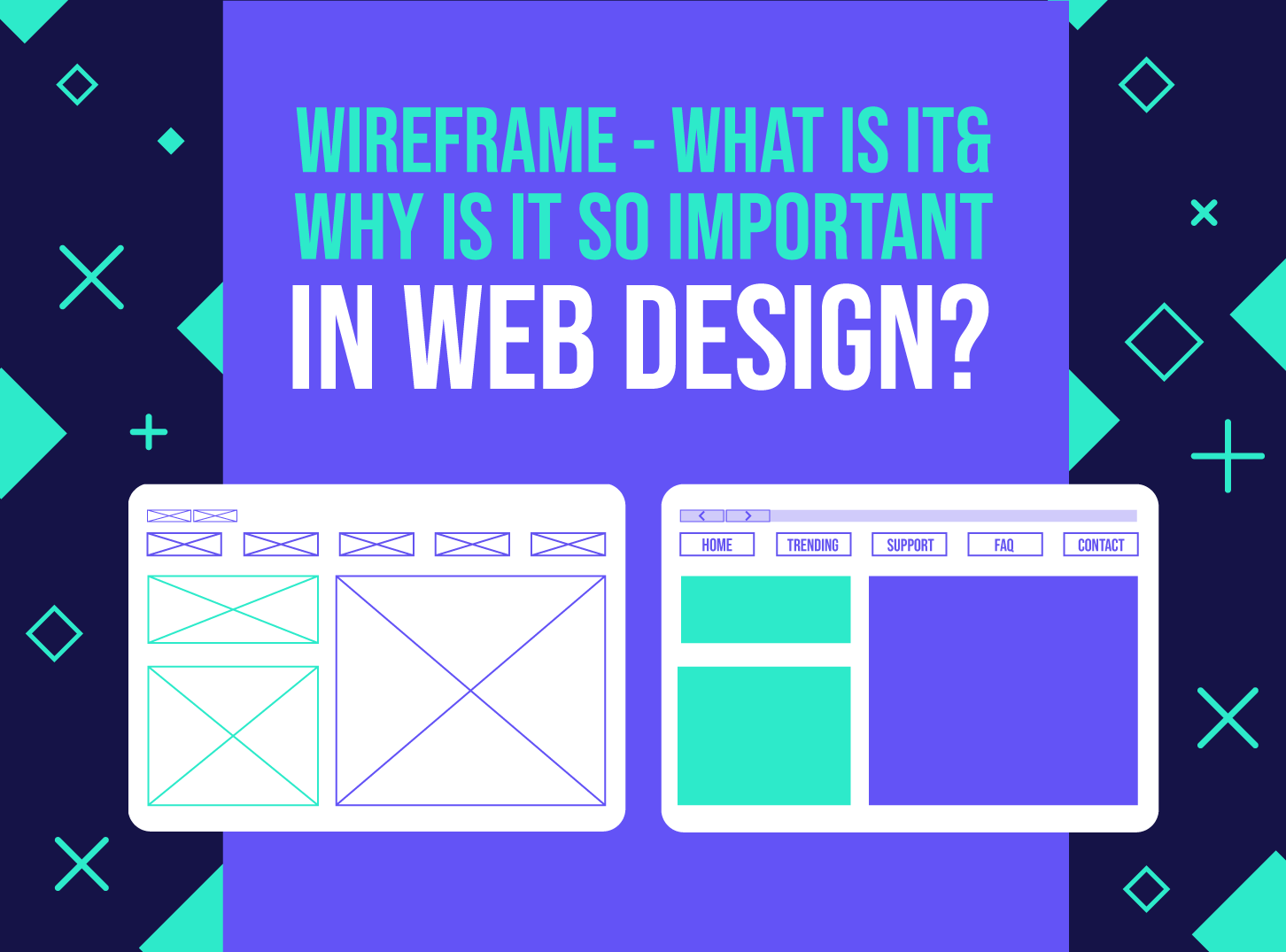
A wireframe is a simple visual guide to the structure of a web page. It shows where headings, text, images, buttons and navigation will sit, and how a visitor moves from one step to the next, before any colour, typography or photography is added.
This guide explains what a wireframe is, what to include, why it saves time and money, and how to make your first one. It is written for designers, developers and project managers who want fewer rounds of revisions and faster client approval.
What is a wireframe?
A wireframe is usually drawn in black, white and grey, with no visual style. Think of the floor plan of a house. It shows the number of rooms and how they connect, but not the colour of the walls or the furniture. In the same way, a wireframe sets out the pages, the functions, the galleries and the navigation your website needs to reach its goals.
Wireframes are often confused with other design files, so here is the difference:
- Wireframe: structure and content placement, without styling.
- Mockup: a static, styled design that shows colours, fonts and images. See our guide to what mockups are.
- Prototype: a clickable version that behaves like the finished site.
In the past, wireframes were handed to clients as Word or PDF documents with long notes. Today, design tools let you share interactive wireframes that clients can click through, which gives much better feedback.
Types of wireframe
How much detail you add depends on where the project is and who will see it.
- Low fidelity: a quick sketch on paper or a whiteboard. Boxes mark the headings and body text, and a box with a cross through it marks an image. Perfect for exploring ideas fast.
- Mid fidelity: a clean digital version with real navigation labels, realistic proportions and a simple grey scale to separate types of content.
- High fidelity: includes real or realistic copy, so you can test the type scale and line lengths, and may use one accent colour to point out key elements. See our tips on typography for websites.
What to include in a wireframe
- Header, logo and main navigation.
- Page headings and subheadings, using the real wording if you have it.
- Content blocks such as text, images, video, forms and galleries.
- Buttons and links, with labels that say what happens next.
- Footer content and any repeating elements.
- Short notes that explain behaviour, such as what happens when a form is submitted.
Leave out colour, brand fonts and decoration. If you start styling, people will comment on the style instead of the structure. Build the layout on a grid so that spacing and alignment are easy to carry over into the final design.
Why wireframes matter
Whether you are designing one landing page or redesigning an entire site, a wireframe saves time. Suppose a client wants a new section on their product pages. With wireframes, you can try several layouts in minutes, change the hierarchy, and show the options before spending hours on final artwork.
The main goal is agreement. Getting approval from the client and stakeholders at the wireframe stage means you do not waste time designing the wrong solution. For freelancers and agencies, where time is money, that matters. It is also much easier to change a grey box than a finished design.
Advantages of wireframes
- They give the client an early visual to review.
- They work as an early check for usability tests with a prototype.
- They show that content and features are in the right place to meet user and business needs.
- They give the project team a shared view of scope and vision.
Disadvantages of wireframes
- Clients can find them hard to read because there is no design. Explain what you are looking at, and why elements are placed where they are.
- Real content may be longer than your placeholder text. Designers and copywriters should work together early.
- They do not show technical limits, so developers should review them too.
How to make a wireframe in 6 steps
- Define the goal. Write one sentence about what the page must achieve and who it is for.
- List the content. Gather headings, copy, images and features. Put the most important items first. A storyboard can help you plan the flow.
- Sketch quickly. Draw several rough layouts on paper. Do not worry about neatness.
- Build it digitally. Use a tool such as Figma, Balsamiq, Sketch or Axure. You can also start from a free wireframe kit. For a wider tool comparison, see this roundup of wireframing and mockup tools.
- Add notes and links. Annotate behaviour and connect pages so people can click through.
- Review and revise. Show it to the client and a few users, collect feedback, then update before moving to design.
The purposes of a wireframe
Wireframes replace the abstract nature of a sitemap with something concrete. They serve several purposes:
- Checking the site against its goals. A clear view of features with little visual influence helps stakeholders judge whether each one belongs. If a feature does not support the goals, it can be removed early.
- Focusing on usability. Wireframes show link names, conversion paths, navigation and settings, so you can spot flaws before they are built.
- Planning for growth. Your content will grow. Wireframes show where new sections can fit without breaking the structure.
- Making feedback painless. Because structure is separated from style, stakeholders comment on one thing at a time and changes cost very little. Our web design process guide shows where this fits.
Bottom line
Wireframing is a core skill for any web team, but it is only one stage in a longer process of collaboration. Skilled UX designers use it to anticipate usability problems and guide visitors towards the action the company wants. It takes practice, so start with simple pages. If you are new to the field, our advice for website design for beginners is a good companion.
Frequently asked questions
What is a wireframe in web design?
A wireframe is a simple, unstyled layout of a page that shows structure, content placement and navigation. It is used to agree the plan before visual design starts.
What is the difference between a wireframe and a mockup?
A wireframe shows structure only, usually in black and white. A mockup adds colours, fonts and images, so it looks like the finished design.
Do I need a wireframe for every page?
Not for every page. Wireframe the key templates, such as the homepage, a service page, a blog post and a contact page, then reuse them for similar pages.
Which tool is best for wireframing?
Pen and paper are fine for early ideas. For digital work, Figma is a common choice because it handles wireframes, design and prototypes in one place, and Balsamiq is popular for quick low-fidelity layouts.
How long does a wireframe take?
A rough sketch can take minutes. A set of wireframes for a small website usually takes a few days, depending on the number of pages and rounds of feedback.
Need wireframes and a design for a client?
Inkyy is a white label design and development team for agencies. Our in-house UX and UI designers take projects from wireframe to finished design, and you deliver them under your own brand. See our design services or book a 15-minute call.