10 Free iPhone 11 Mockups (iPhone 11, 11 Pro and Pro Max)
 5 min read
Need an iPhone 11 mockup for an app, a client who still targets older phones, or a portfolio piece that has to match earlier shots? We checked every download link and kept the 10 best free iPhone 11, 11 Pro and 11 Pro Max mockups that are still available.
For a new project, use a current model instead. Our 20 free iPhone 18 Pro mockups cover the latest phones in PSD and Figma. If you do need the iPhone 11, every file below is a free Photoshop file with a smart object for your screen.
How to choose an iPhone 11 mockup
- Model: the iPhone 11 has two cameras and coloured aluminium frames. The 11 Pro and 11 Pro Max have three cameras and steel frames. Match the model your audience actually uses.
- Screen size: export your design at the right size so it fills the smart object without stretching: 828 × 1792 px for the iPhone 11, 1125 × 2436 px for the 11 Pro and 1242 × 2688 px for the 11 Pro Max.
- Resolution: 3000 px wide or more is enough for slides and social posts. Go for 5000 px and up if you need print or tight crops.
- Smart objects: every file here has them. Check whether the background, shadow and frame colour can be changed too.
- License: most files below are free for personal and commercial use. Always confirm on the download page before using one in paid work.
10 free iPhone 11 mockups
1. Purple iPhone 11 mockup
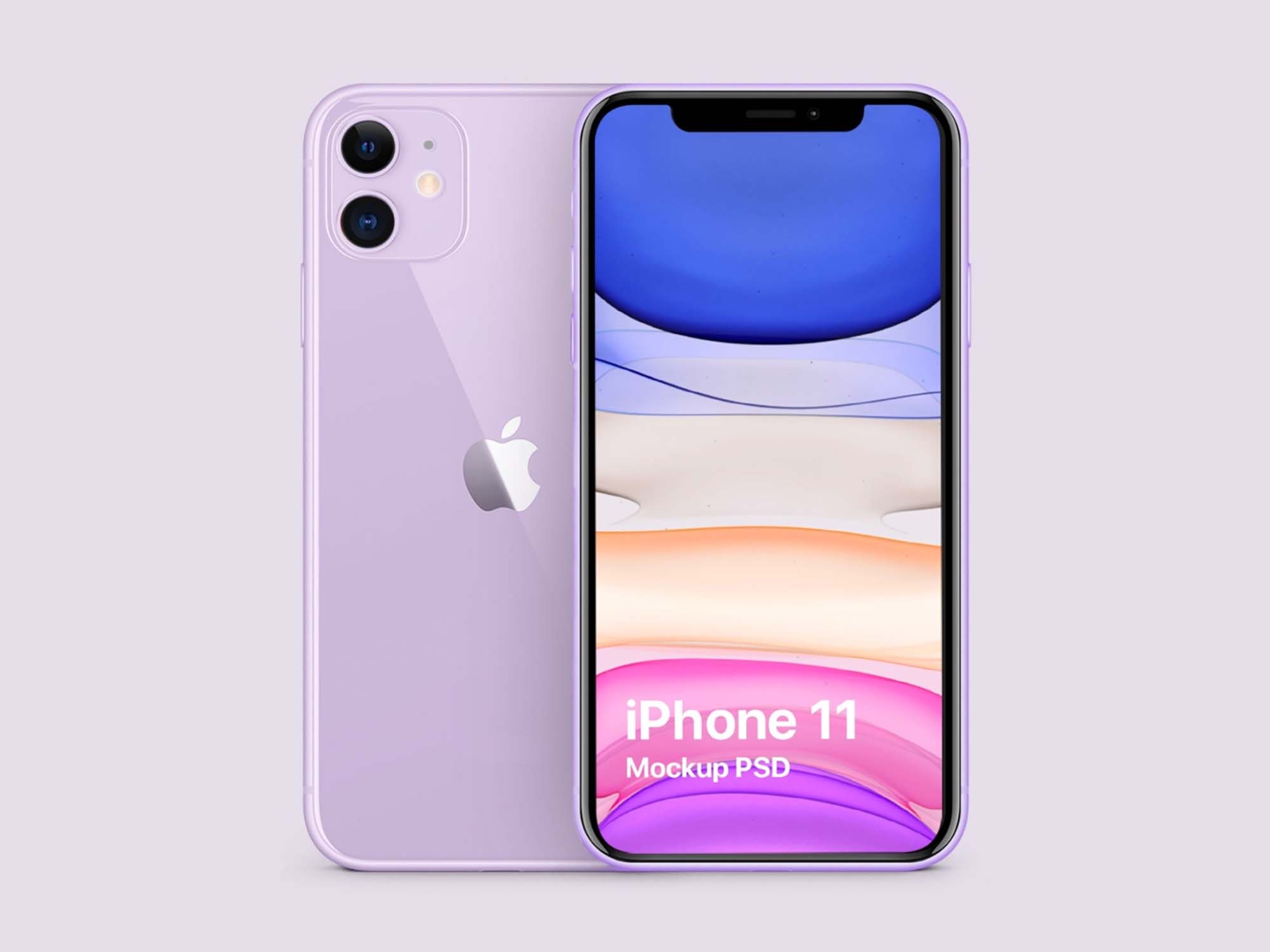
A lilac iPhone 11 seen from the front, with the back and its dual camera peeking out behind it on a pale lilac background. Clean and straight on, so the screen is easy to read. Made by Pegakit.
- Format: PSD with smart object
- License: Free for personal and commercial use
- Source: Download on Unblast
2. Apple iPhone 11 mockup with colour reference
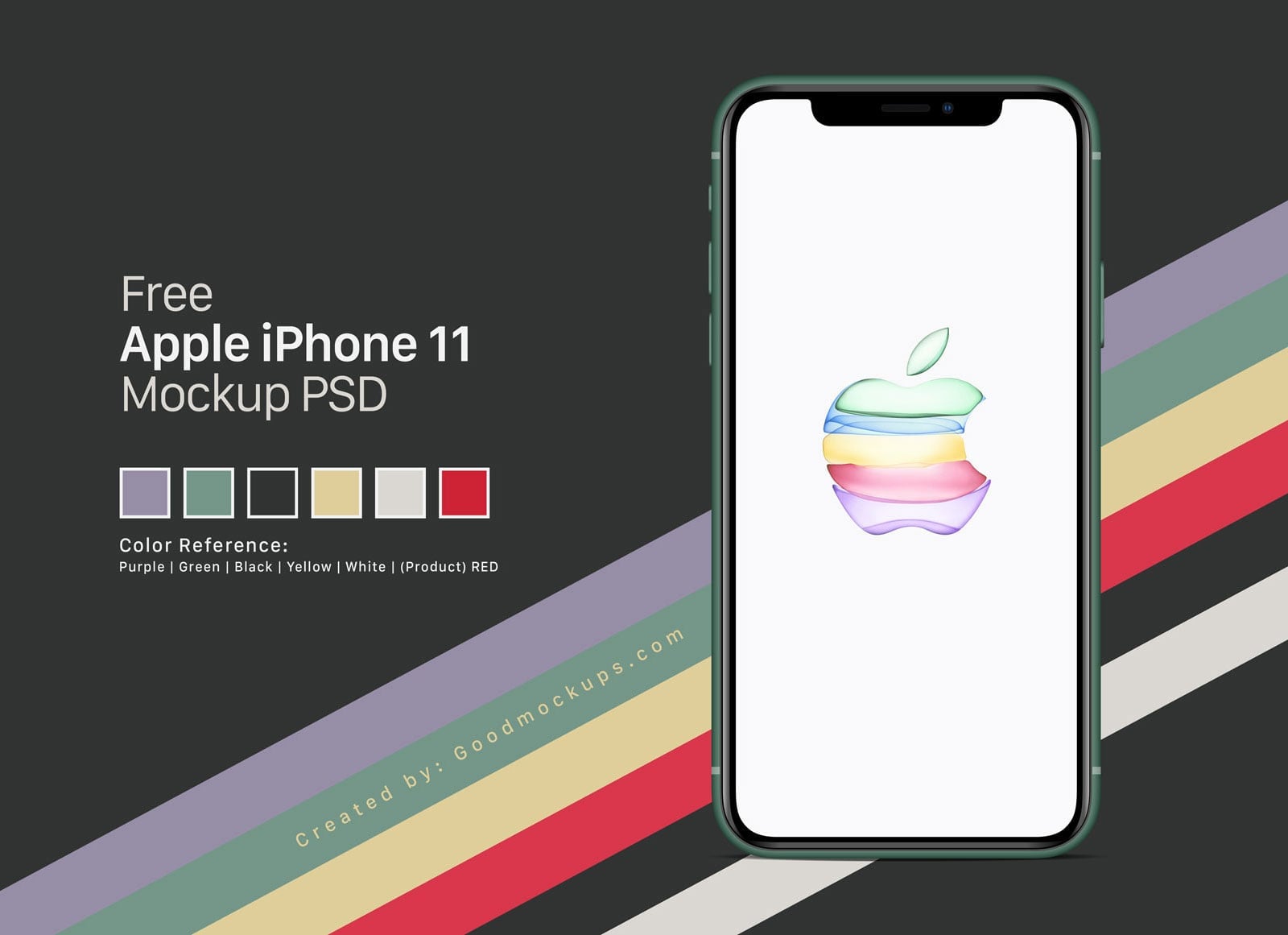
A front-on green iPhone 11 on a dark background, crossed by stripes in the six launch colours. The PSD includes a colour reference, so you can repaint the frame and buttons to purple, black, yellow, white or red to match your app.
- Format: Layered PSD with smart object
- Size: 6000 × 4000 px
- License: Free for personal and commercial use
- Source: Download on Good Mockups
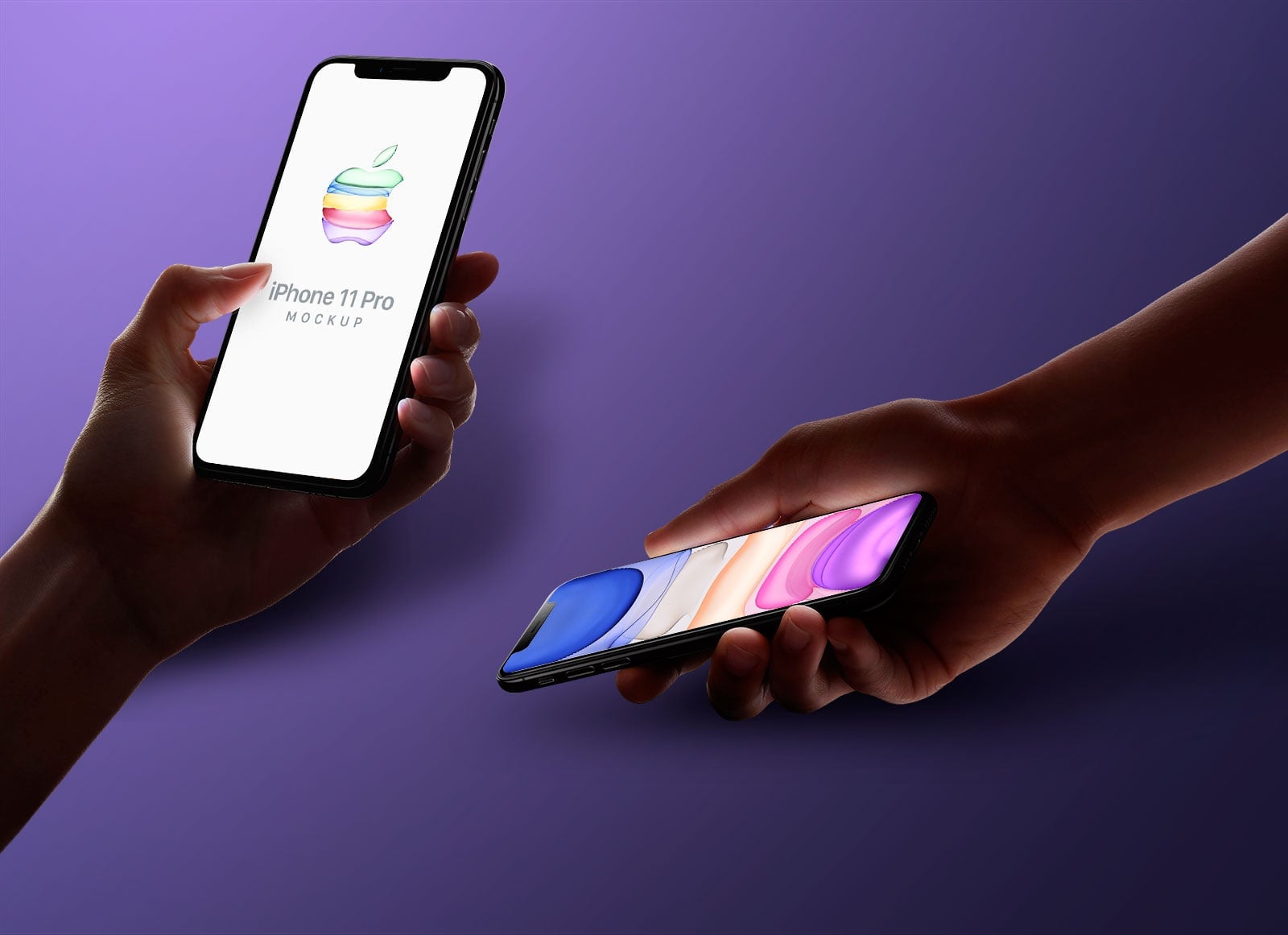
3. Hands holding iPhone 11 Pro mockup
Two hands reach in from either side on a purple background, one holding a phone upright and the other tilting a second phone sideways. Two screens in one shot suit a before and after, or portrait and landscape views of the same app. The background colour can be changed.
- Format: Layered PSD with smart objects
- Size: 6000 × 3375 px
- License: Free for personal and commercial use
- Source: Download on Good Mockups
4. iPhone 11 Pro Max in a wooden hand
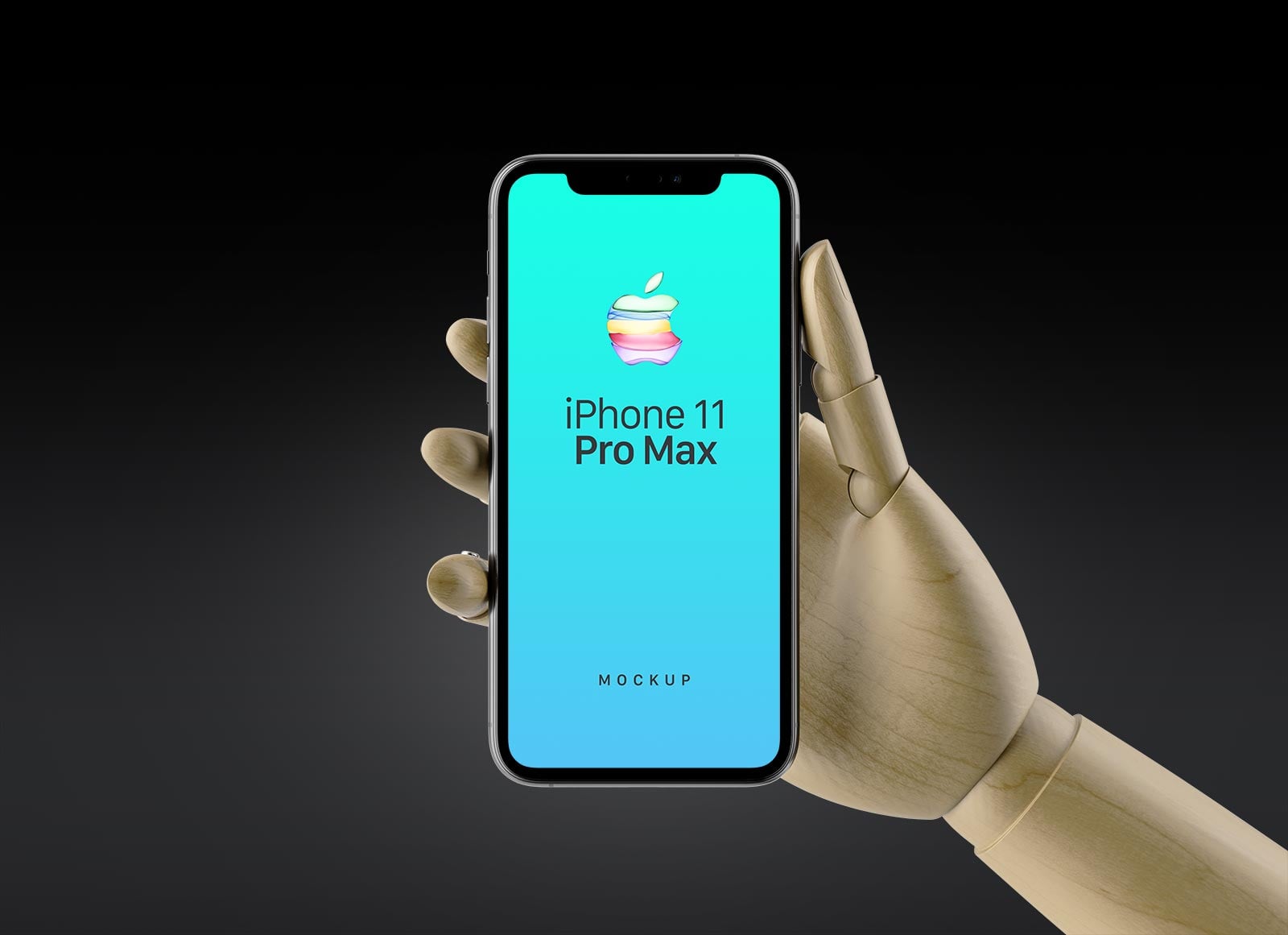
A wooden mannequin hand holds the phone upright against a dark, softly lit background. The bright screen pops against the black, which suits games, music and other dark-mode apps.
- Format: Layered PSD with smart object
- Size: 5000 × 3750 px
- License: Free for personal and commercial use
- Source: Download on Good Mockups
5. iPhone 11 on a desk holder
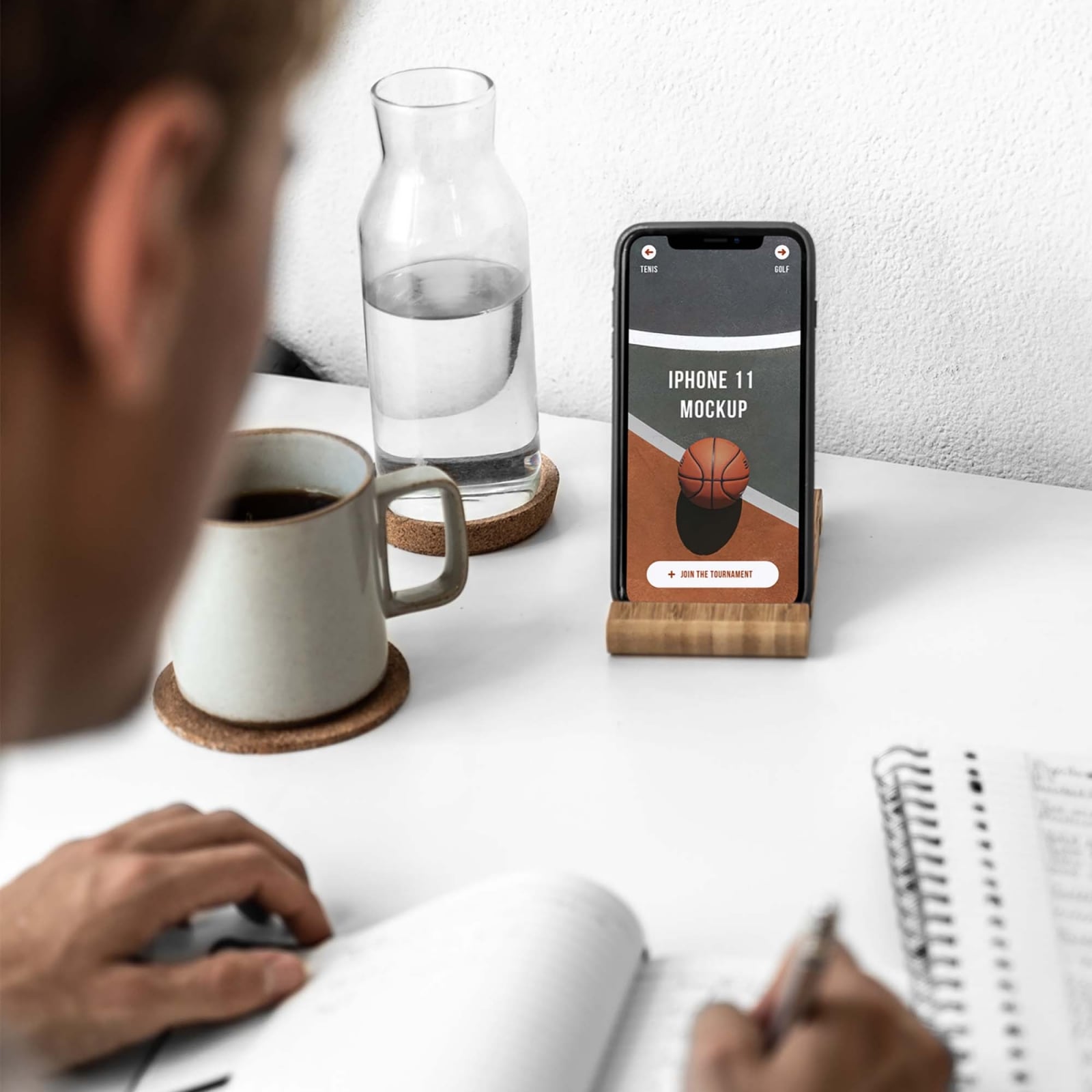
The phone stands in a small wooden holder on a white desk, next to a coffee mug and a glass carafe, while a man writes in a notebook in the foreground. A natural lifestyle scene for productivity, study and sports apps. Made by Mr. Mockup.
- Format: PSD with smart object
- License: Free for personal and commercial use
- Source: Download on Unblast
6. iPhone 11 on a tripod
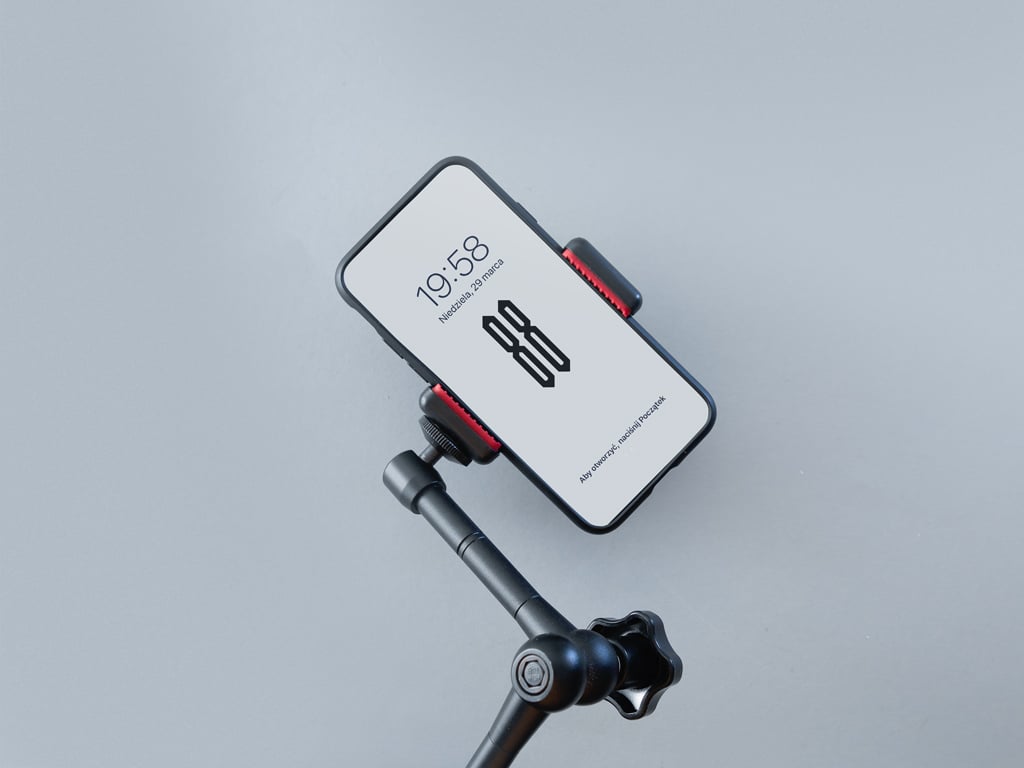
The phone is clamped to a black articulated tripod arm on a light grey background, tilted at an angle. A good fit for camera, video, streaming and content creator apps. The background is fixed.
- Format: PSD with smart object
- Size: 3200 × 2400 px
- License: Free, check the terms on the download page
- Source: Download on Mockup World
7. Horizontal iPhone 11 Pro mockup
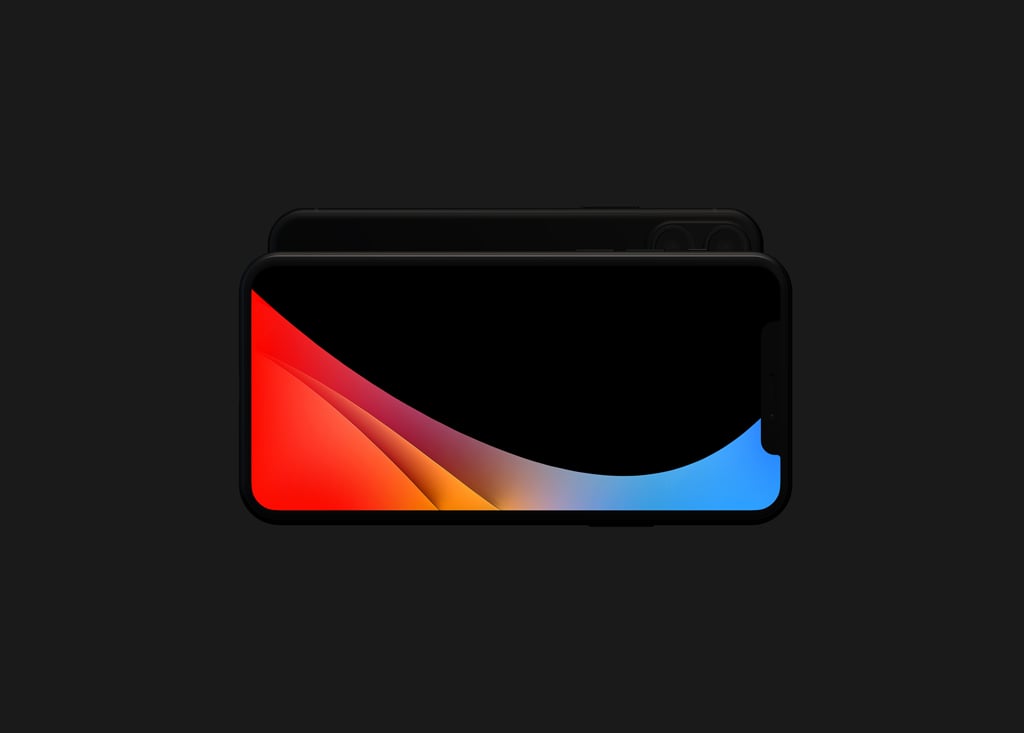
A black phone lies in landscape on a dark grey background, with a second phone showing its back just behind it. Landscape mockups are rare, so keep this one for games, video players and wide dashboards. It is a free sample from a larger paid set.
- Format: Layered PSD with smart objects
- Size: 8192 × 4608 px
- License: Free sample, check the terms on the download page
- Source: Download on Mockup World
8. Isometric iPhone 11 mockup
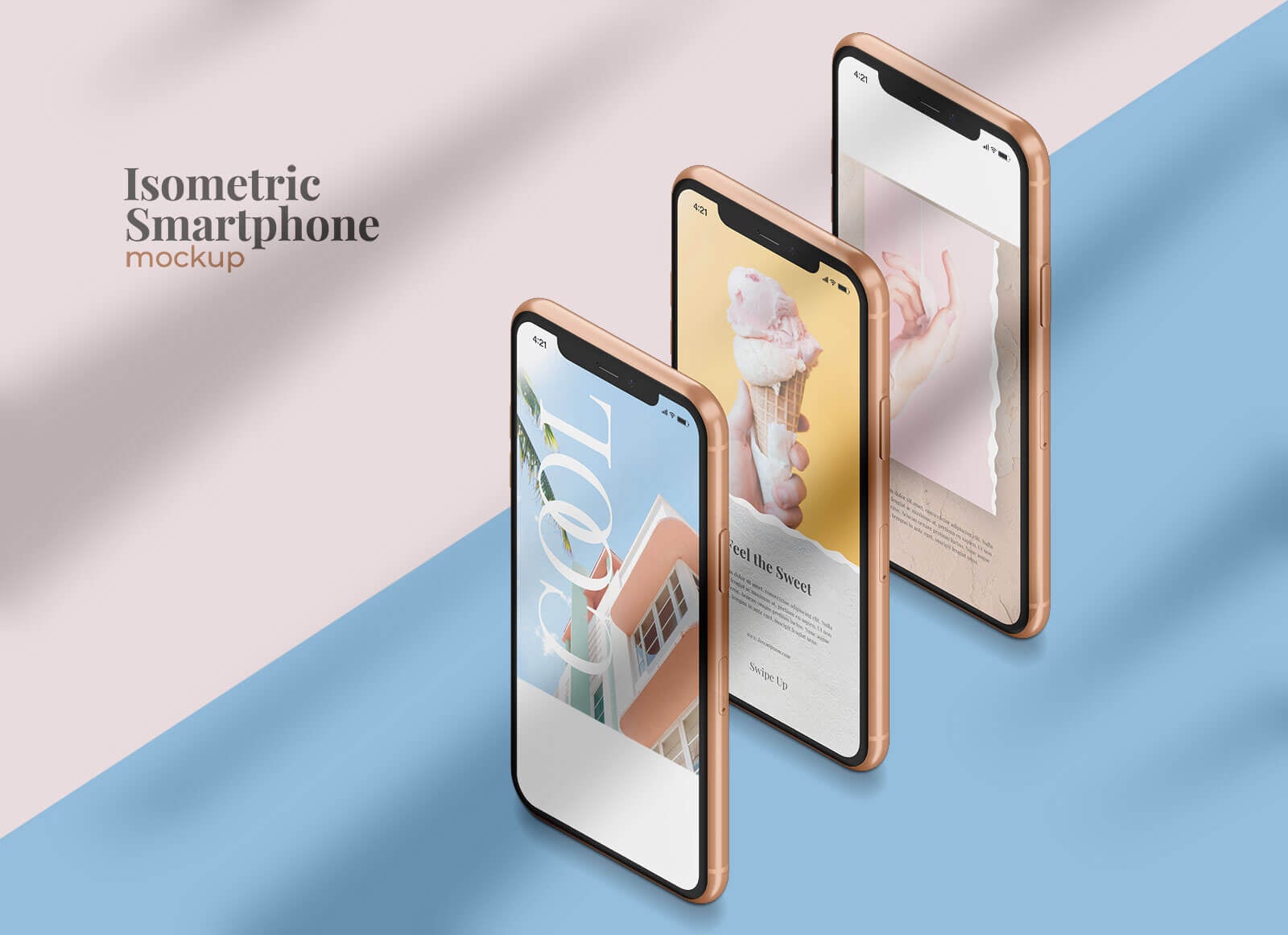
Three phones with gold frames stand in a staggered row on a split pink and blue background. Three screens make it easy to show a short flow, and you can change the artwork, background, shadows and frame colour. Made by Leon Design.
- Format: Layered PSD with smart objects
- Size: 3500 × 2500 px
- License: Free for personal and commercial use
- Source: Download on Good Mockups
9. Floating iPhone 11 Pro Max and iPad Pro
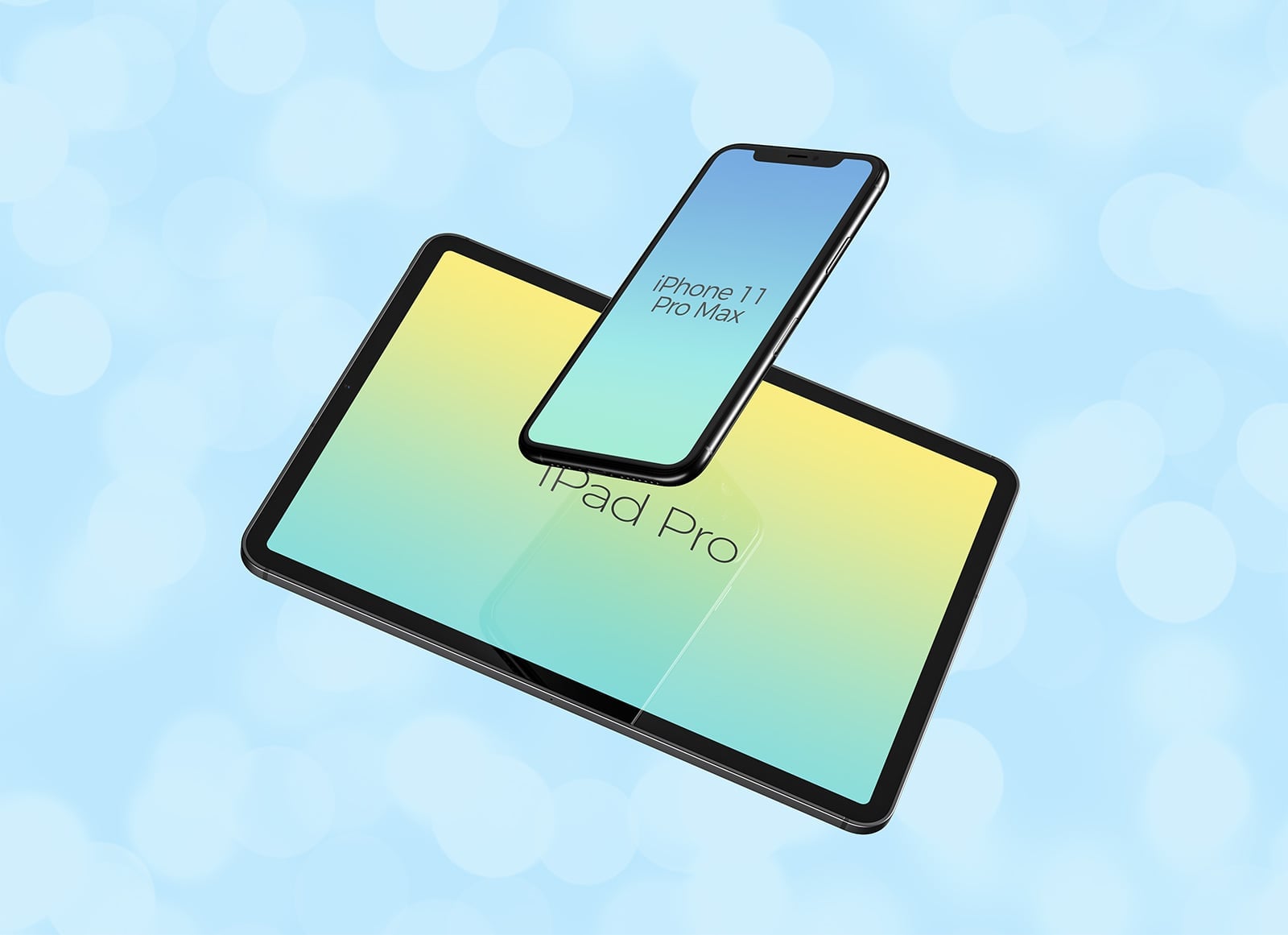
An iPhone 11 Pro Max floats at an angle above an iPad Pro on a light blue bokeh background. Both screens are smart objects, so you can show a responsive website or an app on phone and tablet in one image.
- Format: Layered PSD with smart objects
- Size: 5000 × 3750 px
- License: Free for personal and commercial use
- Source: Download on Good Mockups
10. iPhone 11 Pro and Pro Max in all colours
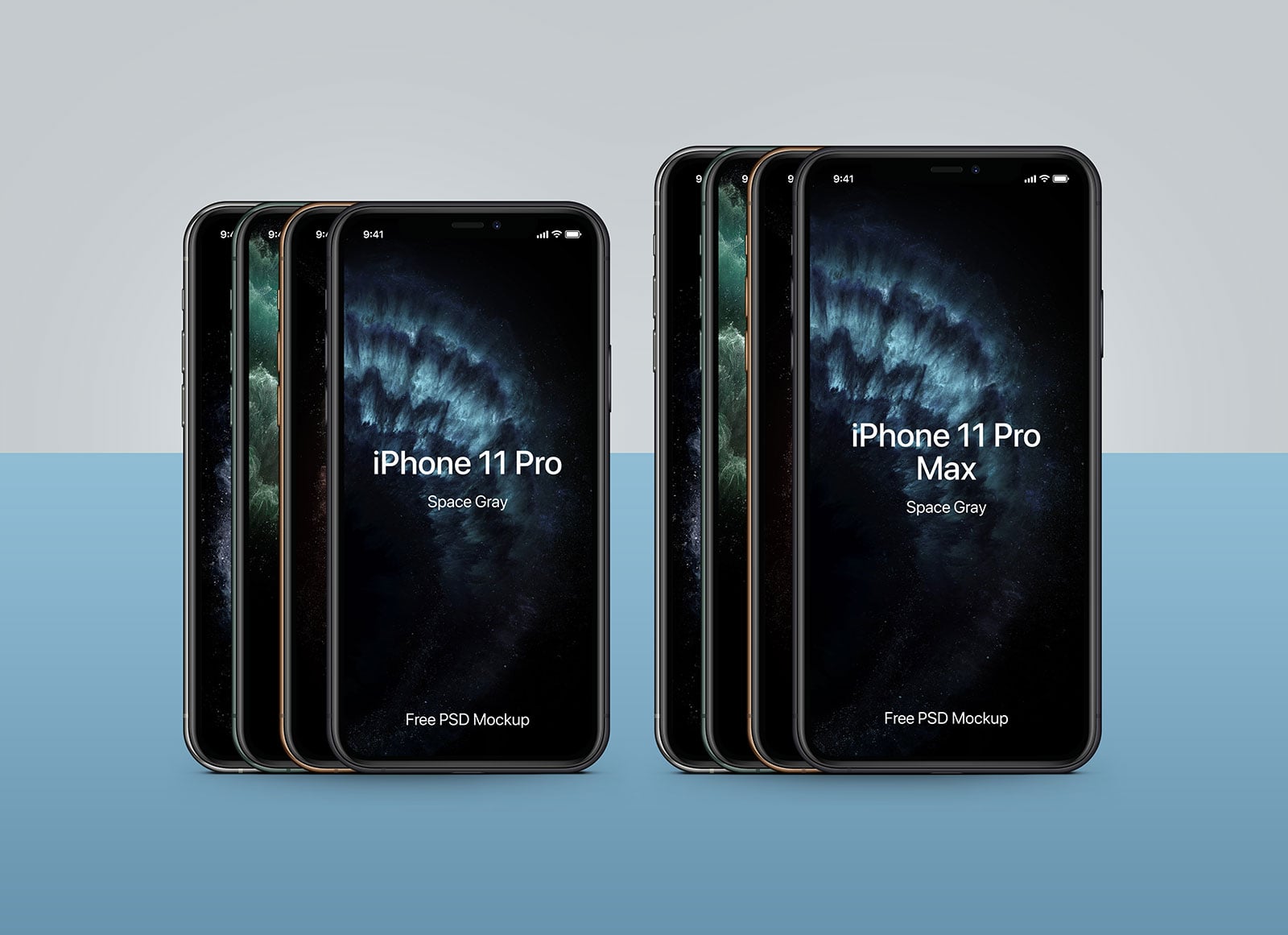
Two stacks of phones, one iPhone 11 Pro and one 11 Pro Max, each fanned out to show every finish, on a grey and blue background. Ultra high resolution and straight on, it is the most flexible file here for clean app screenshots. Made by Pixeden.
- Format: Layered PSD with smart objects
- Size: 6000 × 5000 px
- License: Free for personal and commercial use
- Source: Download on Good Mockups
How to use an iPhone 11 mockup
- Export your screen from Figma or Sketch at the device’s full size so it stays sharp.
- Open the smart object in Photoshop, paste your screen, save and close. Perspective and reflections update on their own.
- No Photoshop? Photopea opens PSD files and smart objects for free in the browser.
- Match the details: use a real status bar and content that looks like the actual product, not placeholder text.
- Stay consistent: use the same model, angle and background across a presentation so the screens feel like one project.
Showing a full product across devices? See our Apple Watch mockups and laptop mockups, read our mobile app design tips or browse all free mockups.
Frequently asked questions
Are these iPhone 11 mockups free?
Yes, all 10 can be downloaded for free. The files from Good Mockups and Unblast state they are free for personal and commercial use. For the two Mockup World files, read the terms on the download page before using them in paid work.
What screen size should I use for an iPhone 11 mockup?
Design at 828 × 1792 px for the iPhone 11, 1125 × 2436 px for the 11 Pro and 1242 × 2688 px for the 11 Pro Max. These match the smart objects in most mockups.
Should I still use an iPhone 11 mockup?
Only when you have a reason, such as matching older portfolio shots or an app aimed at older devices. For new client work, a current model looks more up to date. See our free iPhone 18 Pro mockups.
Need app screens to put in these mockups?
Inkyy is a white label design and development team for agencies. Our in-house designers create app and web UI that you present under your own brand, mockups included. See our design services or book a 15-minute call.