Real Estate Website Design: 12 Live Examples and a Guide
 9 min read
Real estate website design has one job above all others: help people find a property they want, then make it easy to talk to the agent selling it. Buyers arrive with a location and a budget in mind. If the search is slow, the photos load late or the contact form asks for too much, they go back to the portals.
This guide covers what a real estate website needs, from IDX and MLS search to listing pages, map search, agent profiles, lead capture, speed and mobile. Then we look at 12 live real estate websites, from big portals to boutique agencies, with notes on what each one does well and what we would change.
What a real estate website needs
A good property site is a search tool first and a brand second. The look matters, but every page has to serve someone who is comparing homes. Behind the design sits a fair amount of web development: listing feeds, search indexes, maps and forms that talk to a CRM. Plan for these parts from the first wireframe:
- IDX or MLS search. In the US, an IDX feed lets a brokerage show listings from the local MLS on its own site, not just its own stock. In the UK there is no MLS, so agents feed listings from their CRM to their own site and to portals such as Rightmove and Zoopla. Either way, the search box is the most used element on the site.
- Listing pages that sell. A large photo gallery, price, beds, baths and floor area at the top, then the description, floor plan, video or 3D tour, location and the agent’s contact details. Keep the “Book a viewing” or “Contact agent” button visible as people scroll.
- Map search. Many buyers think in streets and school catchments, not in lists. A map with price pins next to a synced list of results, plus the option to draw an area, makes location searches far easier.
- Agent profiles. People hire people. Give each agent a page with a real photo, areas covered, current listings, recent sales and reviews, and a direct way to get in touch.
- Lead capture. Saved searches, property alerts, valuation requests, viewing bookings and a short contact form on every listing. Ask only for what the agent needs to reply, and record consent for marketing emails separately.
- Speed with heavy images. Property sites carry more photos than almost any other kind of site. Serve them as WebP or AVIF in responsive sizes, lazy-load gallery images below the fold, use a CDN and keep hero videos short and muted.
- Mobile first. A lot of property browsing happens on a phone, often on the street outside the house. Filters, the map and the contact buttons must all work with one thumb.
IDX, MLS and SEO
An IDX plugin that loads listings in an iframe is quick to set up, but search engines cannot credit those pages to your domain. A direct feed or an IDX solution that builds real pages on your site gives you indexable listing and area pages, which is where most organic traffic for agents comes from. Add area guides, RealEstateAgent schema and a fast mobile experience, and the site can compete for local searches that the big portals do not cover well. Our web design tips for SEO go into more detail.
12 real estate website design examples
Every example below is a live site, screenshotted on desktop at 1440 by 900 pixels. They are grouped by type, so you can jump to the one closest to your project. For more general inspiration, see our top 30 web design examples.
Search-first portals and brokerages
These sites are built around the search box. The design keeps out of the way so people can get to listings fast.
1. Redfin
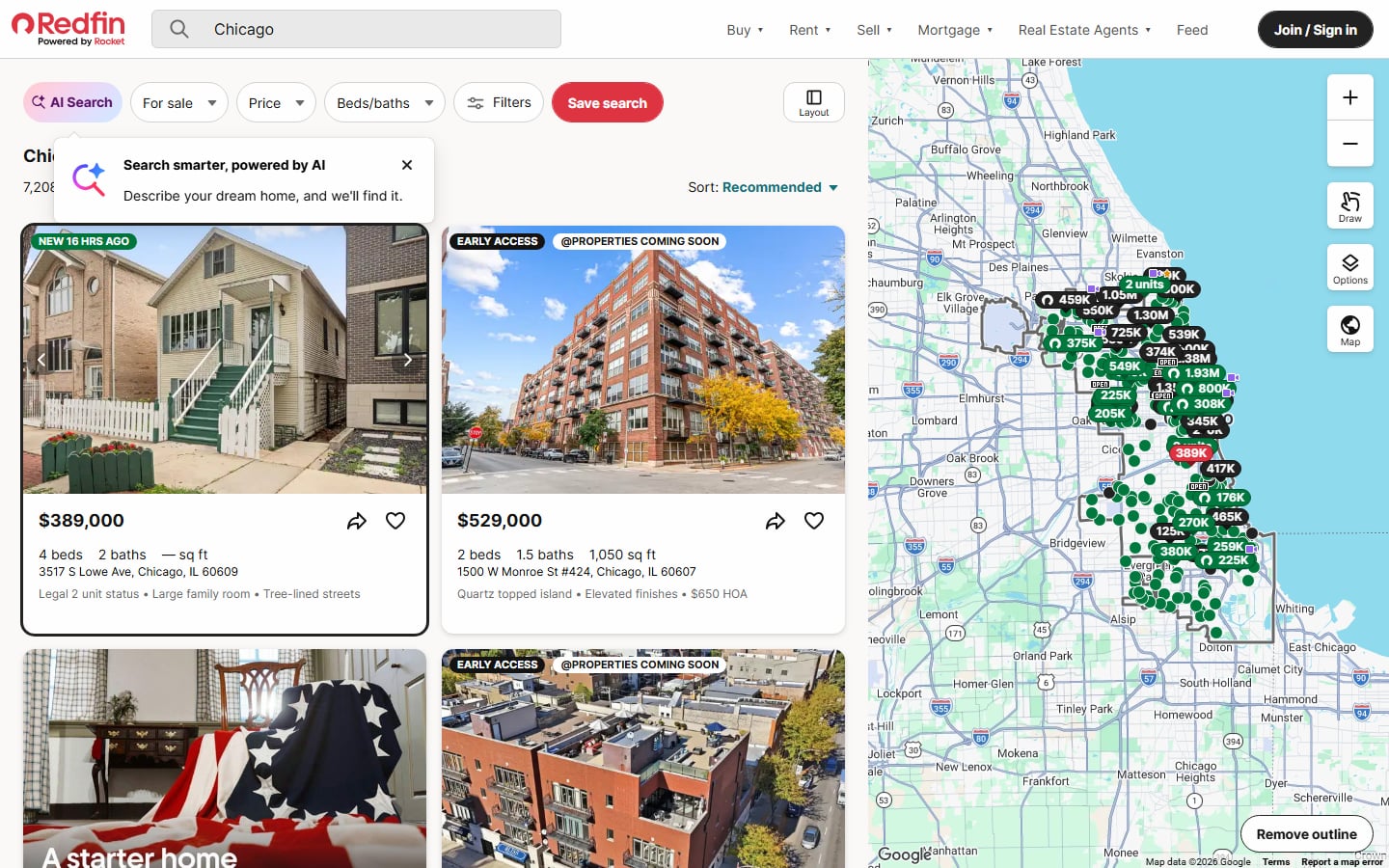
This is what a good map search looks like. Listing cards with price, beds, baths, address and a one-line highlight sit on the left, and a map full of price pins sits on the right. The filter bar keeps For sale, Price, Beds/baths and more Filters in one row, with a red Save search button that turns a casual search into an account and an alert. Badges such as “New 16 hrs ago” and “Early access” give people a reason to come back. Visit Redfin.
2. Rightmove
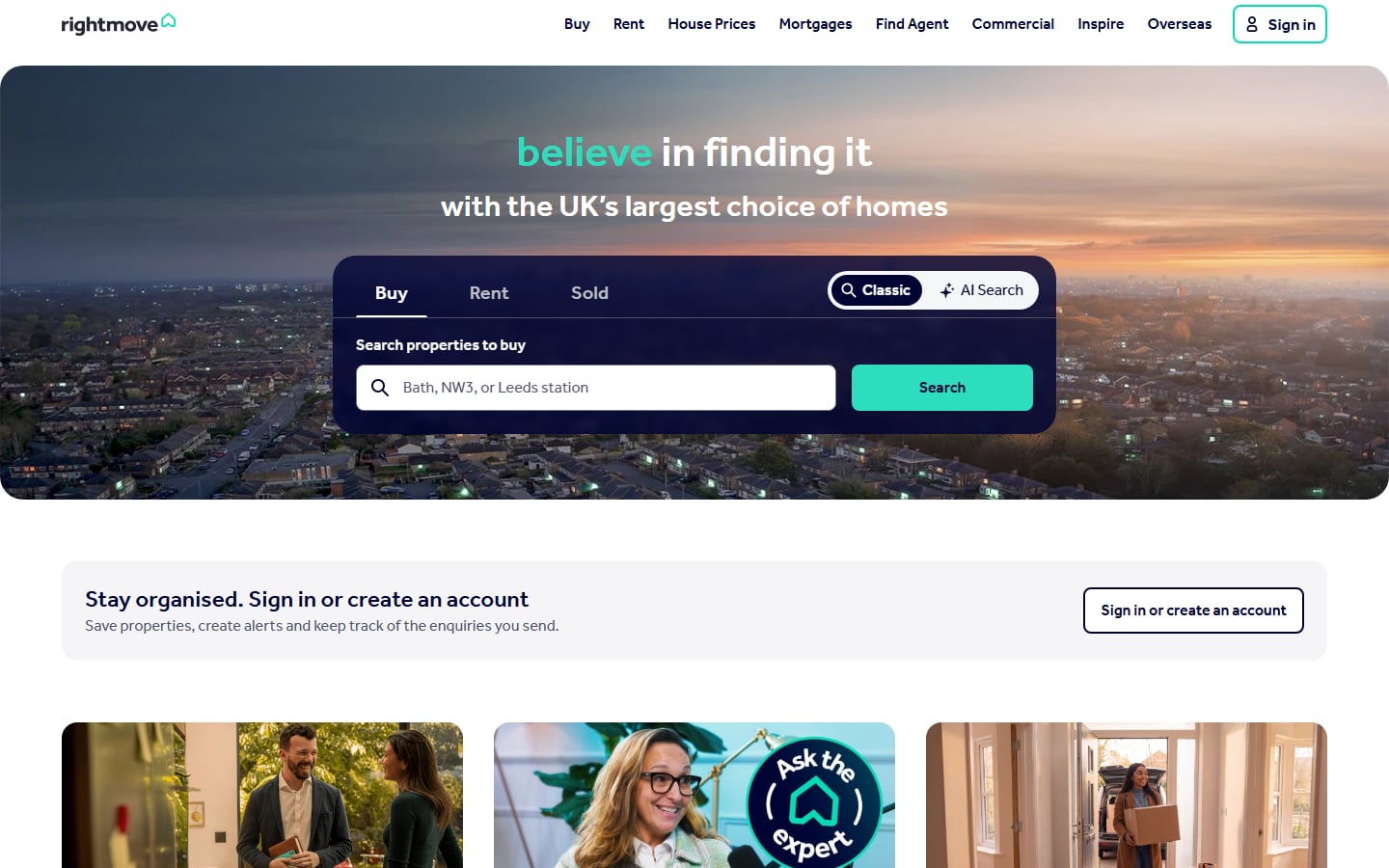
The UK’s biggest property portal puts a dark search panel over a dusk aerial photo, with Buy, Rent and Sold tabs and a switch between Classic and AI Search. The placeholder text, “Bath, NW3, or Leeds station”, quietly teaches people that they can search by town, postcode or station. Just below, a sign-in prompt explains the benefit of an account: saved properties, alerts and enquiries in one place. Visit Rightmove.
3. Compass
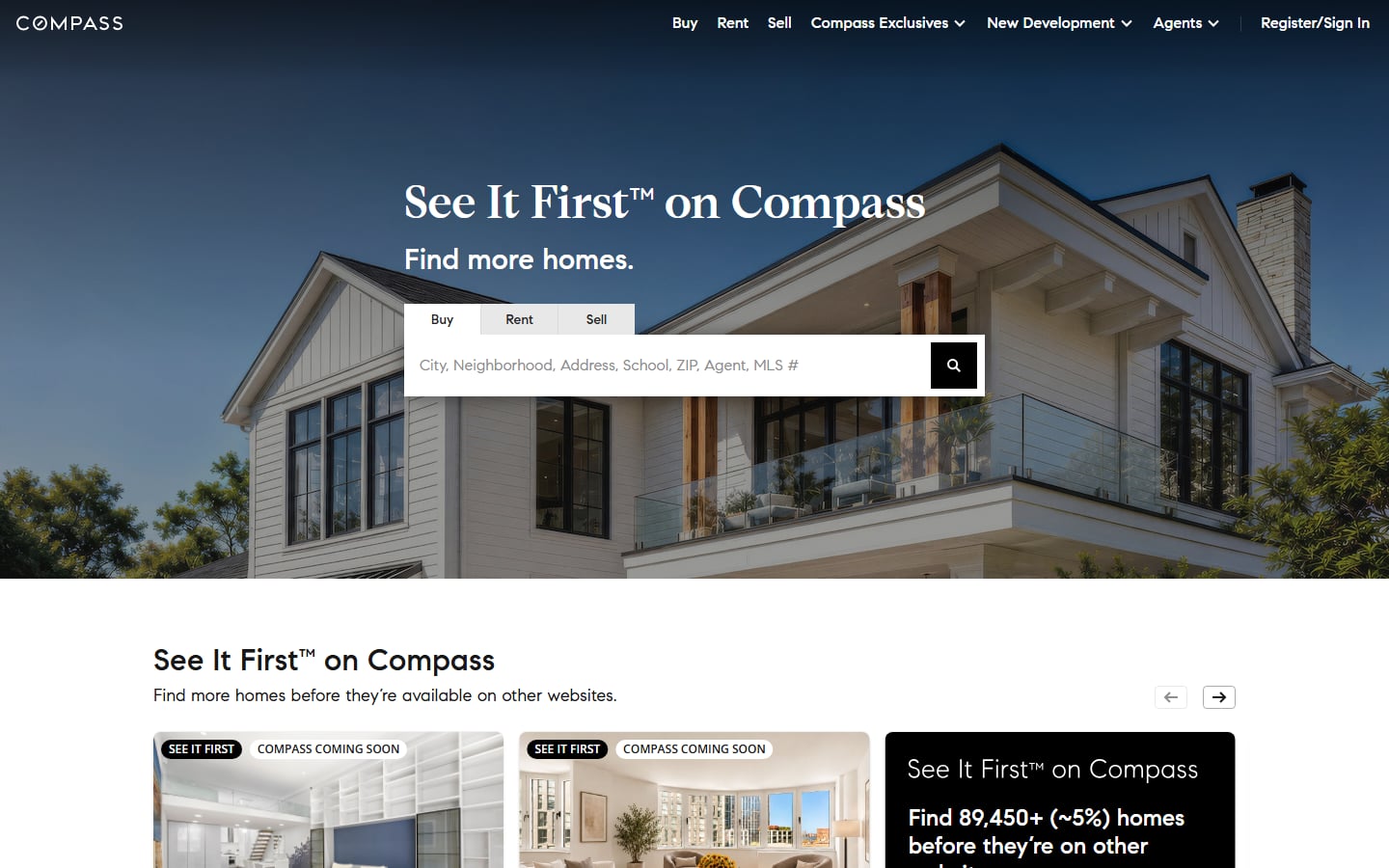
Compass leads with a bright photo of a white house and a clear promise: see homes before they reach other websites. The search placeholder lists everything you can type, from city and school to agent and MLS number. Below the fold, a carousel of “Coming soon” listings turns exclusive stock into the main reason to register. Visit Compass.
Luxury real estate websites
Luxury brokerages sell a lifestyle as much as a property. Expect full-screen photography, serif type and a calmer layout, but the search box is never far away.
4. The Agency
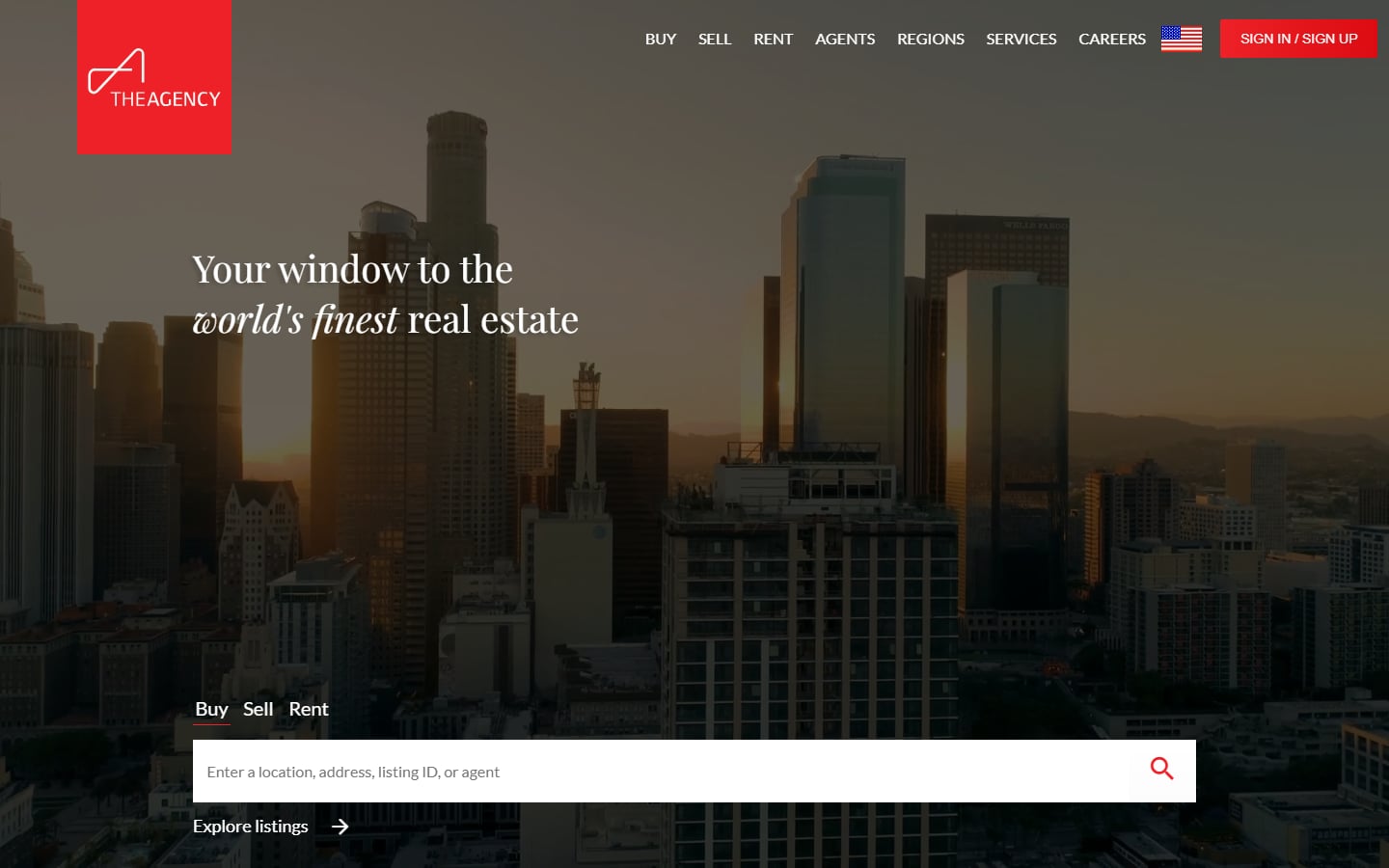
A red square logo hangs from the top edge over a moody skyline at dusk, and the same red returns on the sign-in button. The serif headline uses italics for “world’s finest”, which adds a touch of editorial style. The search bar, with Buy, Sell and Rent links above it, sits low in the hero so the photo can breathe. A lesson in using one brand colour sparingly. Visit The Agency.
5. Douglas Elliman
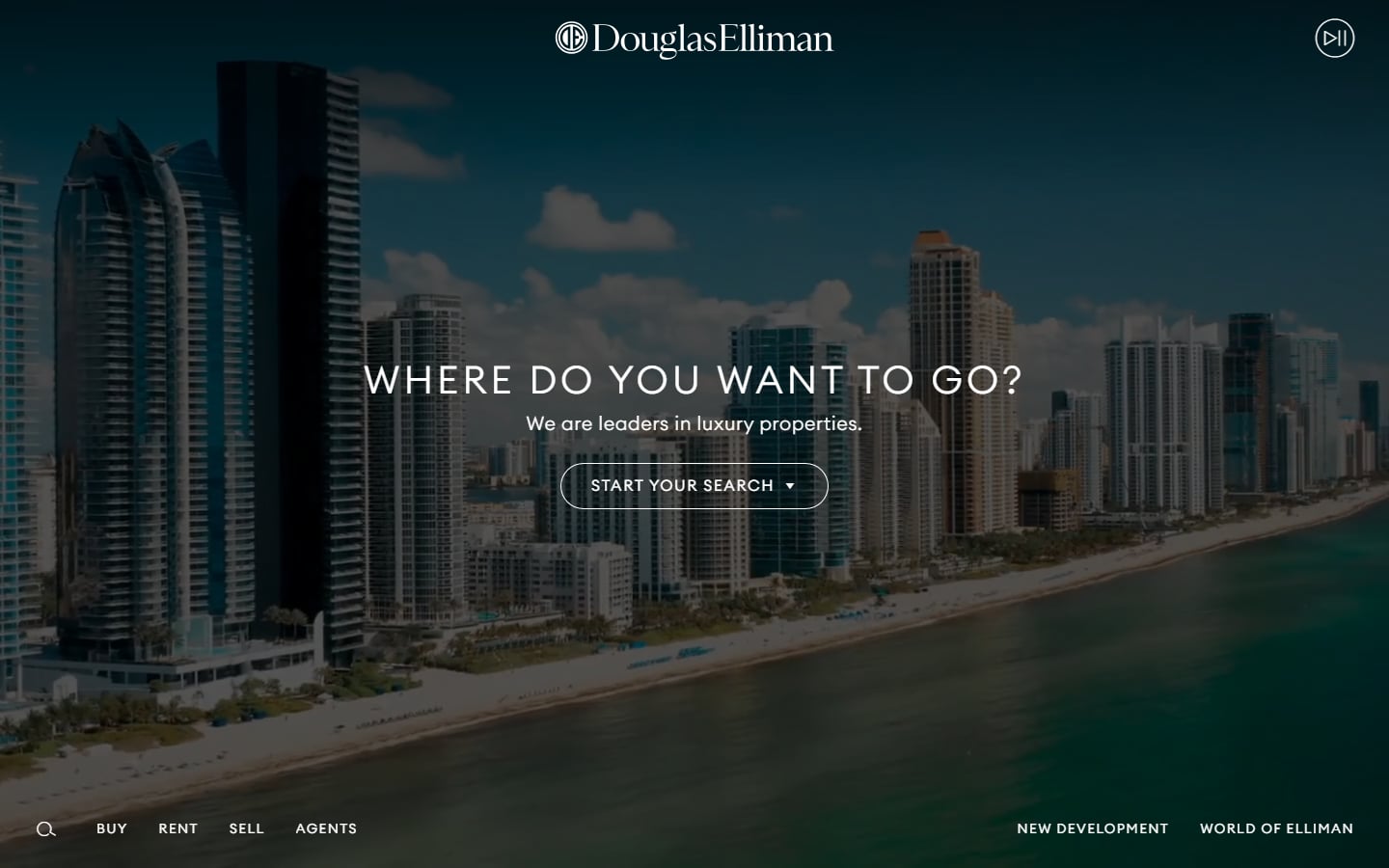
A full-screen aerial of beachfront towers, a centred logo and a single question in spaced capitals: “Where do you want to go?” The navigation moves to a thin bar along the bottom, and a pause control in the corner lets visitors stop the motion, which is good for accessibility. The trade-off is that search hides behind a “Start your search” dropdown, one click further away than on most sites. Visit Douglas Elliman.
6. Christie’s International Real Estate
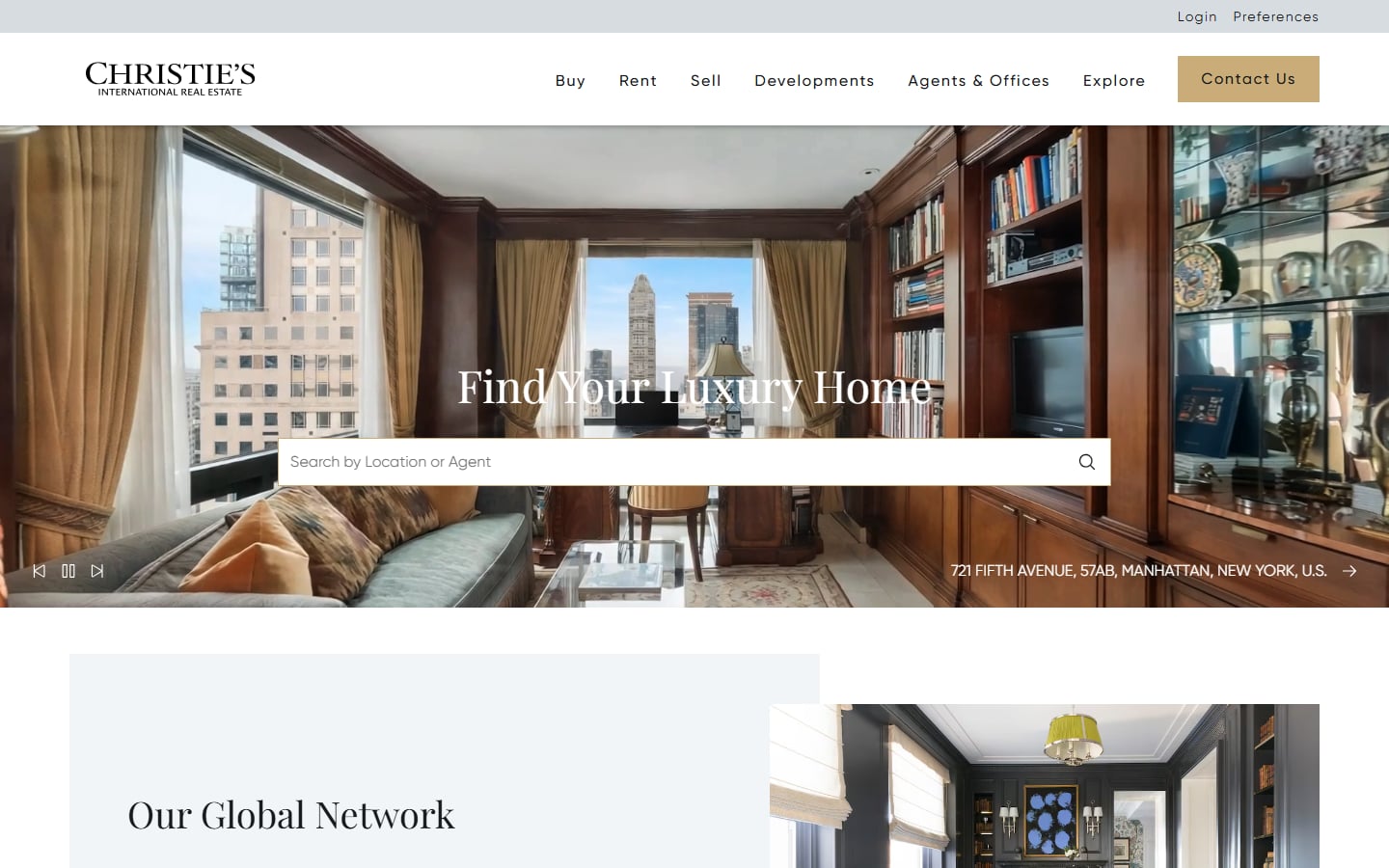
The hero is a slideshow of real listings, here a wood-panelled Manhattan apartment, with the address in the corner linking straight to the property. That turns the hero into inventory, not decoration. A gold Contact Us button and serif headings set a classic tone. The weak spot is contrast: the white headline sits on a busy bookcase, and a soft dark overlay would make it easier to read. Visit Christie’s International Real Estate.
7. SERHANT.

Here the brand is a person. The dark video hero shows a person speaking to camera, with the headline “Make a Move For Your Future” and a pill switch for Buy, Rent, Sell and Agents above a rounded search field. The phone number sits in the navigation, and a white panel with rounded corners slides up into the next section, Our Regions. A strong reference for agent-led brands built on video and social media. Visit SERHANT..
Estate agent websites built for leads
For agents, a valuation request is often worth more than a buyer enquiry, because it can lead to a new listing. These sites make that request hard to miss.
8. Savills
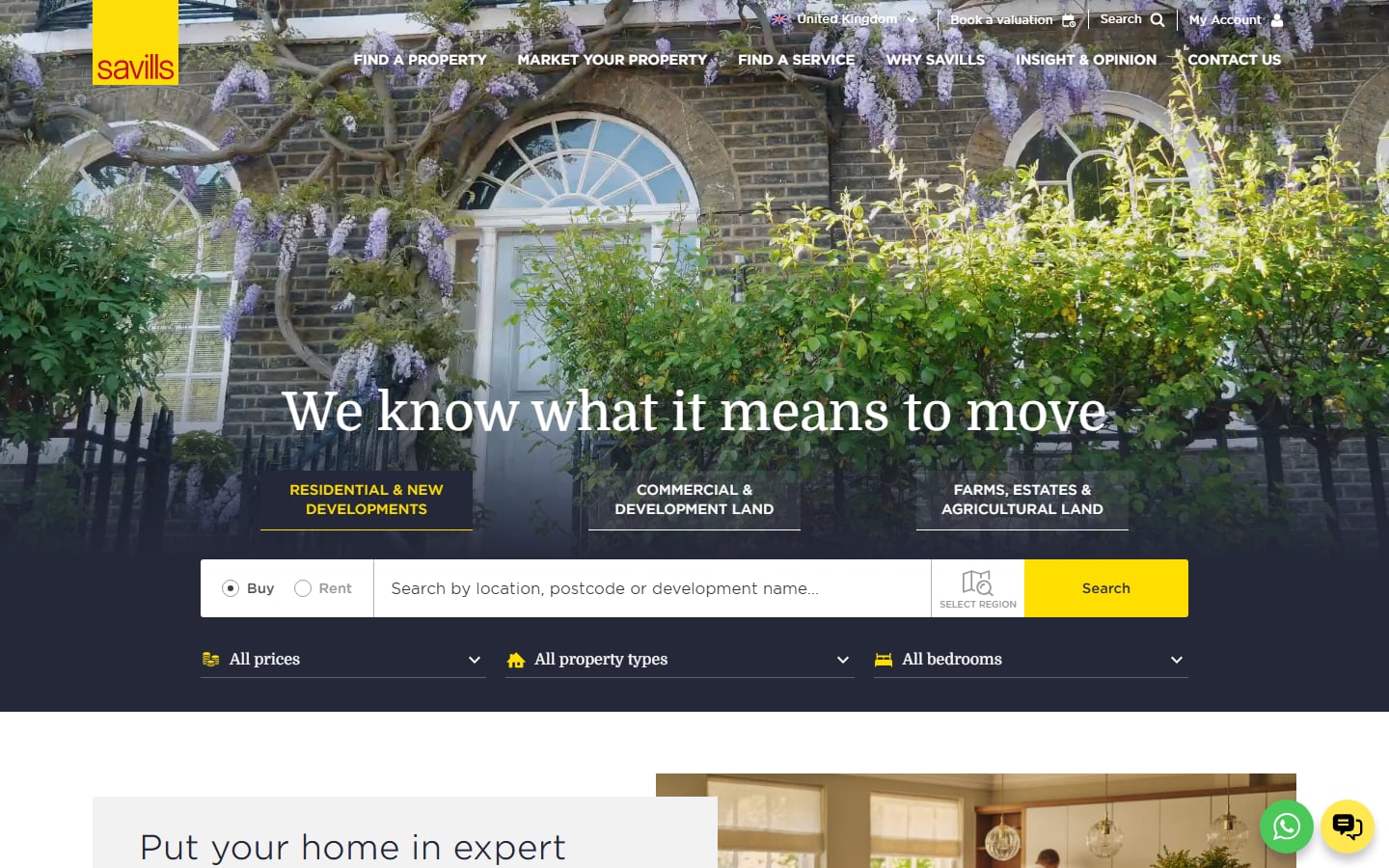
Savills shows its filters up front: Buy or Rent, a location field, a map icon to select a region and drop-downs for price, property type and bedrooms. Three tabs split residential, commercial and rural property, which helps a large firm with very different audiences. The yellow logo block and yellow Search button tie the page together, and “Book a valuation” sits in the top bar. Two chat bubbles in the corner feel crowded, so pick one channel. Visit Savills.
9. Strutt & Parker
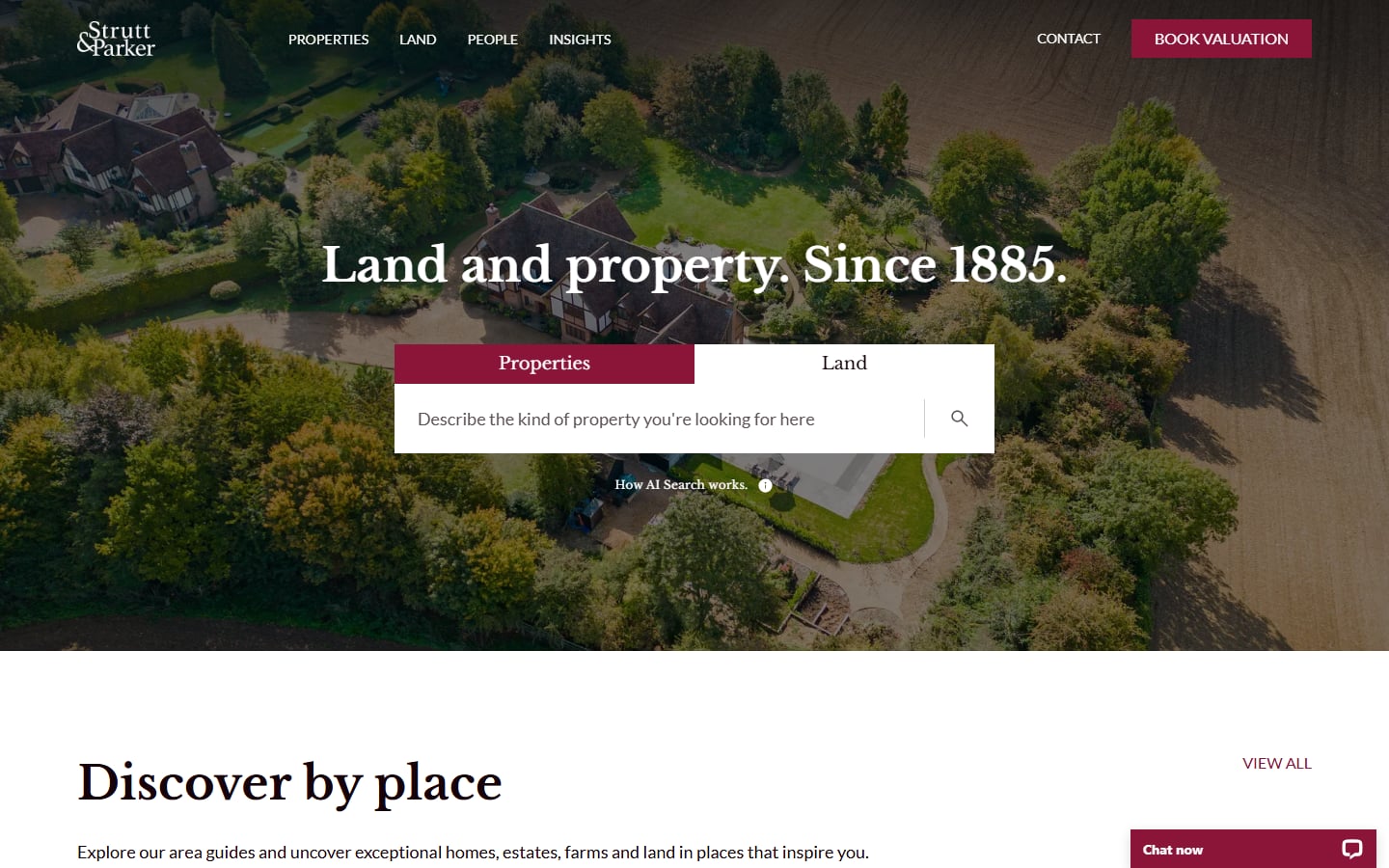
An aerial view of a country house surrounded by fields sets the tone for a firm that sells land as well as homes. Instead of filters, the search box asks you to “Describe the kind of property you’re looking for”, with a small link that explains how the AI search works. That link matters, because people trust a new kind of search more when they know what it does. A burgundy “Book valuation” button stays in the header. Visit Strutt & Parker.
10. Foxtons
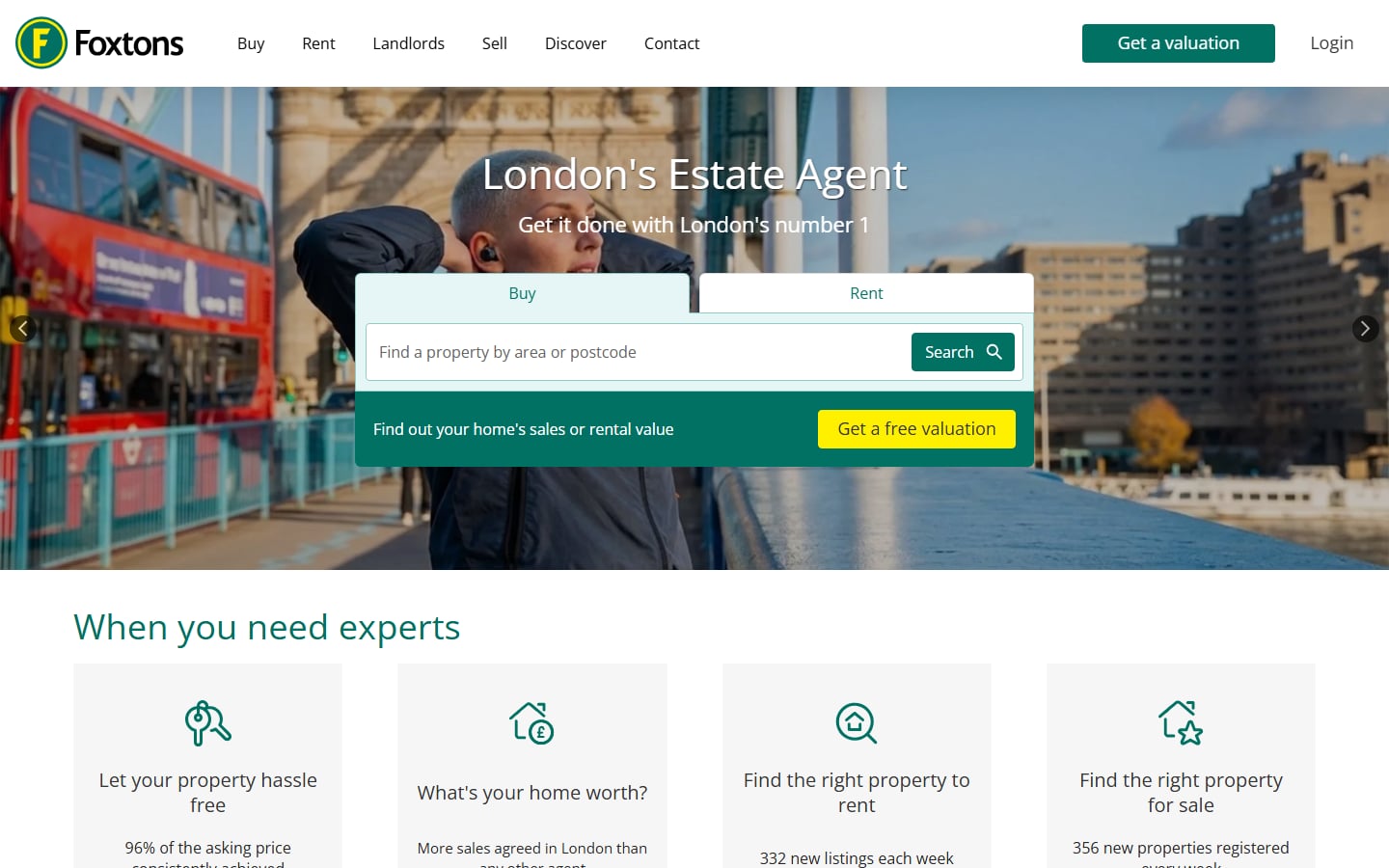
Foxtons builds the valuation offer into the search widget itself. Under the Buy and Rent search sits a green strip, “Find out your home’s sales or rental value”, with a yellow “Get a free valuation” button, so buyers and sellers are both served in one place. The header repeats the valuation button. Below, four icon cards cover letting, valuations, renting and buying. Visit Foxtons.
Editorial and boutique real estate websites
Smaller firms cannot match the portals on search, so they compete on taste, story and personal service.
11. The Modern House
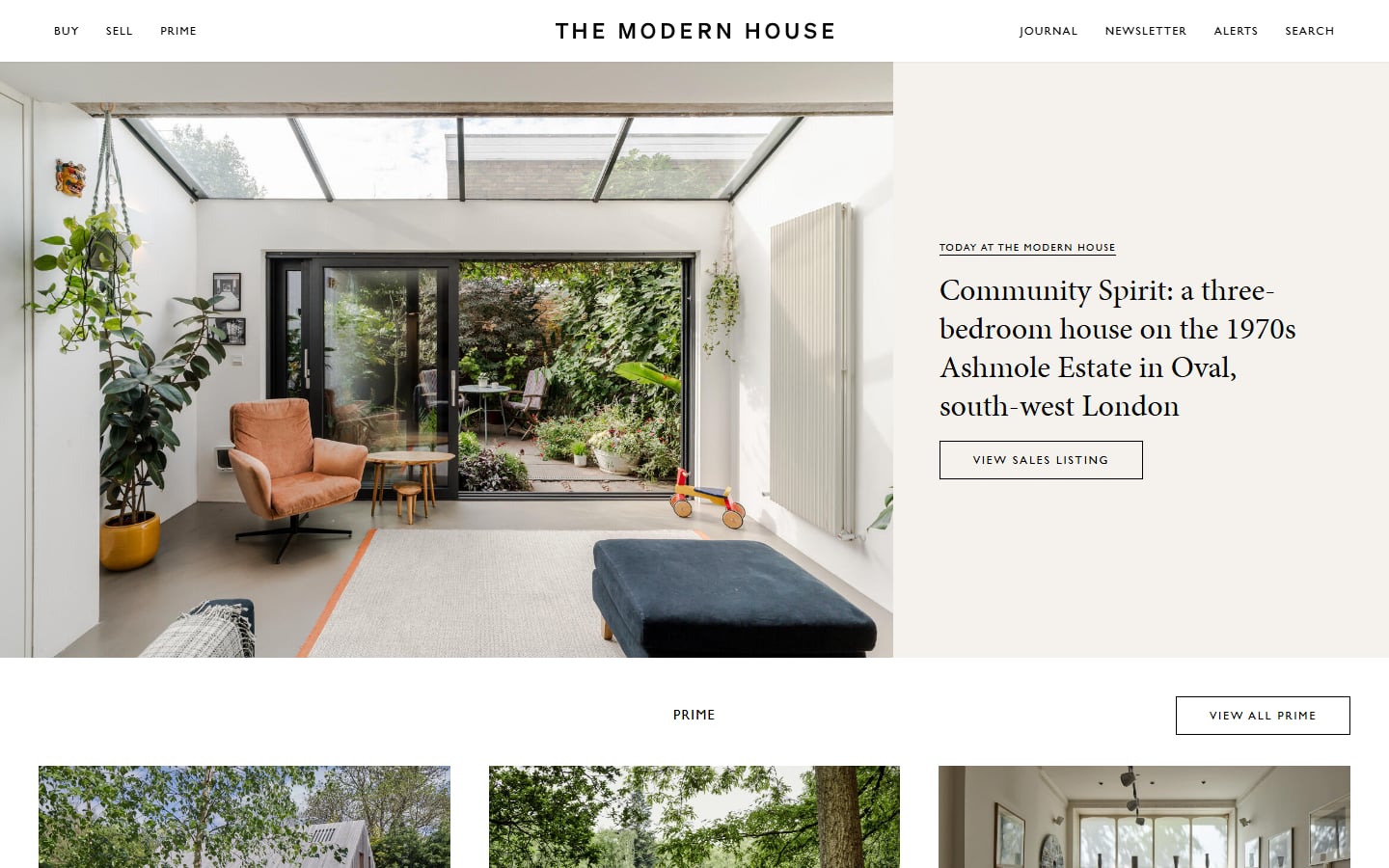
This estate agent looks like a design magazine. A spaced-out wordmark, a tiny navigation and a split hero: a large interior photo on the left and a serif story headline on the right, with a “View sales listing” button. Search lives in the menu, not the hero, because buyers come for the curation. It works for a niche brand with a strong point of view, but would not suit a high-volume agency. Visit The Modern House.
12. The Jills Zeder Group
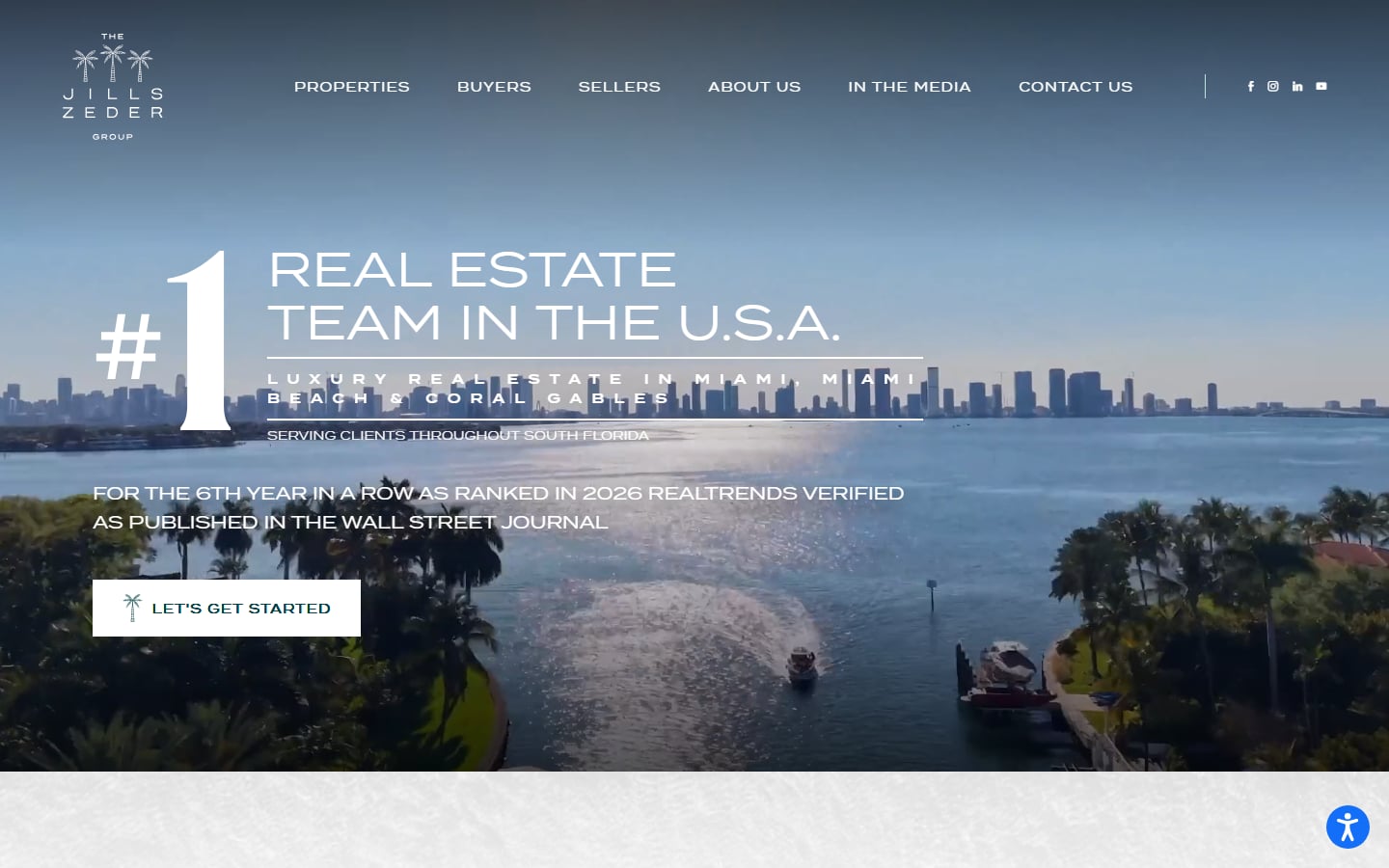
A good model for a team site rather than a brokerage. An aerial video of the Miami waterfront sits behind a large ranking headline, the areas the team covers and a single white “Let’s get started” button. Credibility first, one action second. The thin, widely spaced capitals are hard to read over moving video, so a darker overlay or heavier type would help. Visit The Jills Zeder Group.
Tips for real estate website design
- Put search in the first screen. Location field, Buy or Rent, and a clear button. Add example text in the placeholder, as Rightmove and Compass do.
- Design the listing page before the homepage. It is where most visitors land from search engines and portals, and where enquiries happen.
- Give sellers their own path. A valuation form in the header and on area pages, as Foxtons and Savills show, brings in new listings.
- Check text over photos. Busy interiors and moving video kill contrast. Use a dark overlay or a solid panel behind headlines.
- Keep the brand calm. One accent colour and a strong logo do more than a rainbow of buttons. Our guides to colour schemes in web design and real estate logo design help here.
- Be careful with pop-ups. A sign-up box that hides the listing on a phone annoys people. If you use one, follow the pop-up design practices that respect the visitor.
- Test on a real phone with mobile data. Load a listing with 30 photos outside on 4G. If the gallery stutters, compress and lazy-load until it does not.
Frequently asked questions
What makes a good real estate website design?
Fast, accurate property search, clear listing pages with plenty of photos, an easy way to contact the agent, and a design that works on a phone. Brand and style come next, and should never slow the search down.
What is IDX on a real estate website?
IDX stands for Internet Data Exchange. It lets a US broker or agent display MLS listings from other brokerages on their own website, under the rules of the local MLS. The data comes through an IDX provider or a direct feed from the MLS.
Do agents still need their own website if they are on the portals?
Yes. Portals own the visitor and show your competitors next to your listings. Your own site is where you build your brand, collect valuation requests and keep the leads.
Can I copy these real estate website designs?
No. Each site belongs to its company. Use them to study layout, search and lead capture, then have an original design made for your brand.
Need a real estate website for a client?
Inkyy is a white label design and development team for agencies. We design and build property websites with listing search, map views, agent pages and valuation forms, and you deliver them under your own brand. See our design services and development services, or book a 15-minute call.