15 Free Apple Watch Mockups: Series 12, Ultra 4 and More
 9 min read
A good Apple Watch mockup lets a client see their watch face or watchOS app on a real wrist before anything is built. A screen that small is hard to judge as a flat image, and a mockup shows the scale, the rounded corners and how the design sits inside the case.
We checked the big free mockup libraries and picked 15 free Apple Watch mockups that are live and downloadable today. The newest Series 12 and Ultra 4 come first, followed by Series 11, SE 3, Series 10 and the Ultra line, with one older model that also comes as a Figma file. Each entry lists the format, size, licence and a link to the download page.
How to choose an Apple Watch mockup
Most free watch mockups look similar in a thumbnail, so check these points before you download.
- Model: match the watch your client’s users actually wear. A Series 12 or 11 works for most apps, the Ultra suits outdoor and sports products, and the SE fits a budget audience. Older models are fine for concepts, but they can make finished work look dated.
- Format: PSD files with smart objects give the most realistic light and reflections. Figma files are quicker when the design is still changing, and some libraries let you edit a mockup in the browser.
- Resolution: 4000 px wide or more is safe for hero images and print. Also note the screen size the author lists, so you export your design at the right dimensions.
- Angle: a front-on view is best for reviewing a layout. Angled, in-hand and on-wrist scenes add mood but distort the screen a little.
- Licence: look for “free for personal and commercial use” on the download page. You can use the result in client work, but you cannot resell or re-host the mockup file itself.
New to mockups in general? Our guide on what mockups are and why to use them covers the basics.
15 free Apple Watch mockups
1. Apple Watch Series 12 mockup set
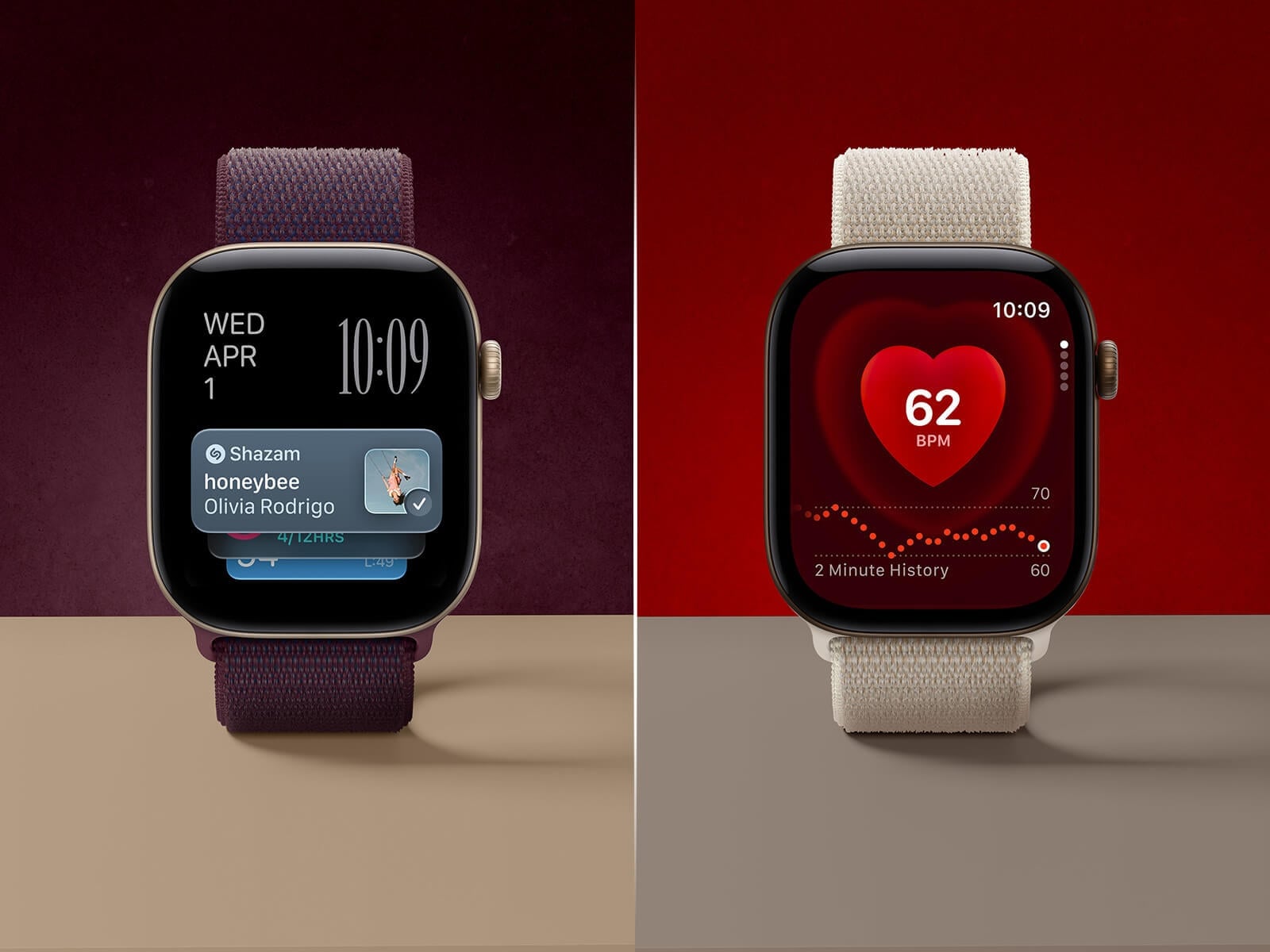
Two scenes of the new Series 12 standing upright: one with a plum loop on a deep burgundy backdrop, one with a cream loop on red. You can change the background and floor colours, and the watch inside the smart object is detailed enough to export the scene at double size. A strong hero image for health, fitness and music apps.
- Format: 2 PSD files
- Size: 4500 × 3000 px (up to 9000 px at 2x)
- Licence: Free for personal and commercial use
- Source: Download on Good Mockups
2. Apple Watch Series 12 UI mockup with sport band
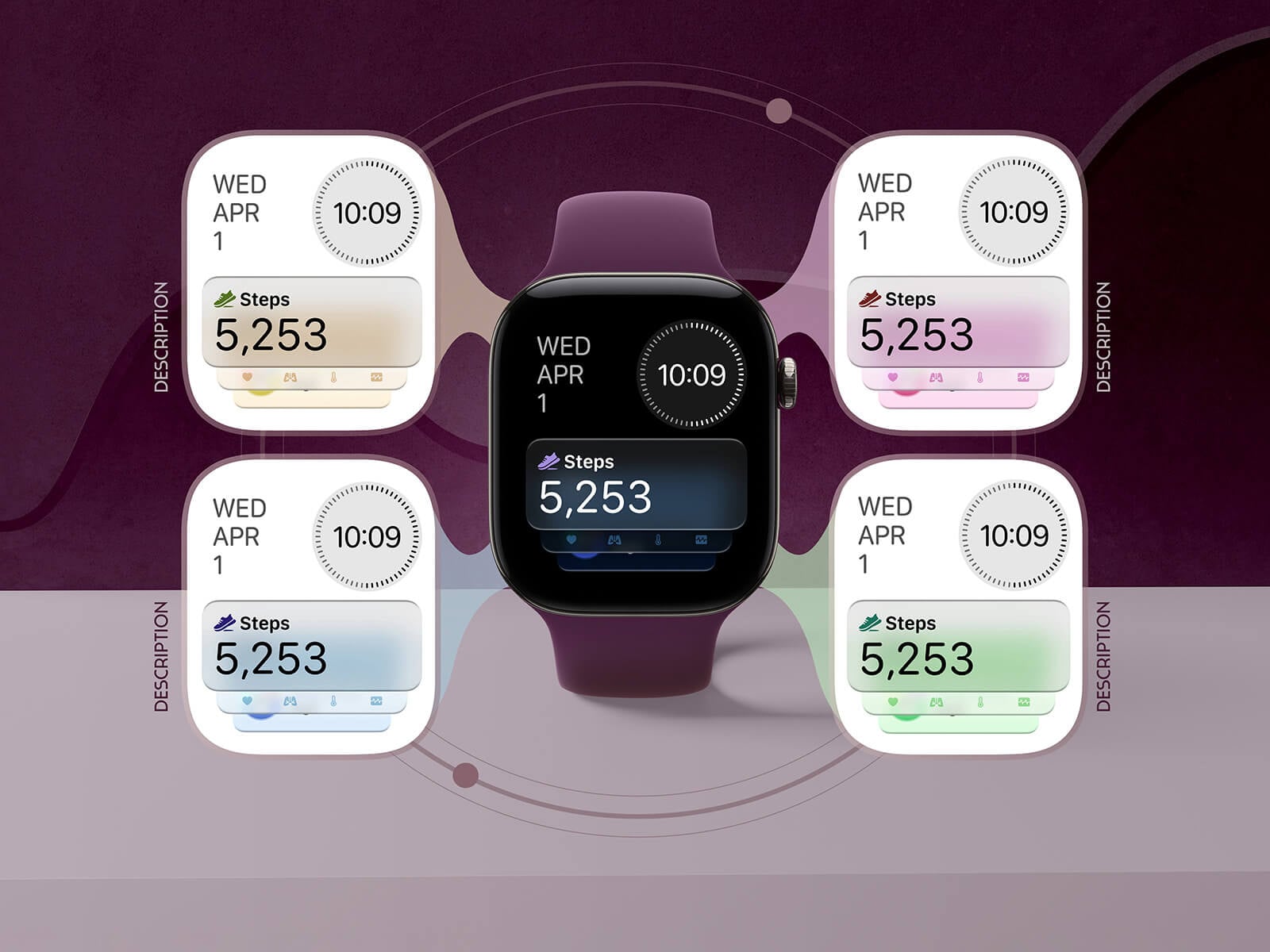
A Series 12 with a plum sport band sits in the middle, with four screen cards floating around it, each with a small label. One file includes the UI cards and one shows the watch alone, and the strap and background colours can be changed. Use it to present a set of watch faces or several screens of one app in a single image.
- Format: 2 PSD files
- Size: 4500 × 3000 px (up to 9000 px at 2x)
- Licence: Free for personal and commercial use
- Source: Download on Good Mockups
3. Apple Watch Ultra 4 UI mockup with four straps
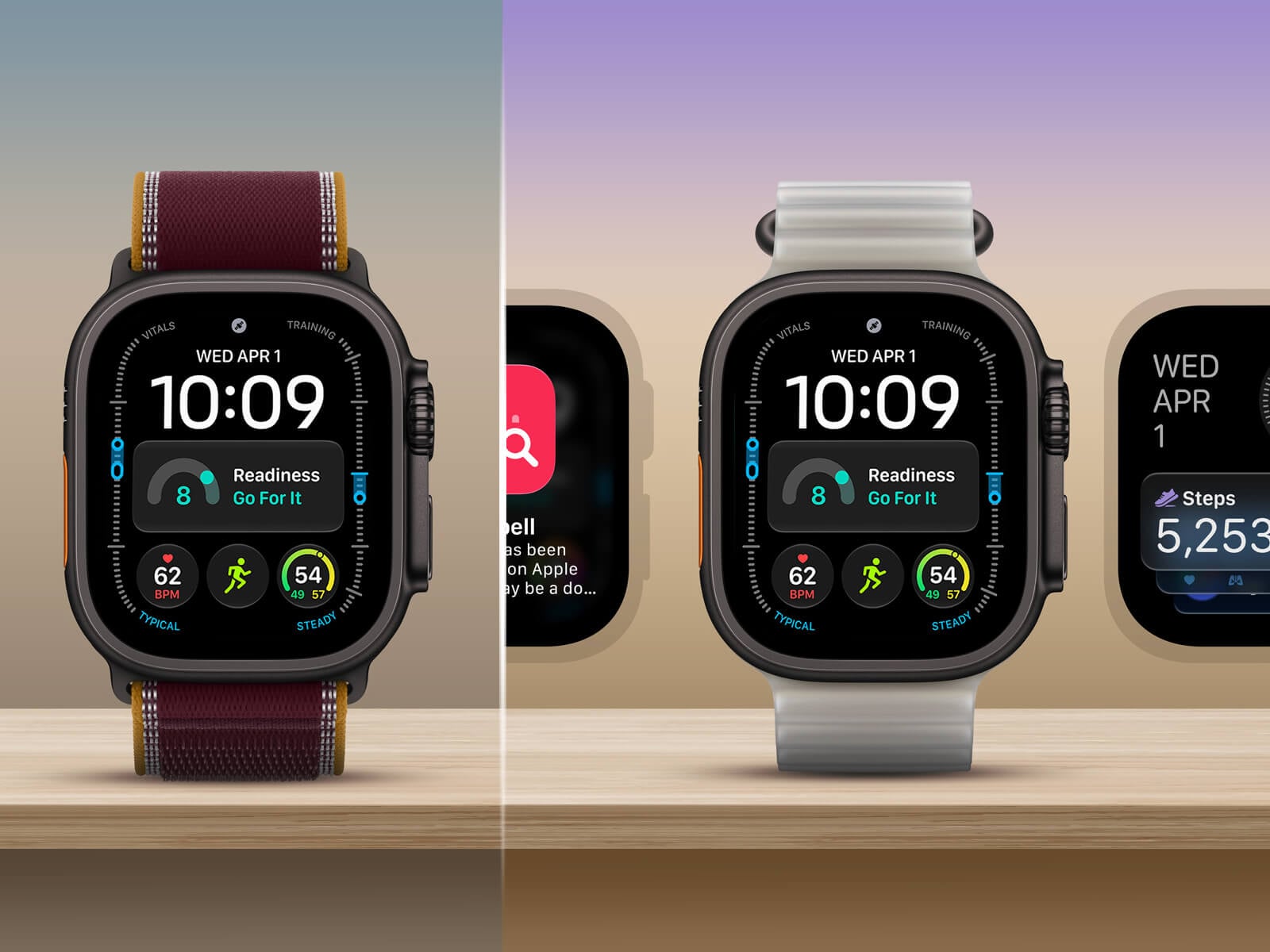
The Ultra 4 stands on a wooden shelf, with extra app screens peeking in from the sides. The PSD holds four straps that you switch by showing or hiding layers, and every element can be replaced. At 7500 px wide it is the largest file in this list, so it holds up in big hero banners and print. A natural fit for outdoor, sports and training apps.
- Format: PSD
- Size: 7500 × 5000 px
- Licence: Free for personal and commercial use
- Source: Download on Good Mockups
4. Apple Watch Ultra 4 on the wrist with three straps
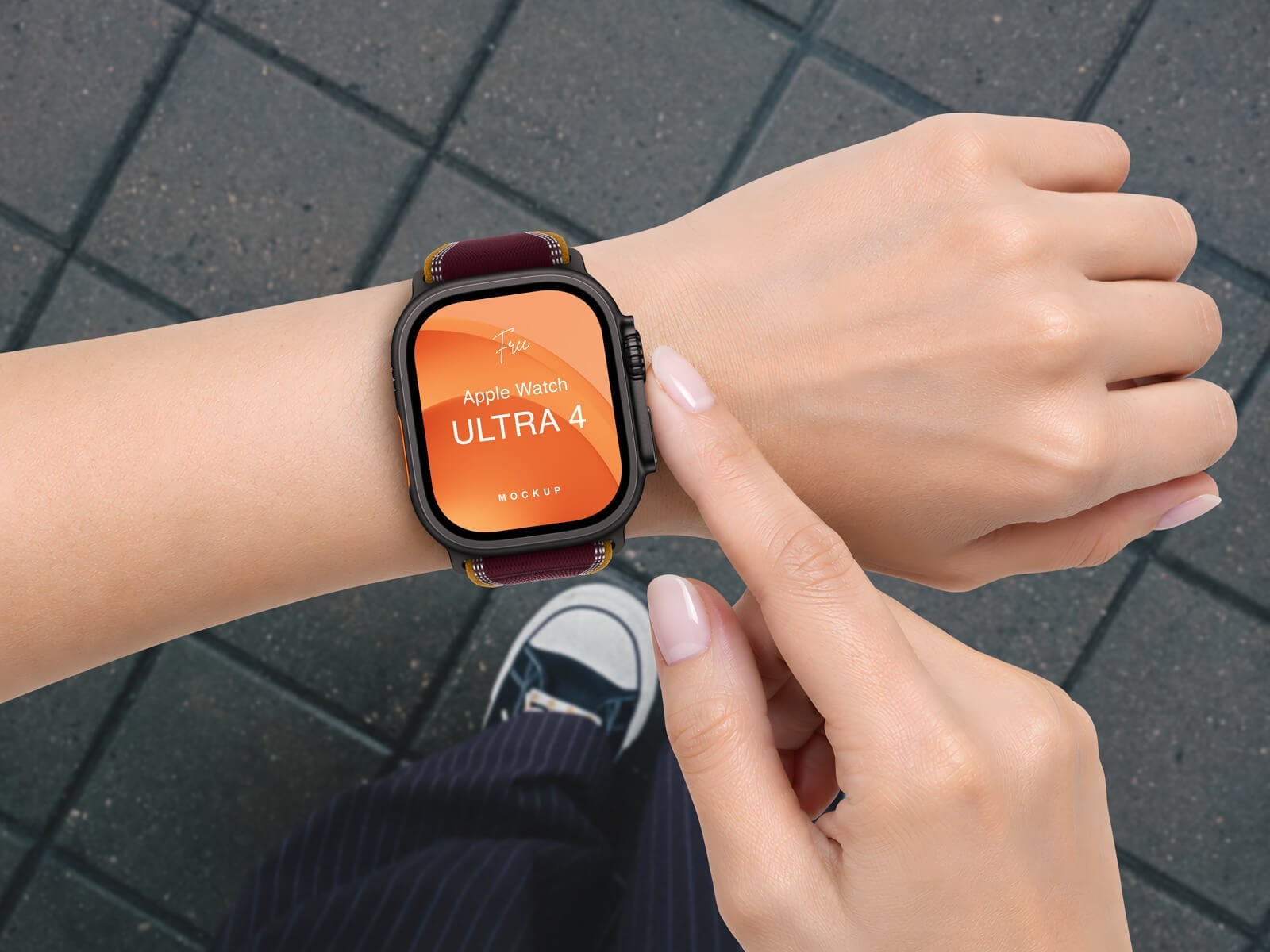
A finger points at an Ultra 4 on a wrist, shot from above over grey paving stones, with a trainer just in frame. Three straps are included, and you can show the watch with or without the wrist. It suits running, travel and lifestyle apps.
- Format: PSD
- Size: 6000 × 4500 px
- Licence: Free for personal and commercial use
- Source: Download on Good Mockups
5. Apple Watch Series 11 on the wrist
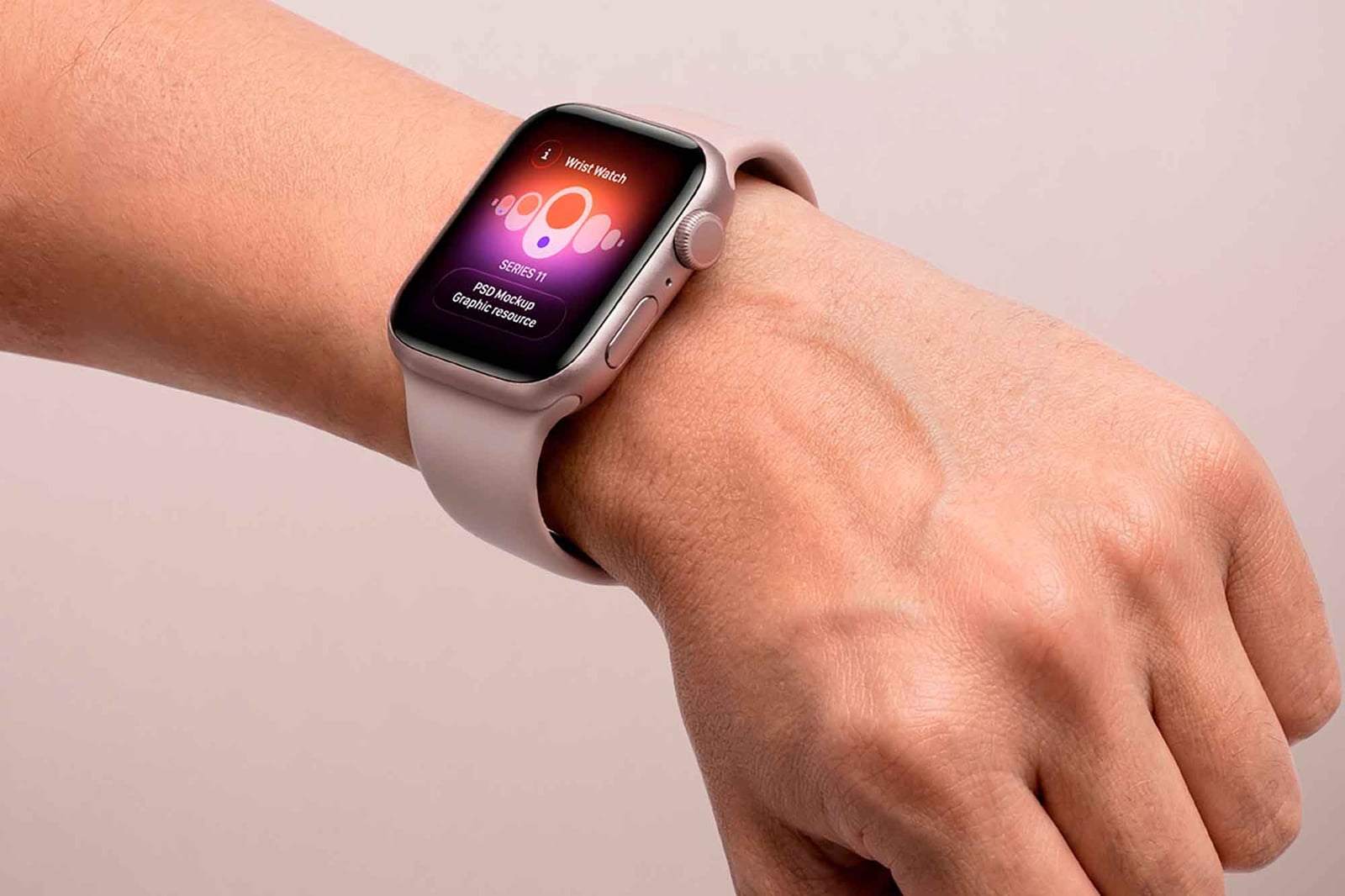
A light pink Series 11 on a wrist, shot close against a soft pink background in natural light. The screen is a smart object, so swapping in your design takes seconds. The warm, soft colours work well for wellness, beauty and lifestyle brands.
- Format: PSD
- Licence: Free for personal and commercial use (as labelled on Unblast)
- Source: Download on Unblast
6. Apple Watch Series 11 on an outstretched arm
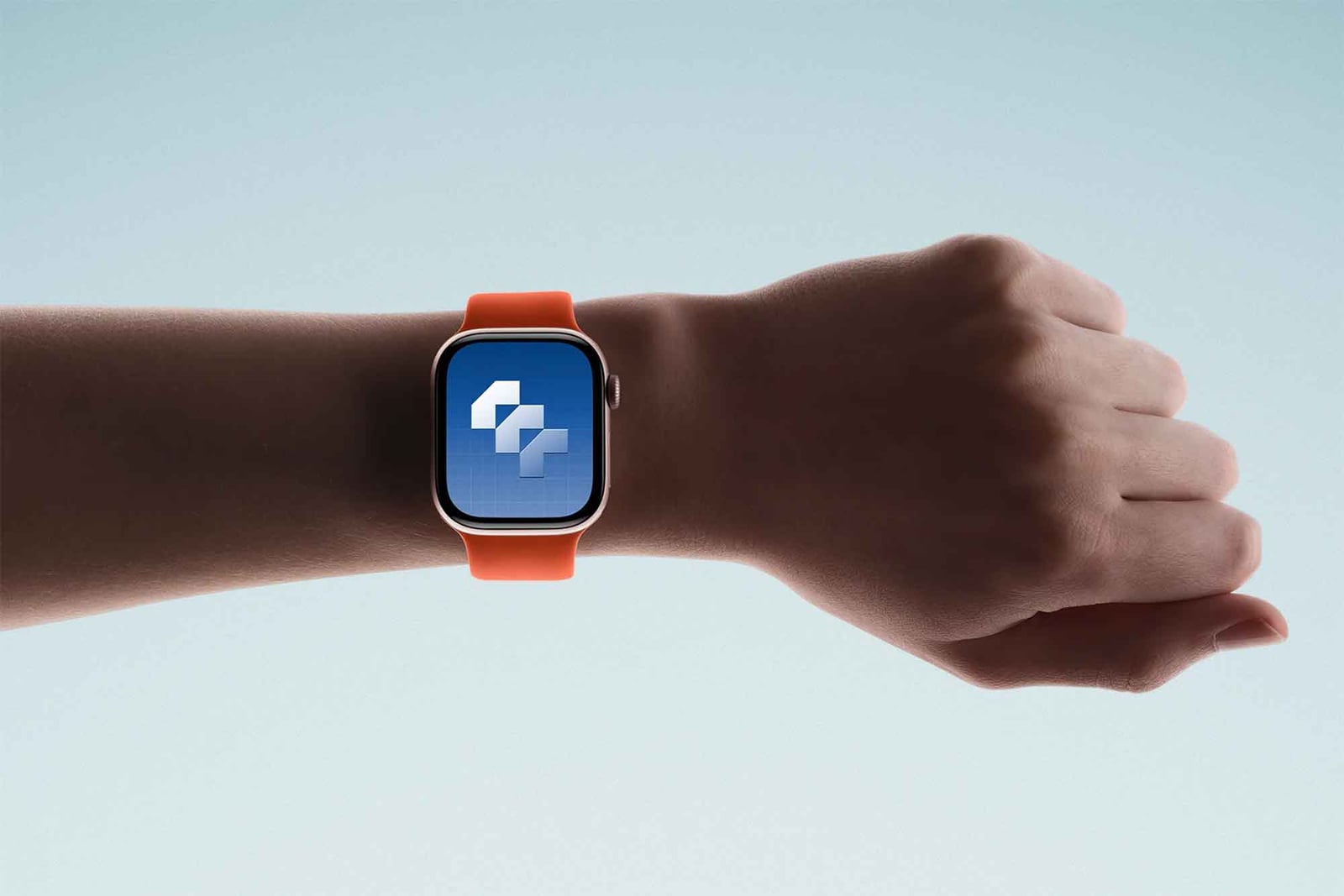
An outstretched arm wears a Series 11 with an orange band against a pale blue sky. The plain, airy backdrop keeps all the attention on the screen, which makes it a good choice for app icons, onboarding screens and launch posts. The page does not show a licence label, so check it before client use.
- Format: PSD
- Source: Download on Unblast
7. Three floating Apple Watch Series 11
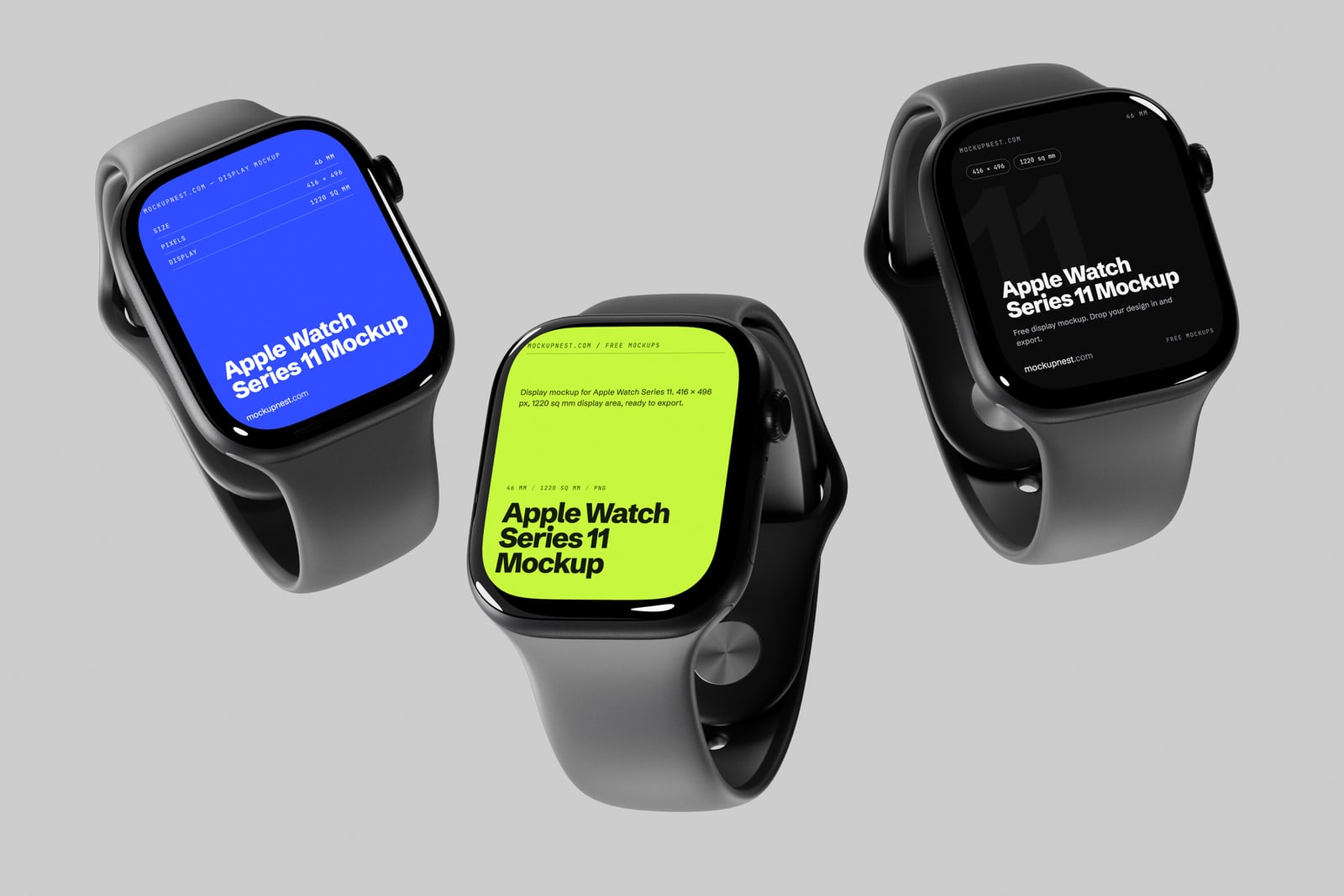
Three black Series 11 watches float at different angles over a clean grey studio background, each with its own soft shadow. Three screens let you show a light, dark and accent version of a watch face, or three steps of an app. You can also edit it in Mockupnest’s online editor without Photoshop.
- Format: PSD and online editor
- Size: 4500 × 3000 px
- Source: Download on Mockupnest
8. Apple Watch Series 11 on the wrist, dark scene
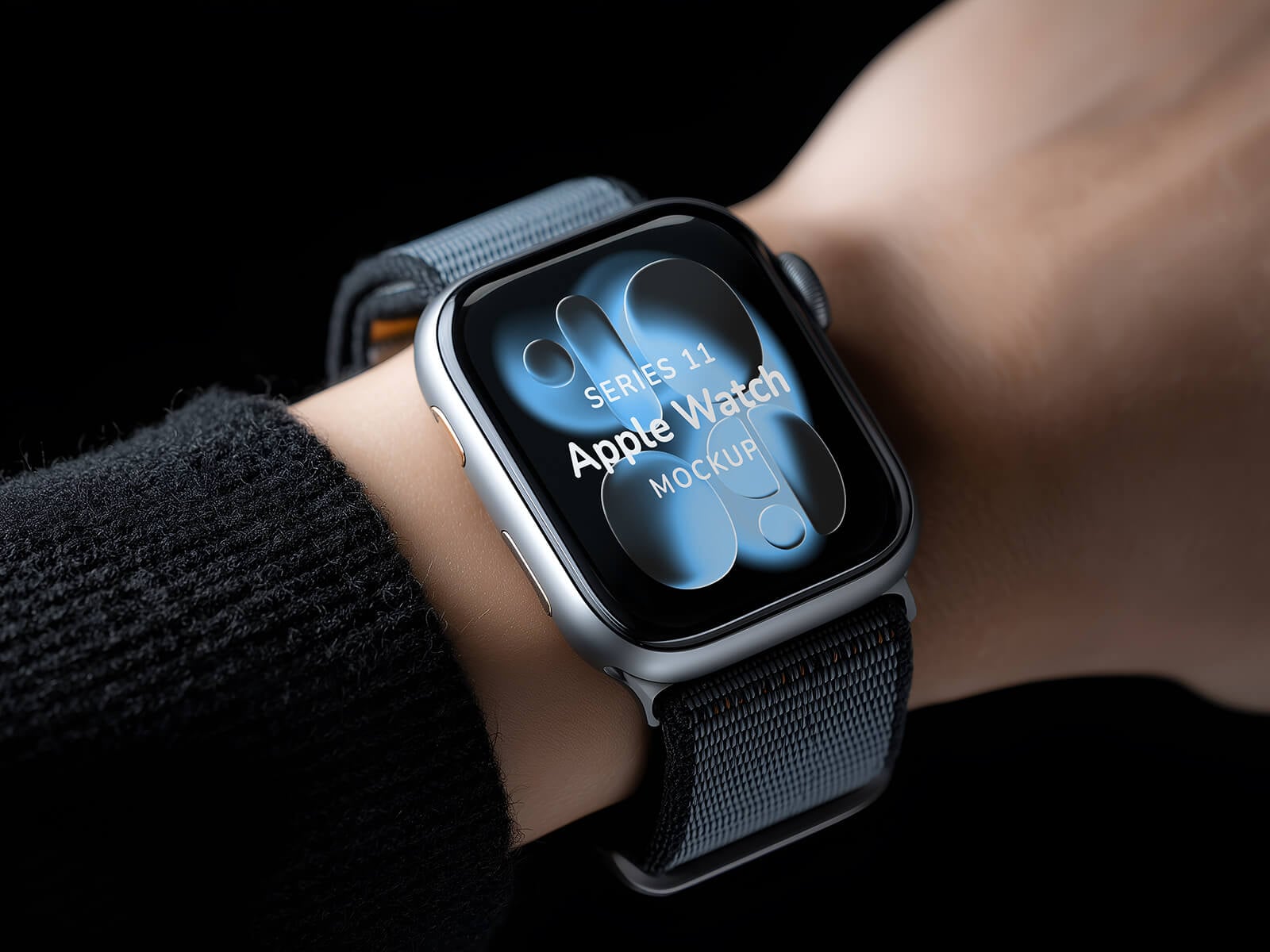
A silver Series 11 with a dark loop band on a wrist, with a black knit sleeve and a black background. The low-key lighting makes a bright screen glow, which suits premium, finance and dark mode designs. Made by Smoothgraphics.
- Format: PSD
- Size: 5824 × 3264 px
- Licence: Free for personal and commercial use
- Source: Download on Good Mockups
9. Apple Watch Series 11 with a blue sport loop
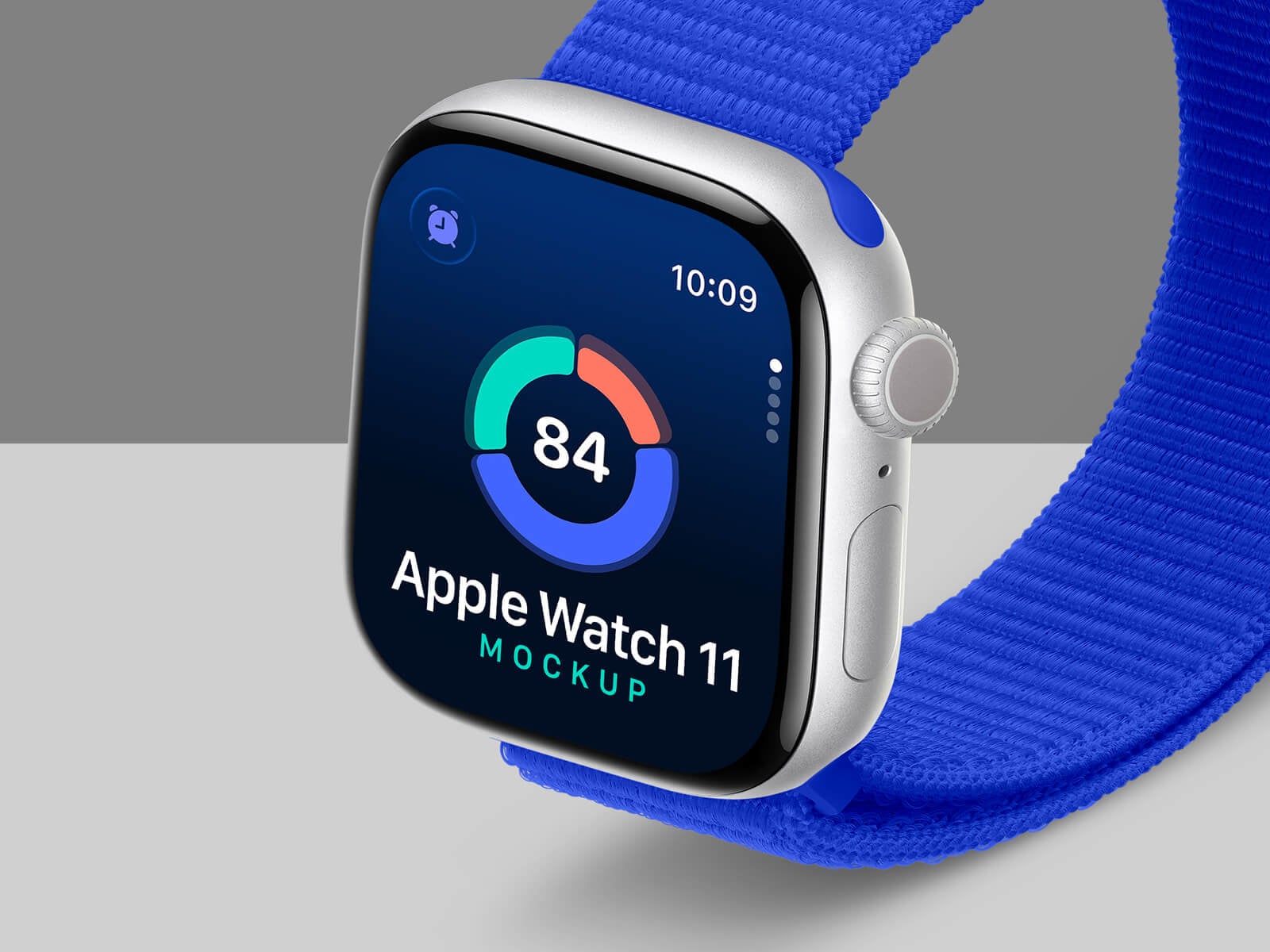
A close, tilted view of a silver Series 11 with a bright blue sport loop on a grey studio set. Both the strap colour and the background can be changed to match the app’s brand. A close crop like this is ideal for showing a single complication or one data screen. Created by Designbolts.
- Format: PSD
- Size: 4000 × 3000 px
- Licence: Free for personal and commercial use
- Source: Download on Good Mockups
10. Apple Watch SE 3 mockup
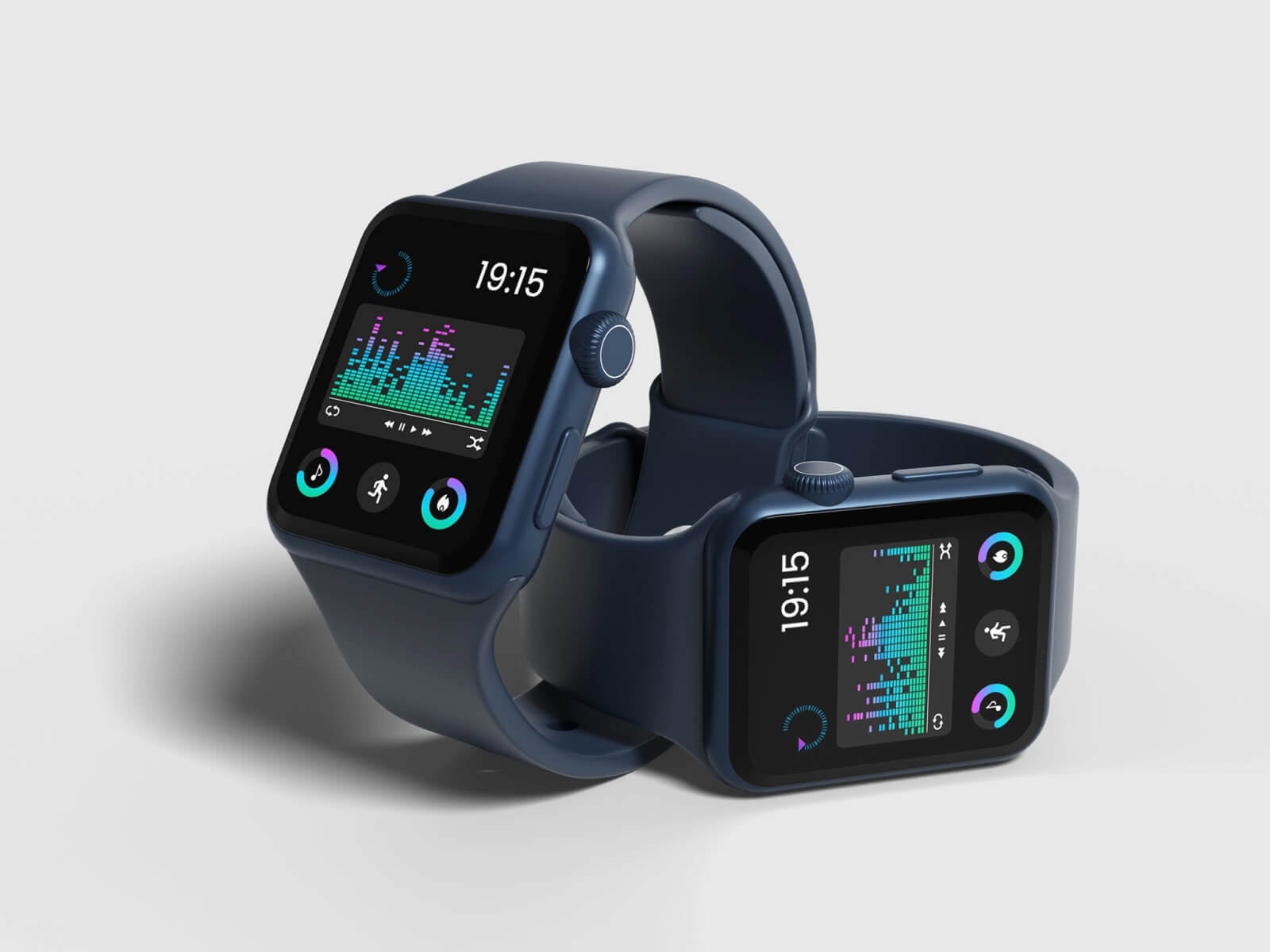
Two midnight blue SE 3 watches on a light grey surface, one standing and one lying on its side, so the same app is seen from two angles. The scene is simple and tidy, and the SE 3 is Apple’s lower-priced current model. Handy when a client’s users are more likely to wear an SE than an Ultra.
- Format: PSD
- Size: 3000 × 2000 px
- Licence: Free for personal and commercial use
- Source: Download on Good Mockups
11. Black Apple Watch Series 10 on the wrist
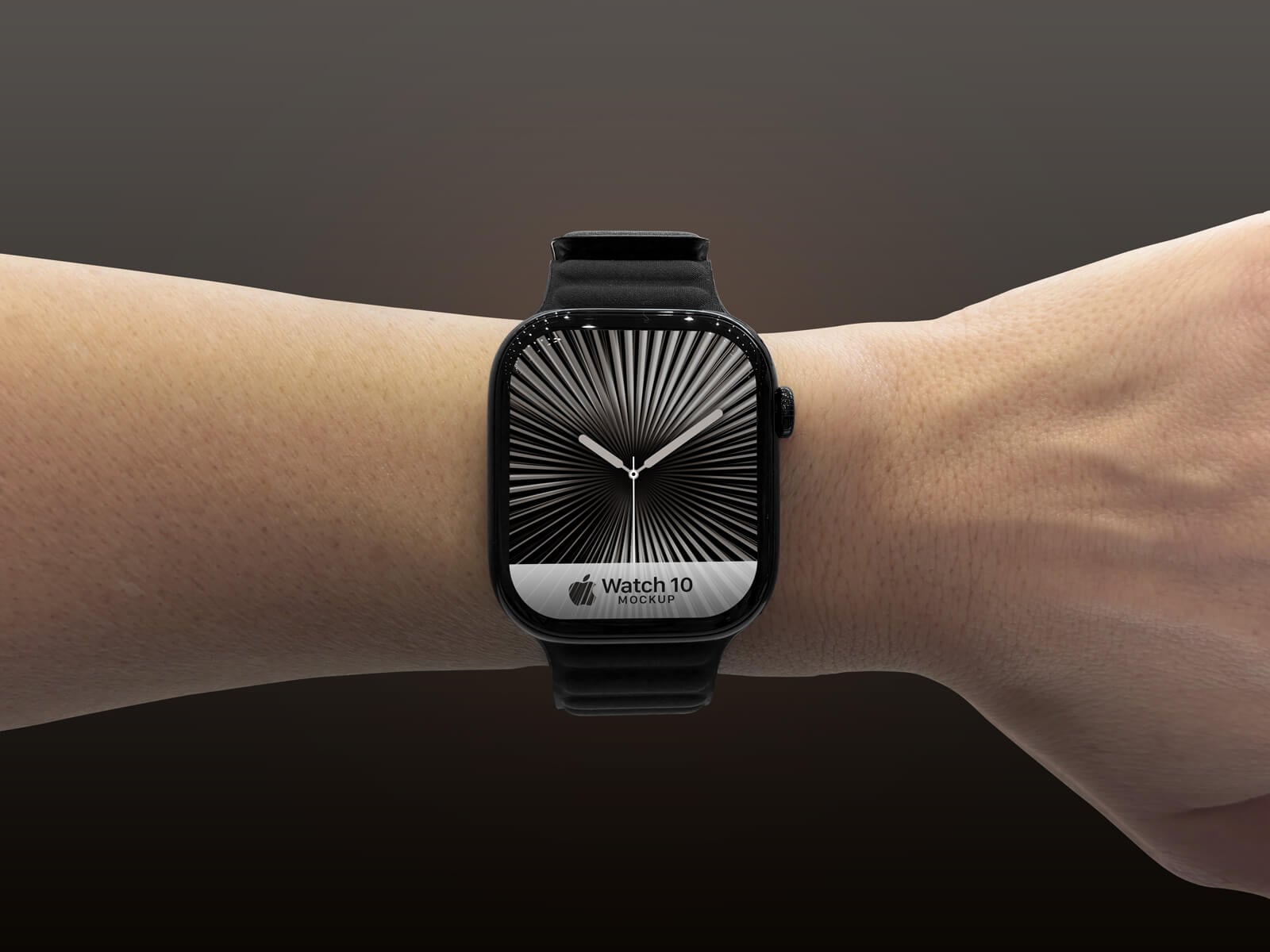
A jet black Series 10 on an outstretched wrist, shot front on against a dark, warm background. The straight angle shows the screen with almost no distortion, so a client can judge the layout accurately. The page gives the screen size as 416 × 496 px, and the background colour can be changed.
- Format: PSD
- Size: 4000 × 3000 px
- Licence: Free for personal and commercial use
- Source: Download on Good Mockups
12. Apple Watch Ultra on the wrist (first generation)
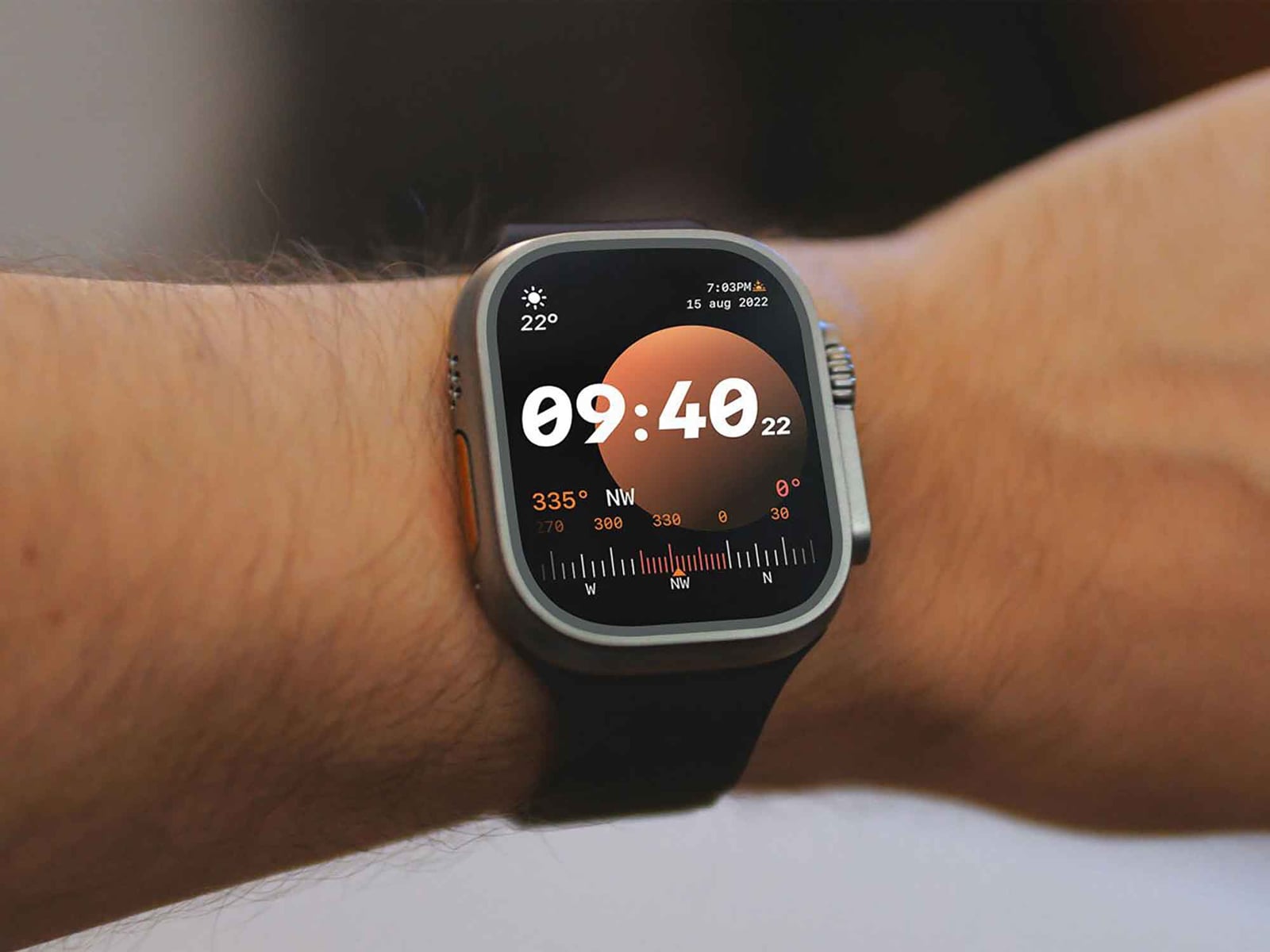
A close-up of the first Apple Watch Ultra on a wrist, with a softly blurred background. The rugged titanium case and orange action button read clearly, so it suits outdoor, navigation and sports apps. The page lists the screen area as 502 × 410 px. Later Ultra models look almost the same, so it still works for most presentations.
- Format: PSD
- Size: 4000 × 3000 px
- Source: Download on Unblast
13. Apple Watch Ultra mockup set
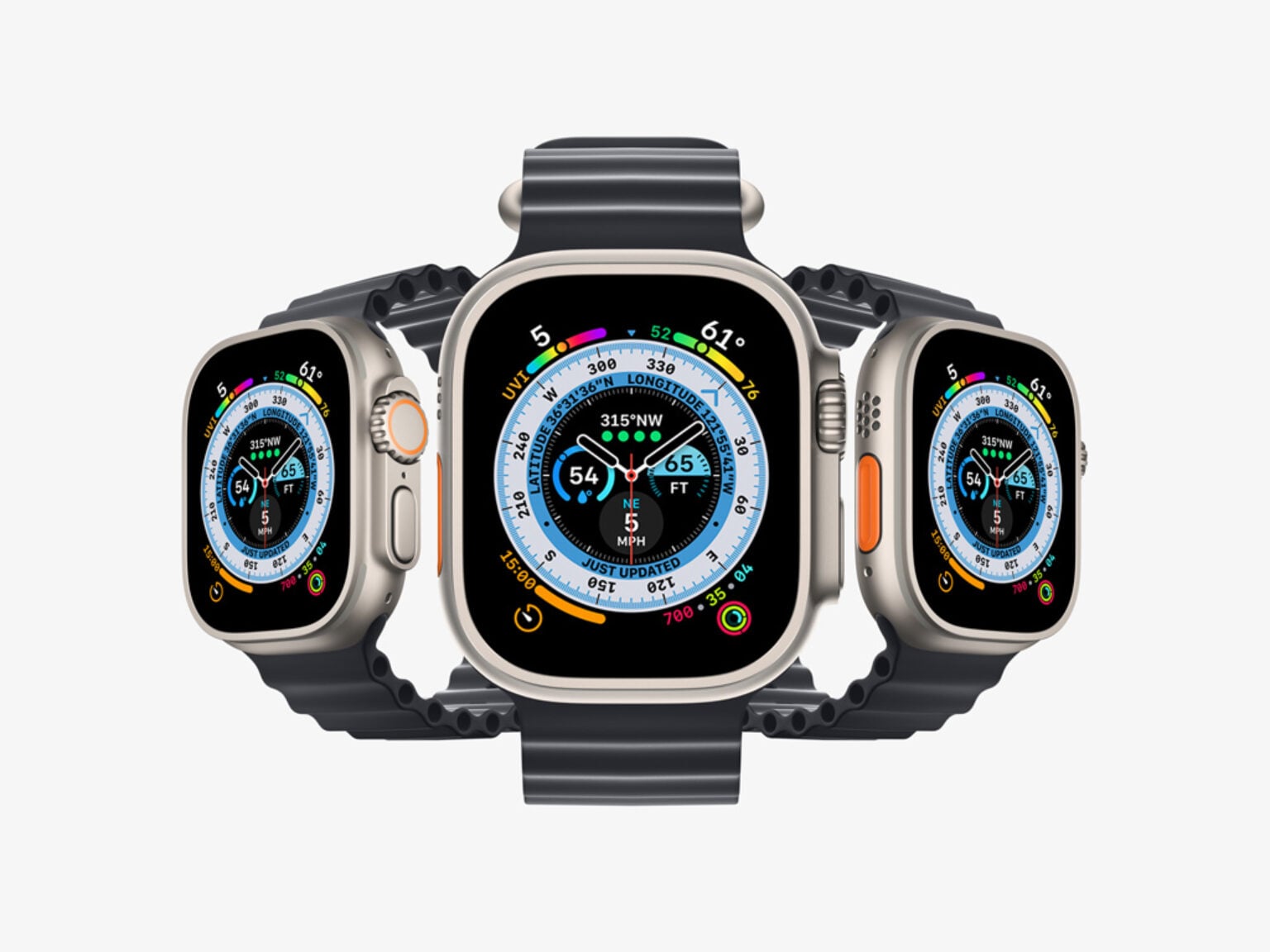
Three Ultra watches with navy bands fanned out on a light background, showing a busy, colourful watch face. The set holds two mockups, one realistic and one in a clay style, and one of them includes extra straps and bands. Made by ls.graphics.
- Format: 2 PSD files
- Size: 6000 × 4500 px
- Source: Download on Mockup World
14. Apple Watch Ultra 2 with rubber bands
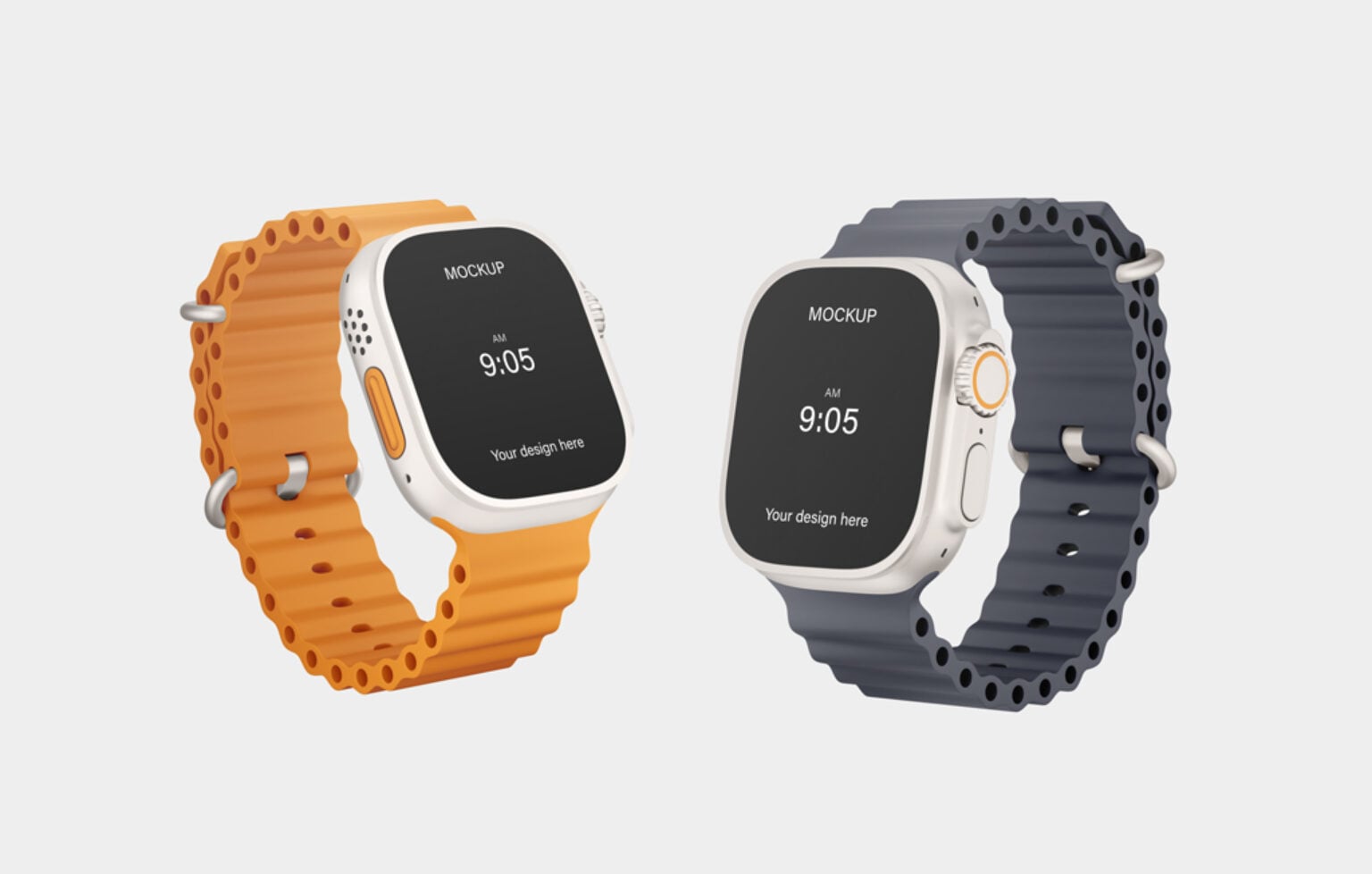
Two Ultra 2 watches float side by side, one with an orange band and one with a navy band, on a light grey background. The file is fully layered with several smart objects, so almost every detail can be changed. The tall 3500 × 5000 px canvas suits portrait social posts and pins. Made by Deeezy.
- Format: PSD
- Size: 3500 × 5000 px
- Source: Download on Mockup World
15. Apple Watch on the wrist, PSD and Figma (older model)
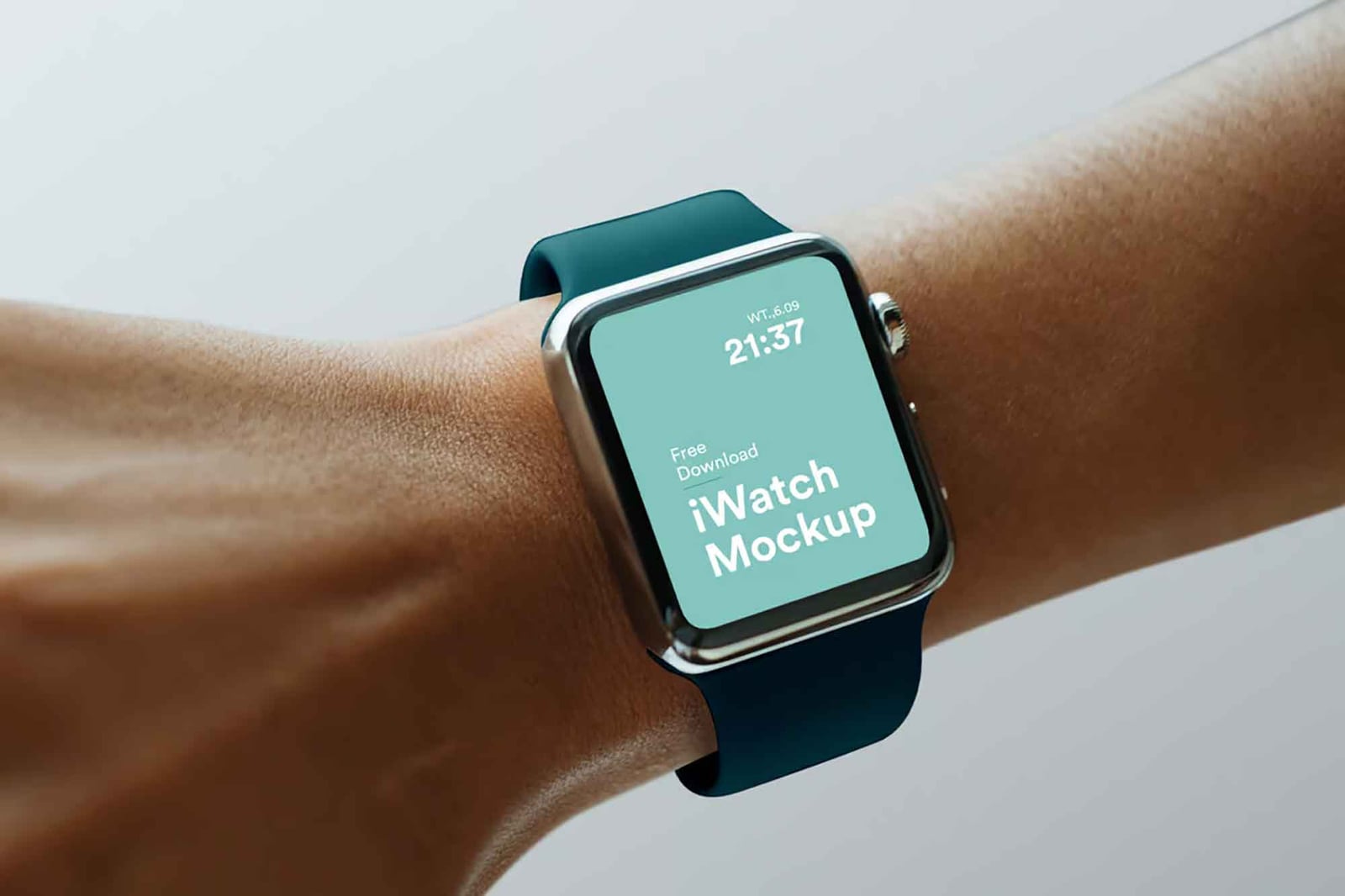
A stainless steel Apple Watch with a teal band on a wrist, against a pale grey background. This is an older generation with a smaller screen and thicker borders, so use it for concepts rather than when a client needs the newest model. It is the only file here that also comes in Figma, which makes it handy for teams that design there.
- Format: PSD and Figma
- Licence: Free for personal and commercial use (as labelled on Unblast)
- Source: Download on Unblast
Which Apple Watch mockup should you use?
- For the newest hardware: the Series 12 and Ultra 4 files (mockups 1 to 4) show the current models.
- To review a layout: use a front-on view such as mockup 11, so the client judges the design and not the angle.
- To show the app in daily life: the on-wrist scenes (mockups 4, 5, 6, 8 and 12) make the watch feel worn and real.
- For several screens at once: mockups 2, 7 and 13 fit three or more screens in one image.
- For a Figma workflow: pick mockup 15.
Tips for presenting Apple Watch designs
- Design at real size. Export your screen at the exact pixel size the mockup lists, then check it on an actual watch. Text that reads well on a monitor can be too small on a wrist.
- Keep it short. Watch screens are glanceable. One number, one action or one short message per screen reads best in a mockup too.
- Use a black background. Most watchOS apps use black, which blends into the bezel and makes the screen look edge to edge.
- Show the companion app. If the watch app pairs with a phone app, put both in the same deck. Our free iPhone mockups match these scenes well, and our laptop mockups cover the web dashboard.
- Tell a short story. Three screens in order, such as a notification, the detail view and the result, explain a watch feature faster than a single hero shot.
Need screens to drop in? Start with our free smartwatch UI kit for Adobe XD, read our mobile app design tips, or see how to build a design presentation that wins approval.
Frequently asked questions
Are these Apple Watch mockups free for commercial use?
They are all free to download. Good Mockups and Unblast label most of these files as free for personal and commercial use. For the others, read the licence on the download page before using them in paid work, and never resell the mockup file itself.
Is there a free Apple Watch mockup for Figma?
Yes. Mockup 15 from Unblast comes as both a PSD and a Figma file. Most other free watch mockups are Photoshop only, but you can open them in Photopea and export a finished image.
What size should my design be for an Apple Watch mockup?
Use the screen size the mockup author gives. For example, the Series 10 mockup in this list uses a 416 × 496 px screen. If no size is listed, open the smart object and check its canvas size.
Do I need Photoshop to edit a PSD mockup?
No. Photopea opens PSD files with smart objects in the browser for free, and Mockupnest lets you edit its mockups online without downloading anything.
Need mockup-ready watch app designs for a client?
Inkyy is a white label design and development team for agencies. Our in-house designers create watch, app and web UI that you present under your own brand, mockups included. See our design services or book a 15-minute call.