



WindSail: Free Travel App UI Kit for Adobe XD
 3 min read
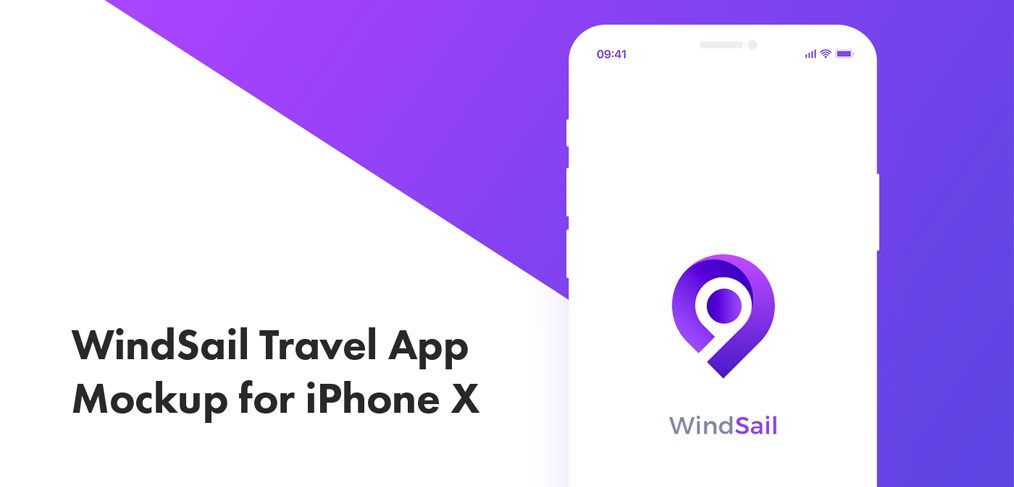
WindSail is a free travel app UI kit for Adobe XD, designed by Sheethal Krishna, a product designer based in Bangalore. It is a set of 11 iPhone X screens for a flight booking app, from the welcome screen and login to search, results, payment and a confirmation screen.
We host the file on Inkyy, so the download below still works. Here is what the kit covers, what is in the archive and how to make the most of it for a travel client.
What the WindSail kit looks like
The brand is built around one colour: a vivid purple that runs from violet to a deeper blue-purple. The splash screen is clean and white, with a rounded location pin logo in that purple gradient and a “WindSail” wordmark in grey and purple. The designer’s Behance project calls it a “Travel App Mockup for iPhone X”, and the screens are drawn for that phone.
According to the original listing, the 11 screens include:
- Start: welcome and login.
- Booking: flight search, a flight listing and flight details.
- Checkout: a payment method screen and a congratulations screen once the booking is done.
- Account and discovery: a profile screen and an explore screen for finding new places.
What is in the download
- File: a 2.3 MB .7z archive with one Adobe XD file inside, windsail_travel_app_mockup_for_iphone_x.xd, of about 3.7 MB.
- Opening the archive: File Explorer on Windows 11 opens .7z files directly. On older Windows use 7-Zip, and on a Mac use a free tool such as The Unarchiver.
- Device: iPhone X screens. They work for any modern iPhone with a notch or Dynamic Island once you check the top and bottom safe areas.
- Price: 100% free, as the designer shared it. No other licence terms were stated, so check with the designer before using it in paid client work.
Opening it in Adobe XD or Figma
Adobe XD is in maintenance mode. Adobe still fixes bugs and security issues, but it is not adding new features. If XD is installed on your machine, the file opens as normal once you unpack the archive.
To bring the screens into Figma, the Convertify plugin can import an .xd file into a new Figma page, with its layers, text and images. Check the plugin page for current pricing. Alternatively, export the artboards you need from XD as SVG, drag them into Figma and rebuild the text styles.
Making a travel app UI kit work for a client
WindSail is a good starting point for a flight booking app, a travel agency app or a small airline that wants a bright, friendly brand. The single purple makes it easy to rebrand: change one colour style and most screens follow. Before you build on it, plan the parts every booking app needs that a short kit leaves out:
- Search: one-way, return and multi-city trips, flexible dates and passenger counts.
- Results: filters, sorting by price or time, and an empty state when nothing is found.
- Checkout: passenger details, seat choice, baggage, Apple Pay and card errors.
- After booking: a boarding pass, trip details and flight change alerts.
Check that white text on the lighter purple has enough contrast, and keep the main button within thumb reach. Our mobile app design tips cover what to plan before you extend a kit like this. When the screens are ready, present them in one of our free iPhone mockups.
More free travel kits
Browse all our free Adobe XD kits, or try these related files:
- Travel app UI kit for Adobe XD, another mobile travel kit
- Sky travel UI kit for Adobe XD, for trip planning screens
- Navigo transportation XD UI kit, for getting around once you land
- Travel agency landing page XD template, for the website side
Need a travel app designed for a client?
Inkyy is a white label design and development team for agencies. Our in-house designers create mobile apps and booking websites for travel brands that you present under your own brand. See our design services or book a 15-minute call.


