20 Best Free T-Shirt Mockups (PSD Templates)
 9 min read
A good free t-shirt mockup lets you show a print on a real-looking shirt before anything is printed. Clients approve designs faster and online shops get product photos without a photo shoot. We went through the big free mockup libraries and picked 20 free t-shirt mockups that are worth downloading right now.
The list covers flat lays, folded shirts, hanging tees, models, back prints, oversized fits and front and back layouts. Every download link was checked, and for each one we list the format, the size and the licence, so you know what you can use in client work.
How to choose a t-shirt mockup
- Match the shot to the job. Flat lays and folded shirts suit online shops and print approvals. Models sell a lifestyle and work best for social posts and lookbooks.
- Match the fit. An oversized or boxy design looks wrong on a slim fit tee, and a back print needs a back view.
- Check the resolution. Aim for at least 3000 px on the long side. That leaves room to crop without the fabric going soft.
- Look for smart objects. A good PSD lets you paste artwork into a smart object and change the shirt colour on its own layer.
- Read the licence. Some free mockups allow commercial use, some ask for a link back, and some are for personal use only. If you sell the final images on a print-on-demand store, you need commercial use.
20 free t-shirt mockups
We have grouped them by type: flat lay and folded mockups (1 to 9), mockups worn by models (10 to 16), and hanging, floating and front and back mockups (17 to 20).
Flat lay and folded t-shirt mockups
1. Black and white t-shirts on wood

A black and a white tee lie flat on dark wood, each printed with the same gold motorcycle badge. You can change the shirt colour and how strongly the fabric texture shows through, and a back view is included.
- Format: Layered PSD with smart objects
- Size: 2400 × 1800 px
- License: Free for personal and commercial use
- Source: Download on GraphicBurger
2. Women’s scoop neck t-shirts, front and back
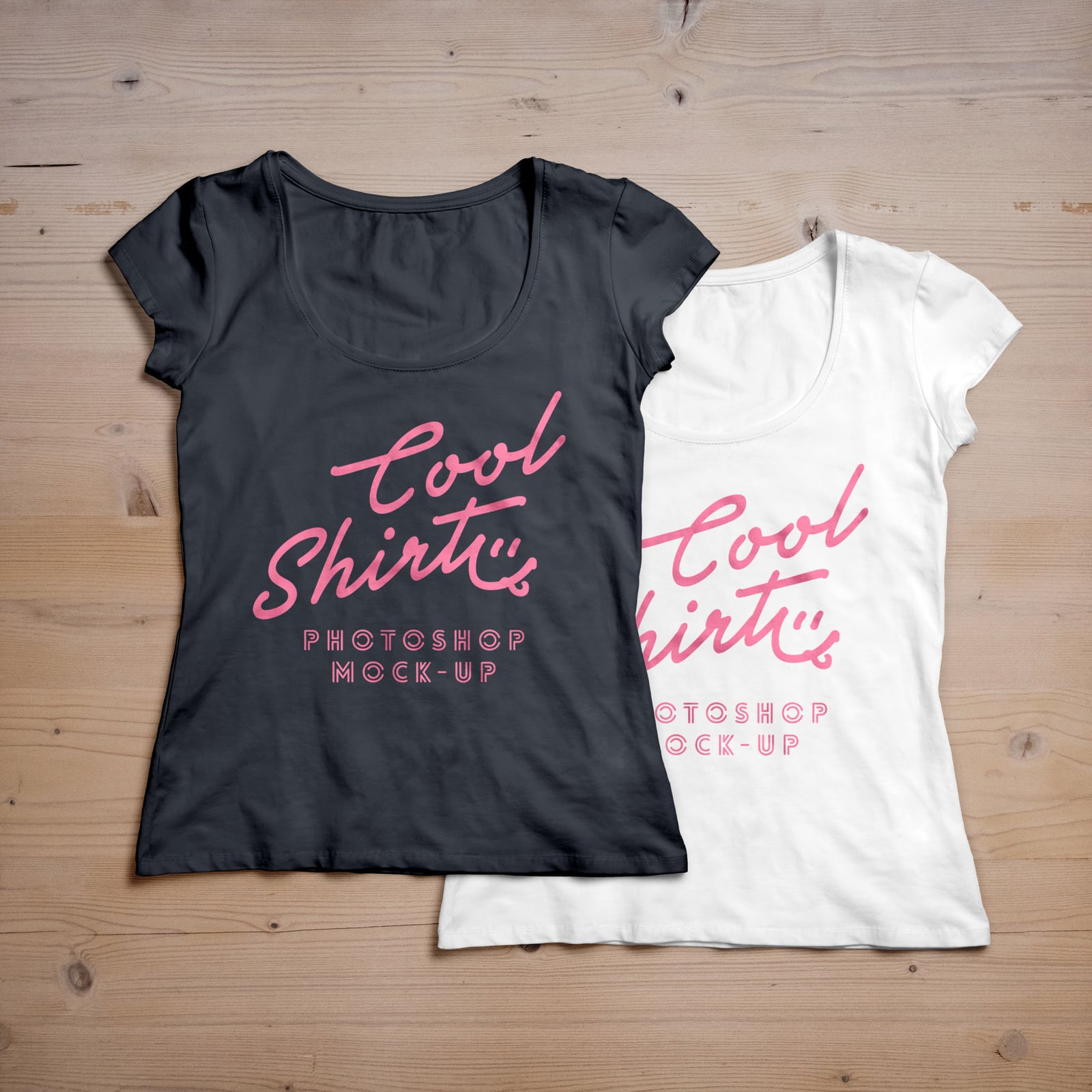
Two women’s scoop neck tees, one black and one white, lie overlapped on pale wood. The file includes front and back views, and you can change the shirt colour and swap the background.
- Format: Layered PSD with smart objects
- Size: 3000 × 3000 px
- License: Free for personal and commercial use
- Source: Download on GraphicBurger
3. Black t-shirt on concrete, front and back
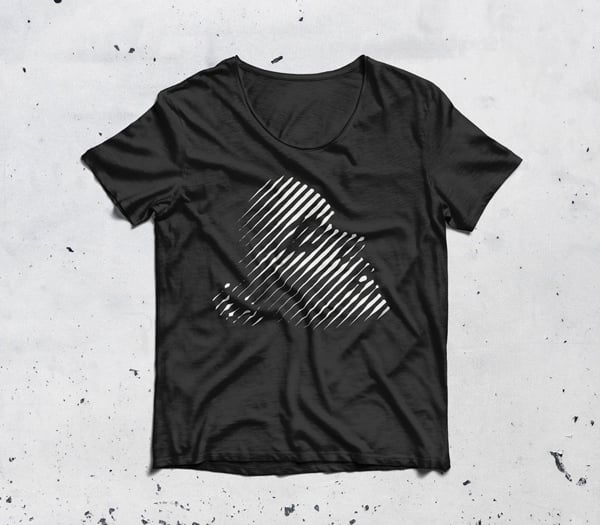
A black scoop neck tee with a crumpled hem lies on a scratched, pale concrete floor. The PSD has separate front and back views. It suits streetwear and band merch with high-contrast artwork.
- Format: Layered PSD with smart objects
- Size: 4000 × 3500 px
- License: Free for personal and commercial use
- Source: Download on GraphicBurger
4. White t-shirt on a mint green step
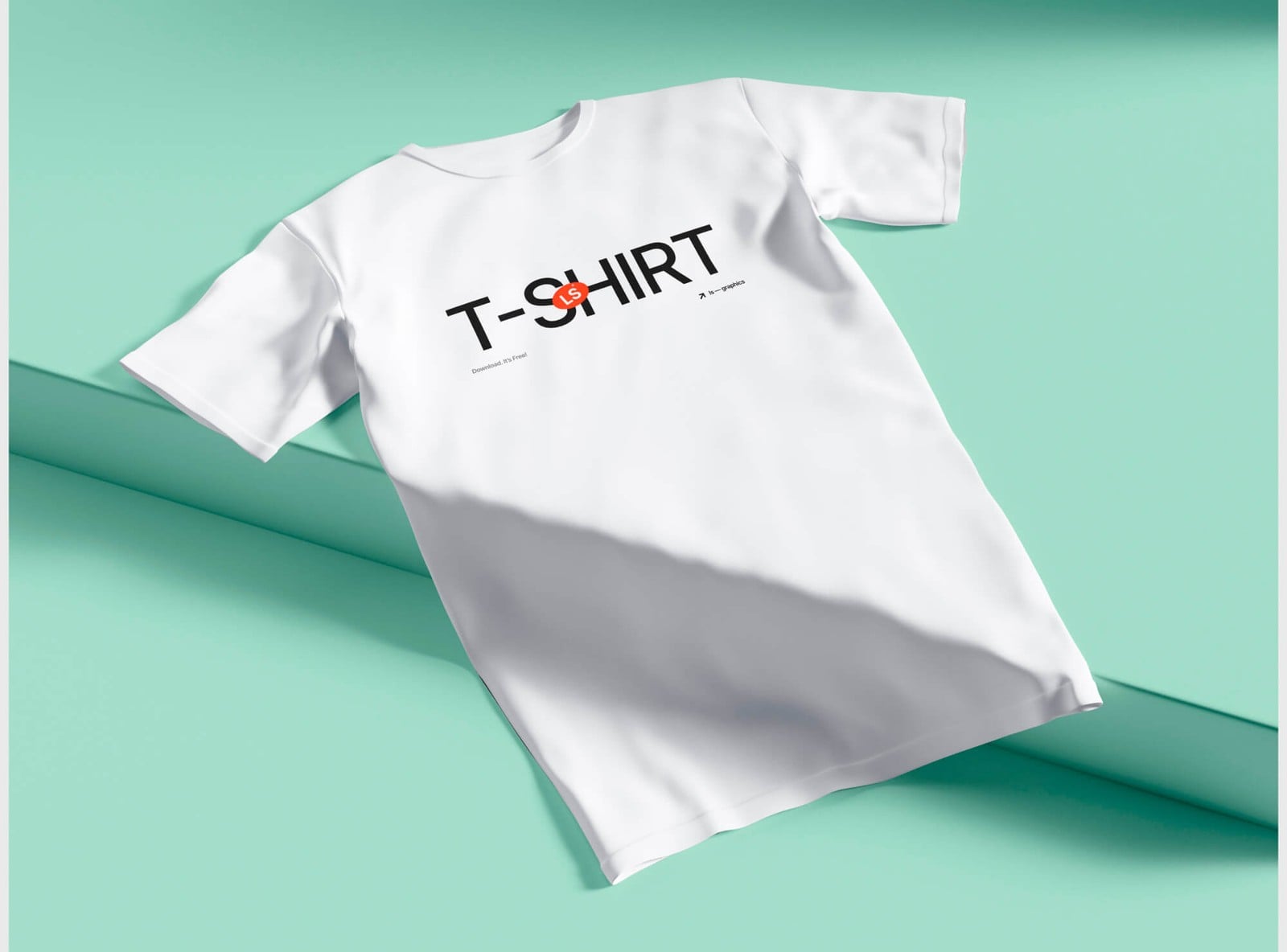
A white tee is draped over a mint green step, with a soft diagonal shadow across the fabric. The clean scene keeps all the attention on the print, which suits product pages and social posts.
- Format: PSD
- Size: 6000 × 4500 px
- Source: Download on ls.graphics
5. Flat lay black t-shirt
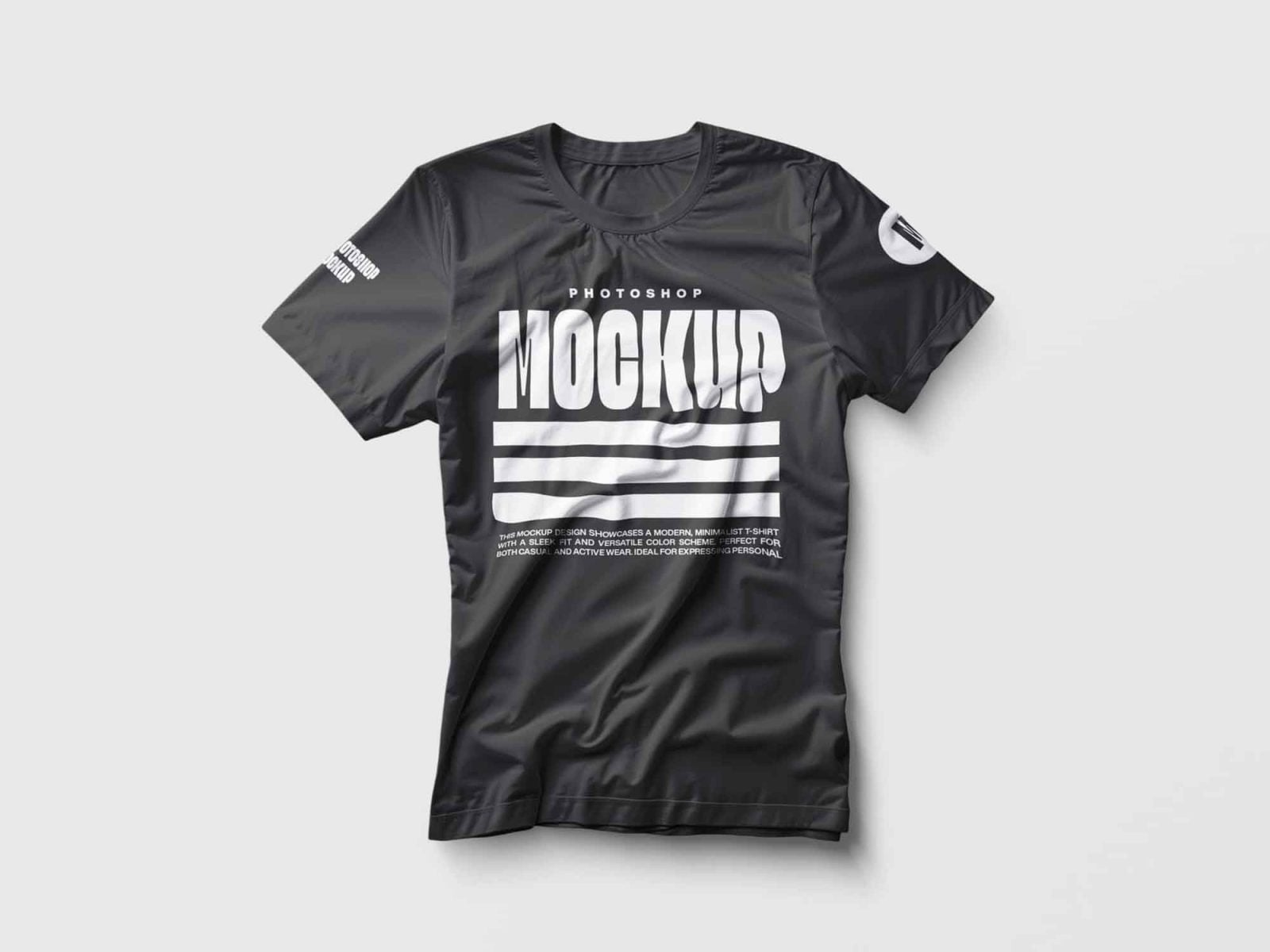
A black tee lies flat on light grey with realistic wrinkles and a soft drop shadow, plus placeholders on both sleeves. Useful for showing a chest print and sleeve details in one image.
- Format: PSD with smart objects
- Source: Download on Unblast
6. Folded t-shirt from above
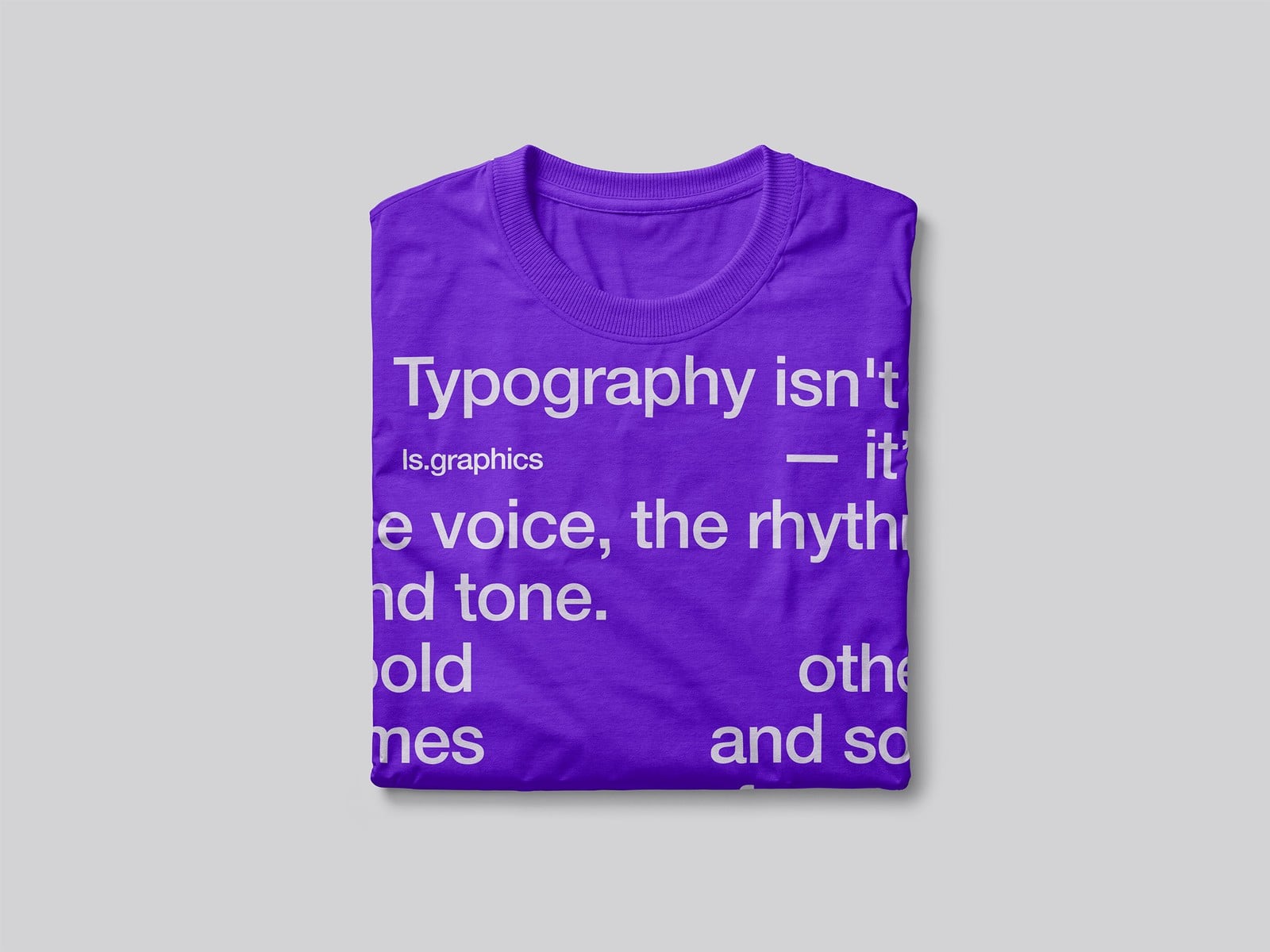
A neatly folded tee seen from above on a plain grey background. Separate smart layers let you design the front, the inside and the collar, so you can show a neck label as well as the print.
- Format: PSD and online editor
- Size: 6000 × 4500 px
- Source: Download on ls.graphics
7. Folded t-shirt with a hang tag
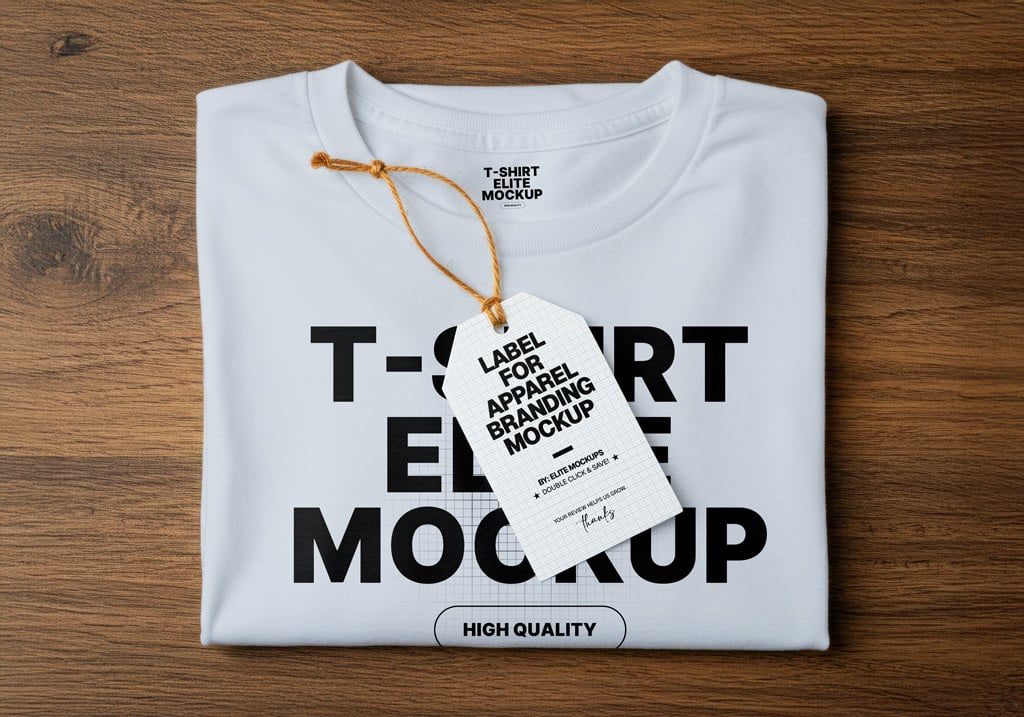
A folded white tee sits on a wooden table with a paper hang tag tied to the collar. Both the shirt and the tag are editable, so you can present the print and the label together. By Elite Mockups.
- Format: PSD with smart objects
- Size: 5120 × 3584 px
- License: Free on Gumroad (enter $0 at checkout)
- Source: Download on Mockup World
8. T-shirt in a gift box

A folded white tee sits in an open black box, with the printed lid laid beside it. The box is editable too, which suits subscription boxes and premium merch. Created by Alex Warden for Pixelbuddha.
- Format: PSD with smart objects
- Size: 300 DPI, print ready
- License: Free for personal use (commercial use needs a paid licence)
- Source: Download on Pixelbuddha
9. Kids’ t-shirt on yellow

A small white children’s tee lies flat on a bright yellow background. Kids’ sizes are rare in free mockups, so this one is handy for school, nursery or family brand work.
- Format: PSD with smart objects
- Size: 3000 × 2533 px
- License: Free for personal and commercial use with a link back to the source
- Source: Download on Dribbble Graphics
T-shirt mockups worn by models
10. Man in a red t-shirt against a wall

A cropped shot of a man in a red tee and jeans, leaning against a white wall with his hands in his pockets. The tight crop suits logo placement more than large prints, and the shirt colour is editable.
- Format: PSD with smart objects
- Size: 3200 × 2400 px
- License: Free for personal and commercial use with a link back to the source
- Source: Download on Dribbble Graphics
11. Men’s t-shirt in a street setting
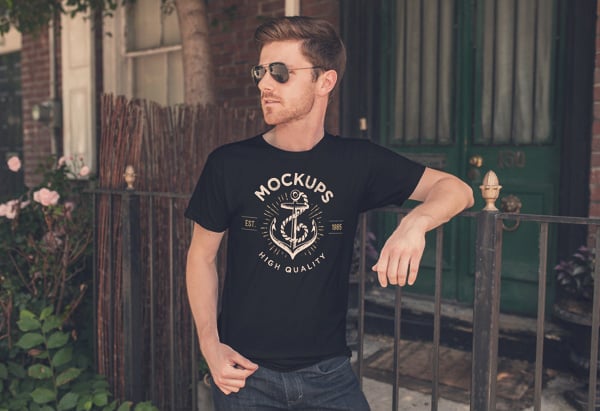
A man in sunglasses leans on an iron railing outside a brick house, wearing a black tee with a vintage anchor print. Displacement mapping makes the print follow the folds. Created by ZedProMedia.
- Format: Layered PSD with smart objects
- Size: 5000 × 3333 px
- License: Free for personal and commercial use
- Source: Download on GraphicBurger
12. Urban male model
A close crop of a man leaning against a worn wall in warm light, wearing a white tee with a gradient collar. You can change the neck hem and the sleeves separately, which helps with ringer tees.
- Format: PSD with smart objects
- Size: 4000 × 3000 px
- License: Free for personal and commercial use
- Source: Download on Good Mockups
13. Loose fit t-shirt, back view
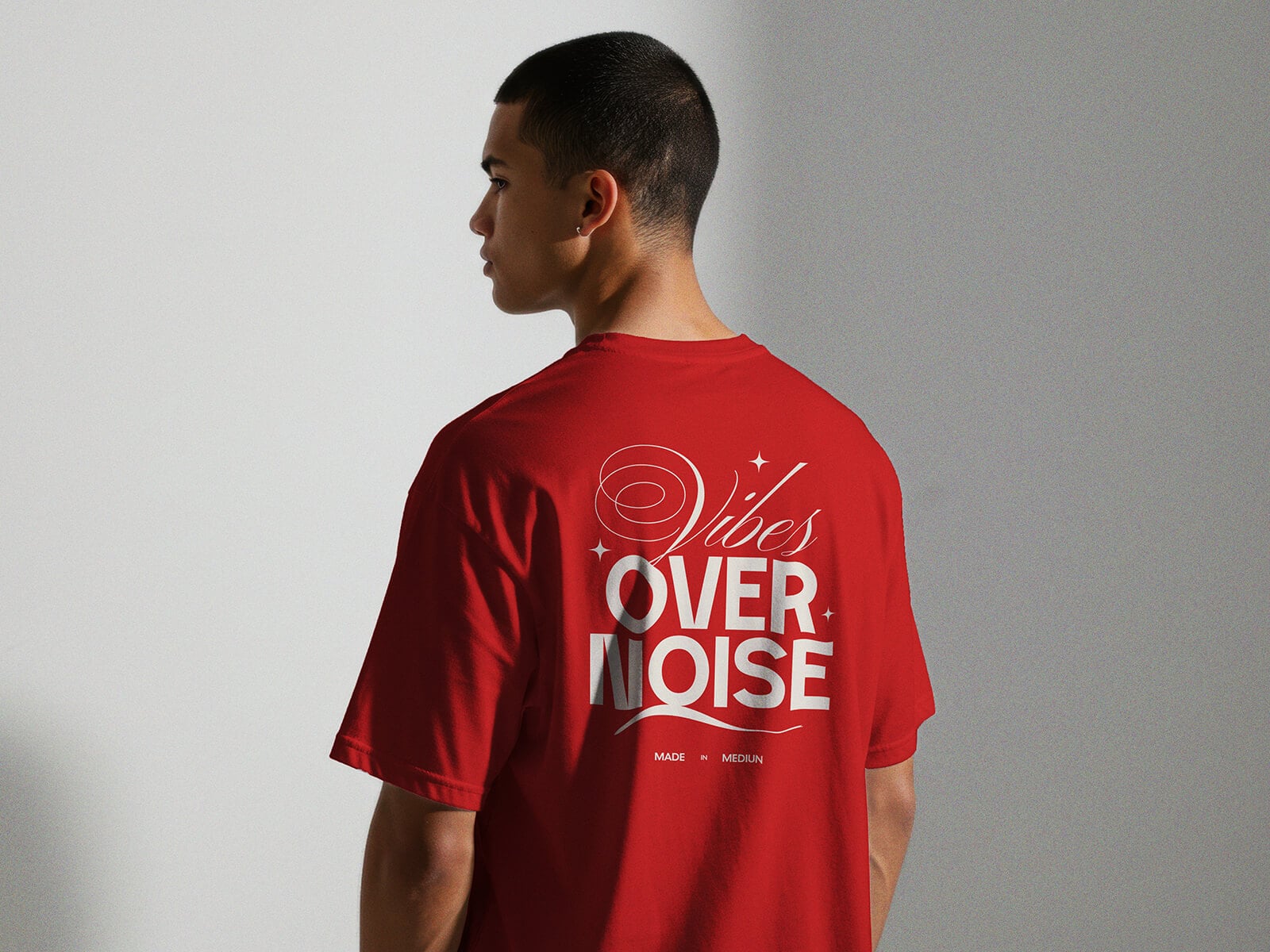
A model is shown from behind in a loose, XL size red tee, so the whole back print is visible. Most free mockups only show the front, so this one is useful for streetwear and event merch.
- Format: PSD with smart objects
- Size: 5120 × 3584 px
- License: Free for personal presentation use
- Source: Download on Good Mockups
14. Man and woman in matching t-shirts
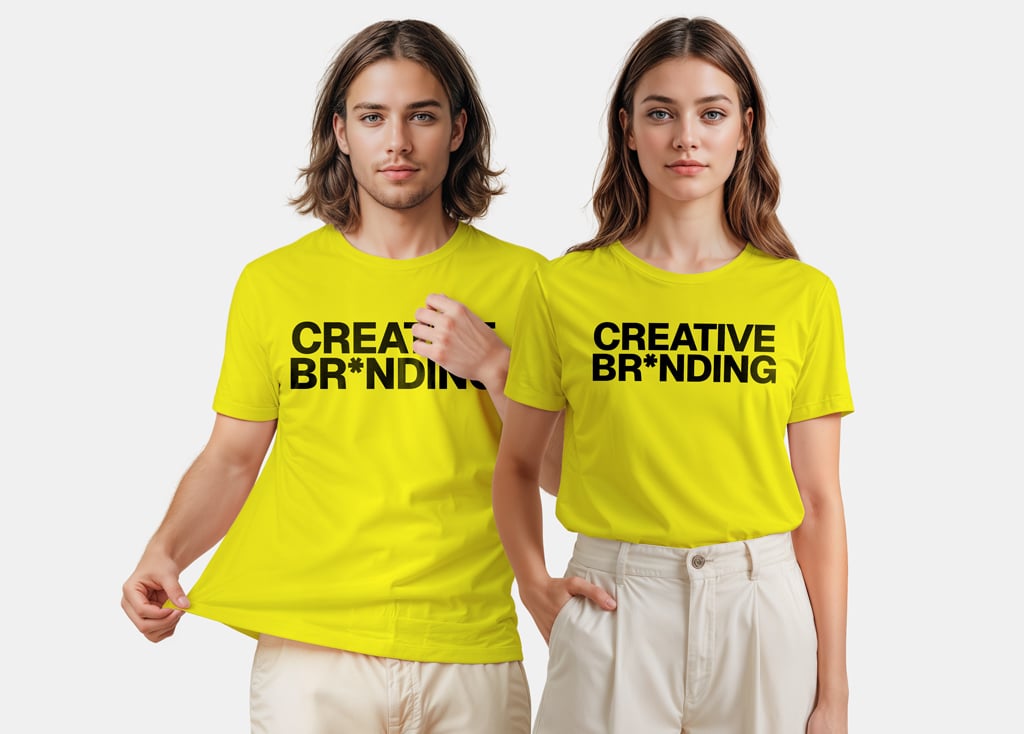
A young man and woman stand side by side in matching yellow tees on a light grey background. Each shirt has its own smart object and colour layer, so you can show two colourways in one image. By Elite Mockups.
- Format: PSD with smart objects
- Size: 4778 × 3584 px
- License: Free on Gumroad (enter $0 at checkout)
- Source: Download on Mockup World
15. Woman in an oversized t-shirt
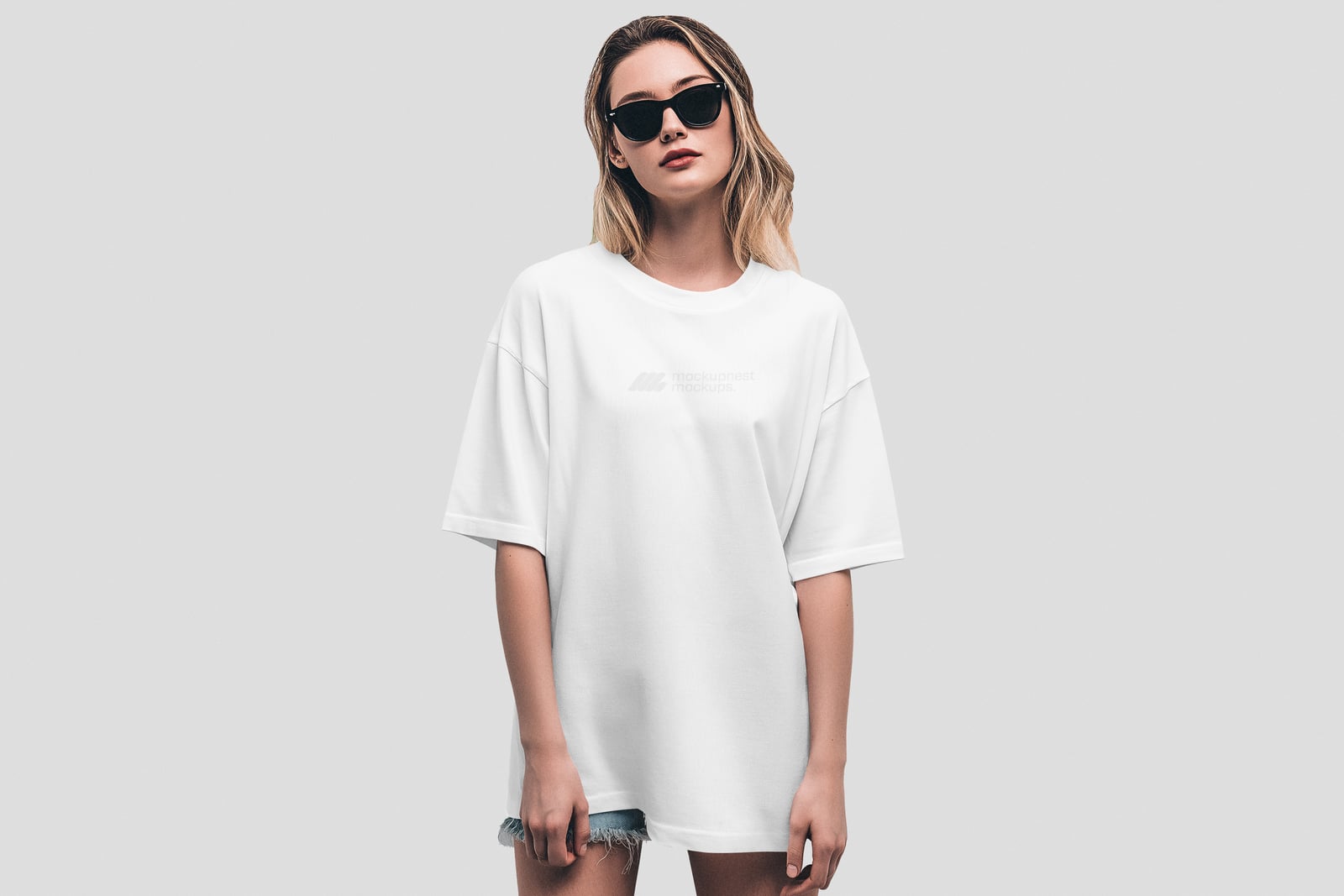
A woman in sunglasses wears a loose, oversized tee against a plain grey studio wall. The preview here shows the shirt in white, and the product page shows it in black. A good match for relaxed-fit merch.
- Format: PSD with smart objects
- Size: 4500 × 3000 px
- License: Free for personal use only (commercial use needs a premium plan)
- Source: Download on Mockupnest
16. Close-up t-shirt print

A tight crop of a man in a mint tee, so the print fills most of the frame and you can judge how a distressed design sits on the cotton. Made by Cruzine Design for Dealjumbo.
- Format: PSD
- Size: 2300 × 1600 px
- License: Free for personal and commercial use
- Source: Download on Dealjumbo
Hanging, floating and front and back mockups
17. Hanging t-shirt on a blue wall
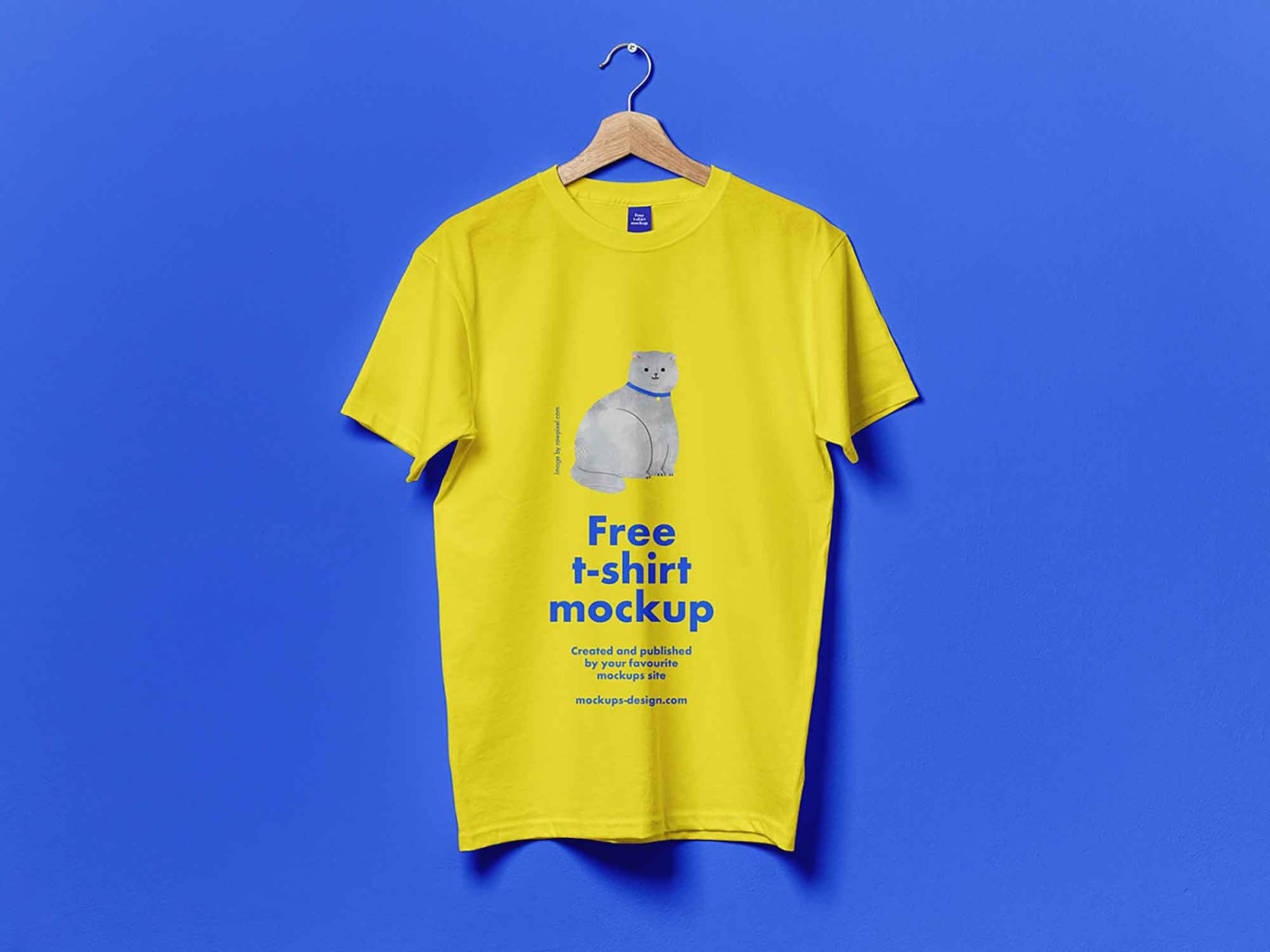
A yellow tee hangs on a wooden hanger against a bright blue wall. The wall colour can be changed, and the simple scene works well for shop listings.
- Format: PSD with smart layers
- Source: Download on Unblast
18. Floating ghost style t-shirt
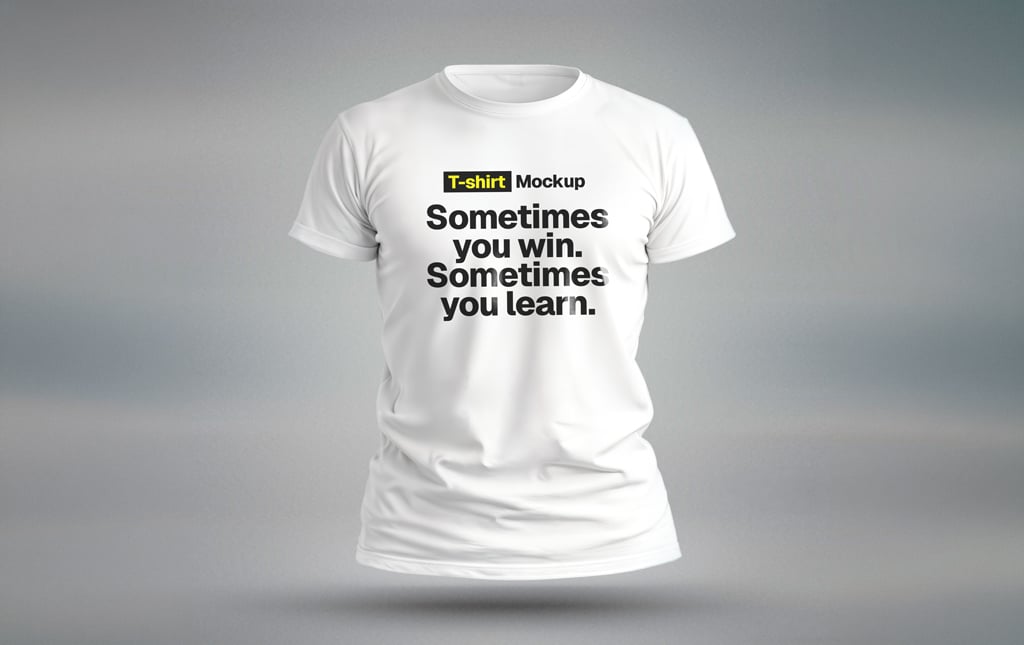
A white tee floats in mid air in a “ghost” style, as if worn by an invisible body, with a shadow on the ground. The square format is ready for Instagram and online stores. By Elite Mockups.
- Format: PSD with smart objects
- Size: 4096 × 4096 px
- License: Free on Gumroad (enter $0 at checkout)
- Source: Download on Mockup World
19. Crew neck t-shirt, front and back
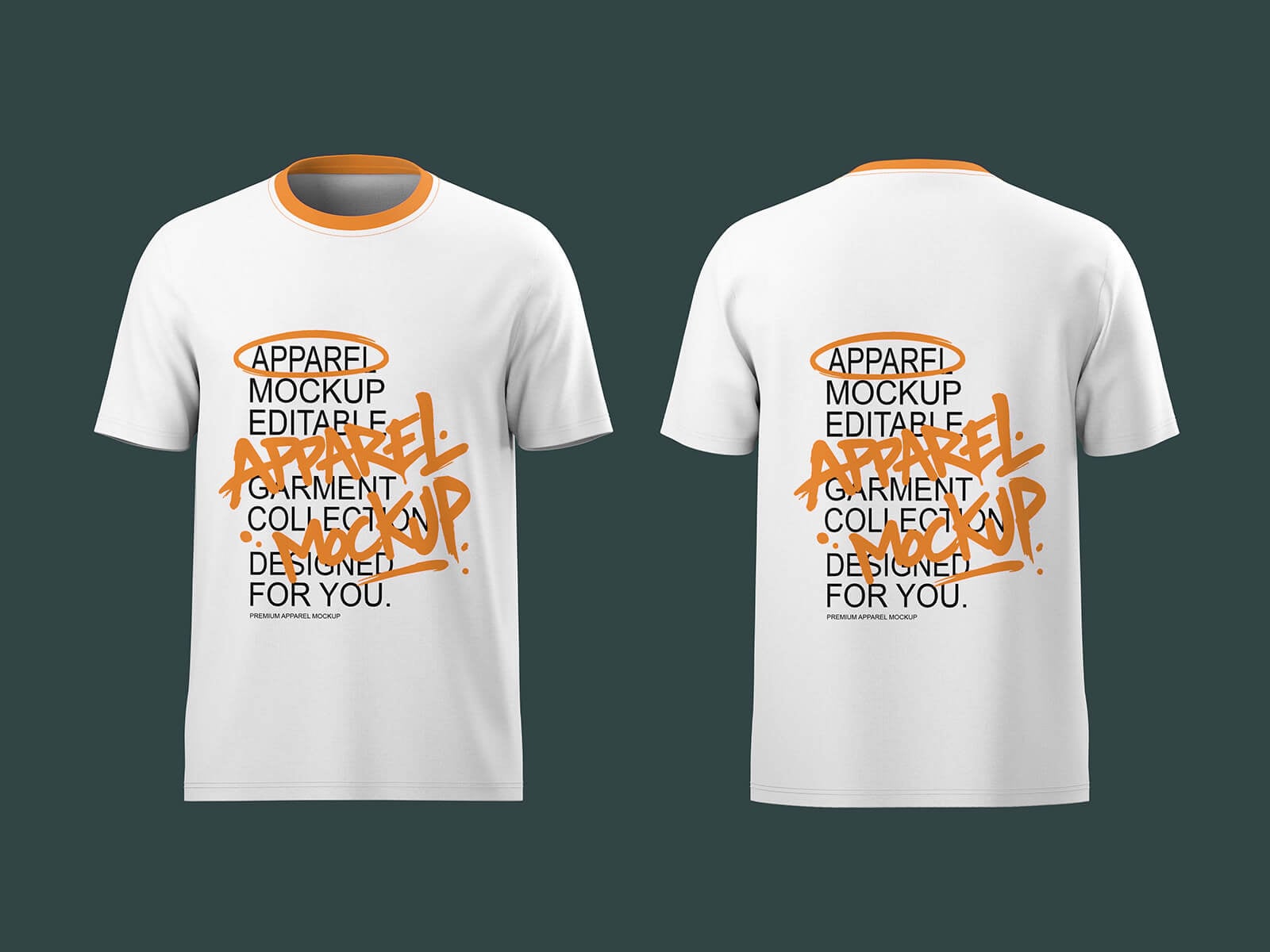
The front and back of a white crew neck tee with an orange collar, shown side by side on dark green. Clients can approve both sides of a print from one image.
- Format: PSD with smart objects
- Size: 4500 × 3000 px
- License: Free for personal and commercial use
- Source: Download on Good Mockups
20. Oversized boxy fit t-shirt
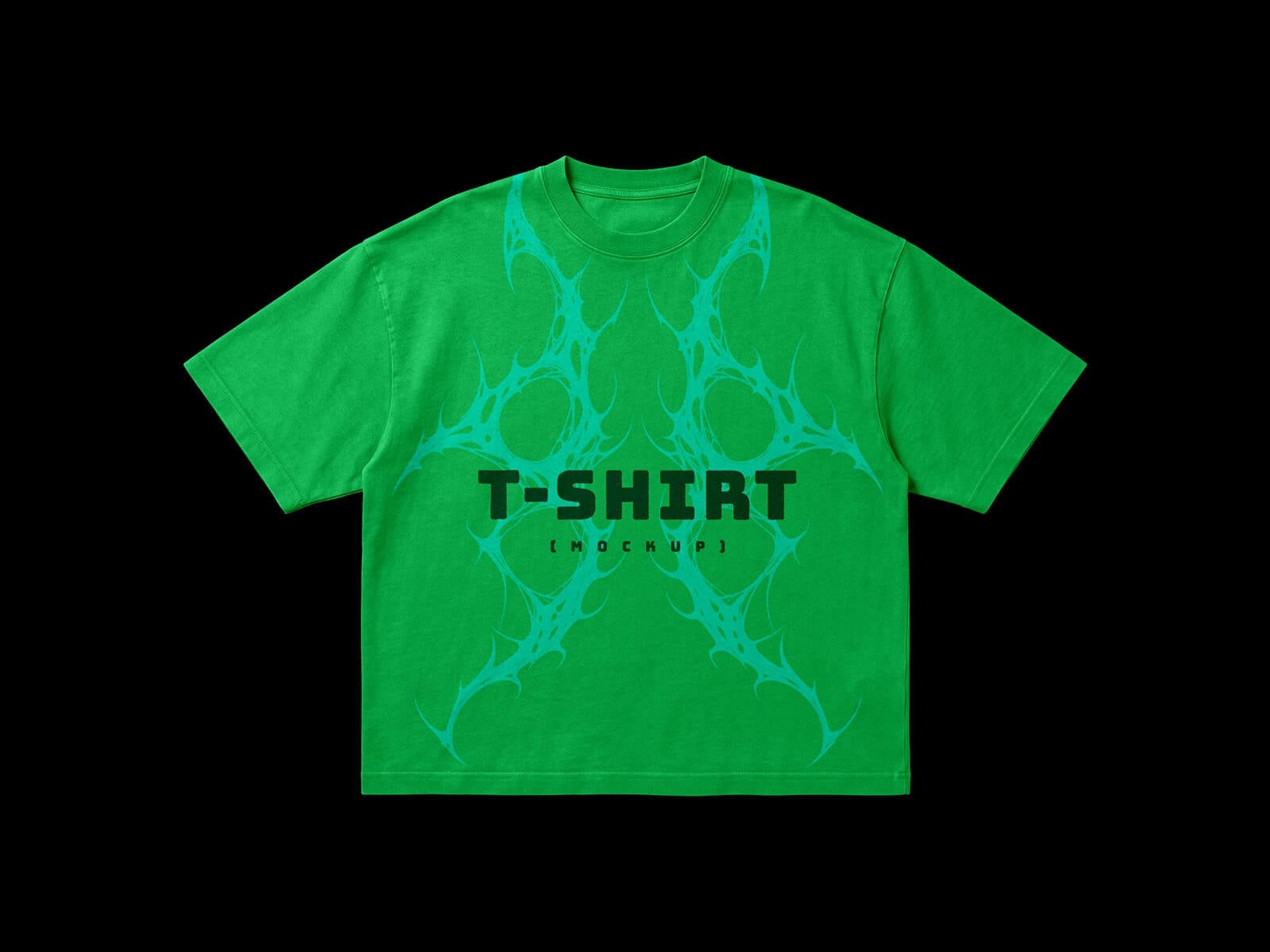
A green boxy tee with dropped shoulders is laid flat on black. Most streetwear brands sell this cut now, and a regular tee mockup makes those designs look wrong.
- Format: PSD with smart objects
- Size: 4500 × 3000 px
- License: Free for personal and commercial use
- Source: Download on Good Mockups
Which t-shirt mockup should you use?
- For an online shop: the flat lay and folded mockups (1 to 7) give clean, consistent product photos.
- For print approval: use a front and back layout such as 2, 3 or 19 so the client signs off both sides at once.
- For packaging and labels: the hang tag (7) and gift box (8) mockups show the whole product, not just the print.
- For social posts and lookbooks: the model shots (10 to 16) put the design in a real setting.
- For streetwear: the back view (13), oversized (15) and boxy fit (20) mockups match the cuts these brands sell.
Tips for better t-shirt mockups
- Design at print size. Work at 300 DPI at the real print width, usually around 30 cm for a chest print, then scale it down inside the smart object. Our guide to high-quality prints explains why this matters.
- Place the print where a printer would. A chest print usually starts about 7 to 10 cm below the collar. Prints placed too low are the most common mockup mistake.
- Use the right blend mode. Most PSDs use Multiply or a displacement map for the print layer. On dark shirts, switch to Screen or Normal so light inks do not disappear.
- Use real shirt colours. Pick colours from your supplier’s range, not pure RGB values, so the mockup matches what arrives from the printer.
Working on a full apparel range? Pair these with our free hoodie mockups and stationery mockups for the rest of the brand. If the print is mostly lettering, our list of graffiti fonts is a good place to start, and our article on why mockups matter explains how to use them in client presentations. For the bigger picture, see the key elements of a visual brand identity.
Frequently asked questions
Where can I get a free t-shirt mockup?
Good Mockups, Unblast, Mockup World, GraphicBurger, ls.graphics and Pixelbuddha all offer free t-shirt mockups. Every mockup in this list links straight to its download page.
Can I use a free t-shirt mockup for commercial work?
It depends on the licence. The GraphicBurger, Good Mockups (except the back view) and Dealjumbo files above allow commercial use. The Pixelbuddha and Mockupnest files are free for personal use only, and Dribbble Graphics asks for a link back. Always check the licence before you use a mockup in paid work or on a print-on-demand store.
How do I put my design on a t-shirt mockup in Photoshop?
Open the PSD, double-click the smart object layer named something like “Your design”, paste your artwork, then save and close it. The main file updates with the folds and lighting. Change the shirt colour with the colour layer or adjustment layer.
Can I make a t-shirt mockup without Photoshop?
Yes. Photopea is a free browser editor that opens PSD files with smart objects. Some libraries, such as ls.graphics, also let you edit mockups online or inside Figma.
Need print-ready apparel designs for a client?
Inkyy is a white label design and development team for agencies. Our in-house designers create logos, apparel graphics and print-ready files that you present under your own brand, mockups included. See our design services or book a 15-minute call.