



Wires: Free Wireframe Kit for Adobe XD
 3 min read
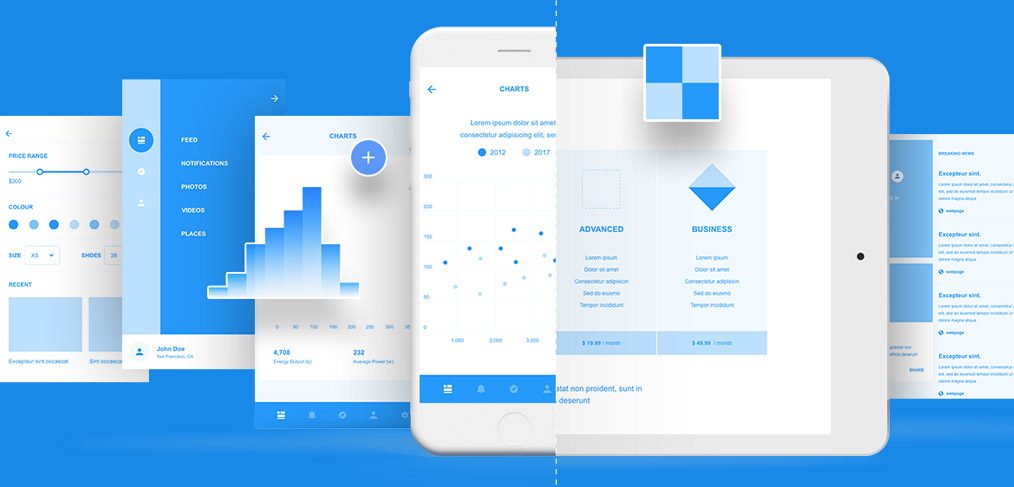
Wires is a free wireframe kit for Adobe XD, made by Kyle Galle and UI8. It has 170 mobile templates in 17 categories, 90 web templates, 240 components and 178 icons, so you can lay out an app or a website in an afternoon instead of drawing every navbar and form from scratch.
The download is on the Behance project page. Below you will find what the cover shows, what the kit contains, and how to use a wireframe kit well now that Adobe XD is no longer being developed.
What the Wires cover shows
The cover is a bright blue backdrop with screens fanned out across it. A phone shows a chart page with a bar chart and a scatter plot. A tablet shows two pricing columns, Advanced and Business, at $19.99 and $49.99 a month. Around them are a dark blue side menu with Feed, Notifications, Photos, Videos and Places, a filter panel with a price range slider, colour dots and size options, and a breaking news list. The pieces look tidy and polished rather than plain grey boxes, which helps when you present early ideas to a client.
What is in the kit
- Mobile: 170 templates in 17 categories.
- Web: 90 templates built from layouts and basic UI parts such as navbars, footers and form elements.
- Components and icons: 240 components and 178 customisable icons.
- Format: Adobe XD, downloaded from the Behance project page.
- Credit: Kyle Galle and UI8, who published the kit.
- Price: free. We have no other licence terms for it, so read the Behance page before you use it in paid client work. The counts above are the ones we listed when we first published this page.
Opening the kit in Adobe XD or Figma
Adobe XD is in maintenance mode. Adobe still fixes bugs and security issues, but it is not adding new features. If XD is installed on your machine, the file opens as normal.
If your team works in Figma, the Convertify plugin can import an .xd file into a new Figma page, with its layers, text and images. Check the plugin page for current pricing. Another route is to export the artboards from XD as SVG, drag them into Figma and rebuild the text styles and spacing by hand.
Using a wireframe kit well
- Start with the flow, not the screens. List what the user must do, then pick one template for each step.
- Keep it rough on purpose. Use placeholder text and swap in real copy only when the structure is agreed.
- Test on small screens first. A layout that works on a phone usually scales up to a web page with ease.
- Name your artboards. A clear name such as “Checkout, step 2” saves time in client reviews.
If you are new to the idea, read what a wireframe is and why it matters in web design first.
More free wireframe kits
Browse all our free Adobe XD kits, or try these related files:
- Klein Adobe XD wireframe kit, with 28 screens
- Desktop flowchart wireframe kit, for mapping pages and flows
- UI elements collection for Adobe XD, with light and dark components
- What is a wireframe?, and why it matters in web design
You can also see every file in the wireframe kits category.
Need a website or app designed for a client?
Inkyy is a white label design and development team for agencies. Our in-house designers take a wireframe all the way to finished design and development, and you present it under your own brand. See our design services or book a 15-minute call.


