Ecommerce Personalization: What It Is and How to Use It
Looking for the best examples of eCommerce personalization that you can use to increase sales with your store? Read the new Inkyy blog article and learn everything you need to know.
 5 min read
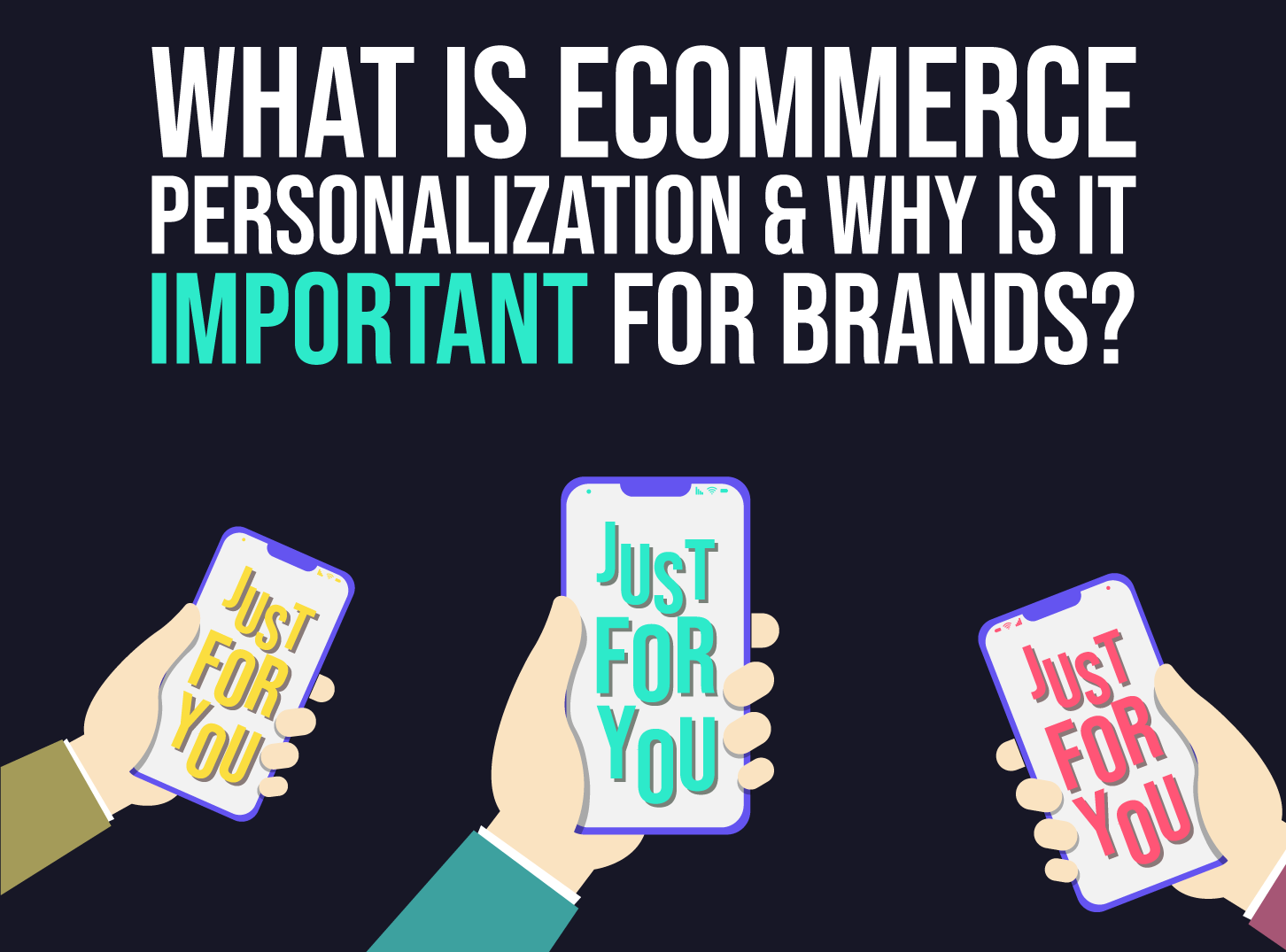
Ecommerce personalization means showing each shopper the products, offers and messages that suit them, instead of the same page for everyone. Done well, it makes a store faster to use and gives people a reason to come back.
This guide explains what ecommerce personalization is, shows real examples of how stores use it, and covers how to start without annoying your visitors or breaking privacy rules.
What is ecommerce personalization?
Personalization treats each customer as an individual. The store changes what it shows based on who the visitor is, where they are, what they have looked at and what they have bought before. It can happen on the website, in the app and in emails.
In a physical shop, a good assistant notices what you pick up and suggests something that fits. An online store has no assistant, so it has to do the same job with data: pages visited, items in the basket, past orders and the context of the visit, such as location and device.
Why brands use ecommerce personalization
It makes the store easier to use
Relevant content is easier to scan than random content. If a shopper keeps looking at running shoes, showing running shoes first saves time. Fewer clicks between landing and finding a product usually means fewer people leaving.
It supports repeat purchases
Remembering a customer shows that you value them. Reminders about items left in the basket, restock alerts and suggestions based on past orders give people a reason to return without a discount.
It teaches you about your customers
Personalization only works when you pay attention to behaviour. The patterns you spot, such as which categories bring people back, are useful for product, marketing and design decisions as well.
Examples of ecommerce personalization
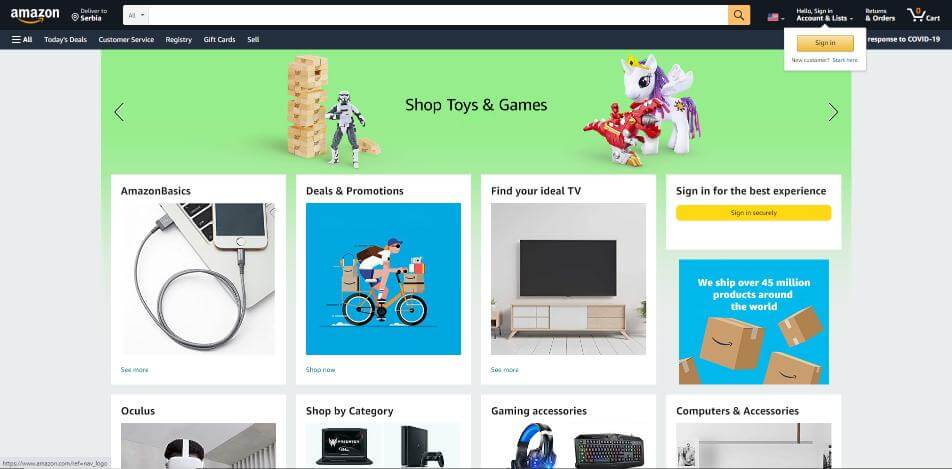
Large marketplaces such as Amazon are well known for using personalization at scale. Their home pages mix category cards, deals and prompts that change depending on whether you are signed in. The screenshot below shows a home page with category cards for toys and games, a TV and gaming accessories, and a prompt to sign in for a better experience.
Smaller stores can use the same ideas. Common techniques include:
- Product recommendations. “Customers also bought”, “Similar items” and “Recently viewed” blocks on product and basket pages.
- Personalised search and sorting. Show the sizes, brands or categories a customer has chosen before.
- Location and language. Show the right currency, delivery times and store locations automatically.
- Behaviour-based messages. Offer help or a discount to someone about to leave, or remind returning visitors what is in their basket.
- Email and app messages. Send order follow-ups, restock alerts and suggestions that match what the customer bought.
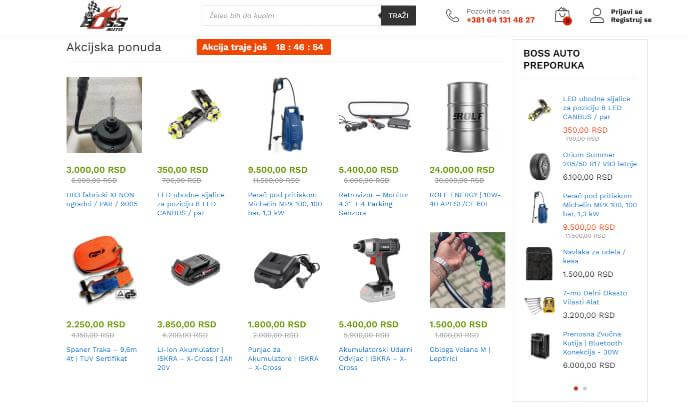
The next screenshot shows an online store with prices in Serbian dinars. It has a special-offer product grid with a countdown timer, and a sidebar of products recommended by the shop. These blocks are simple, but they guide attention and show shoppers something relevant straight away.
How to add personalization to your store
- Start with a goal. Pick one outcome, such as more repeat orders or a higher average basket.
- Collect only useful data. Page views, searches, basket contents and past orders are usually enough. Do not ask for more than you need.
- Choose one or two simple tactics. Recommendation blocks and abandoned basket emails are a good start.
- Design it into the page. Recommendations should look like a natural part of the layout, with clear labels and consistent cards. Our ecommerce design tips show how to keep pages clean.
- Test and measure. Compare the personalised version with a control version. Track conversion rate, average order value and repeat purchase rate.
Where to place personalised content
You do not need to personalise the whole store. These places usually give the best return for the least effort:
- Home page. Show returning visitors the categories they browse most, or their recently viewed items.
- Product pages. Add “similar items” and “goes well with” blocks under the main product.
- Basket. Suggest low-cost add-ons, and remind people of free delivery thresholds.
- Search results. Rank products by what the visitor has shown interest in.
- Emails. Follow up on abandoned baskets and recommend items related to the last order.
Keep one rule in mind: personalised content should never push the main product or the buy button out of sight. If it does, simplify the layout.
Which numbers to watch
Track a few clear metrics for each change, and compare them with a control group that sees the standard page:
- Conversion rate: the share of visits that end in an order.
- Average order value: the typical amount spent per order.
- Revenue per visitor: a good single measure that combines the two.
- Repeat purchase rate: how many customers come back to buy again.
Be open about how you use data
Transparency is part of good personalization. Short labels such as “Recommended because you viewed this item” explain why someone sees a suggestion, and make it feel helpful instead of intrusive.
Privacy law also matters. If you sell to people in the EU or UK, you need a clear privacy policy and valid consent for non-essential cookies and tracking. Let people change their choices at any time. If your design uses data from sign-in accounts only, that is a simpler place to start.
Common personalization mistakes
- Being too clever. Suggestions that feel like surveillance push people away. Keep them relevant and explained.
- Poor data. A recommendation for something the customer already bought looks careless. Exclude past purchases where it makes sense.
- Ignoring the basics. Personalization will not fix slow pages, weak product photos or a confusing checkout.
- Never testing. Not every tactic works for every store. Measure the result before rolling it out.
Read more about the basics in our guide to features every successful e-commerce website has, and check your store against the list of common ecommerce web design mistakes. If your store also has a mobile app, our mobile app design tips apply there too.
Frequently asked questions
What is an example of ecommerce personalization?
A “Recommended for you” block on the home page, based on items a customer viewed or bought, is the most common example. Others include recently viewed items, restock alerts and prices shown in the visitor’s own currency.
Does ecommerce personalization increase sales?
It can, because it helps shoppers find relevant products faster. The effect differs from store to store, so test any change against a control version and measure orders, average basket value and repeat purchases.
Do I need special software for personalization?
Not at the start. Many platforms, including Shopify and WooCommerce, have built-in or plugin-based recommendations and basket reminder emails. Larger stores may later add a dedicated personalization platform.
Is personalization allowed under privacy law?
Yes, as long as you follow the rules. In the EU and UK you need a clear privacy policy and valid consent for non-essential cookies and tracking. Ask a legal adviser if you are unsure about your setup.
Need an ecommerce design for a client?
Inkyy is a white label design and development team for agencies. Our in-house team designs and builds online stores, including product pages, baskets and checkout, under your brand. See our design services or book a 15-minute call.