20 Free Book Mockups: Hardcover, Paperback and Open Book
 10 min read
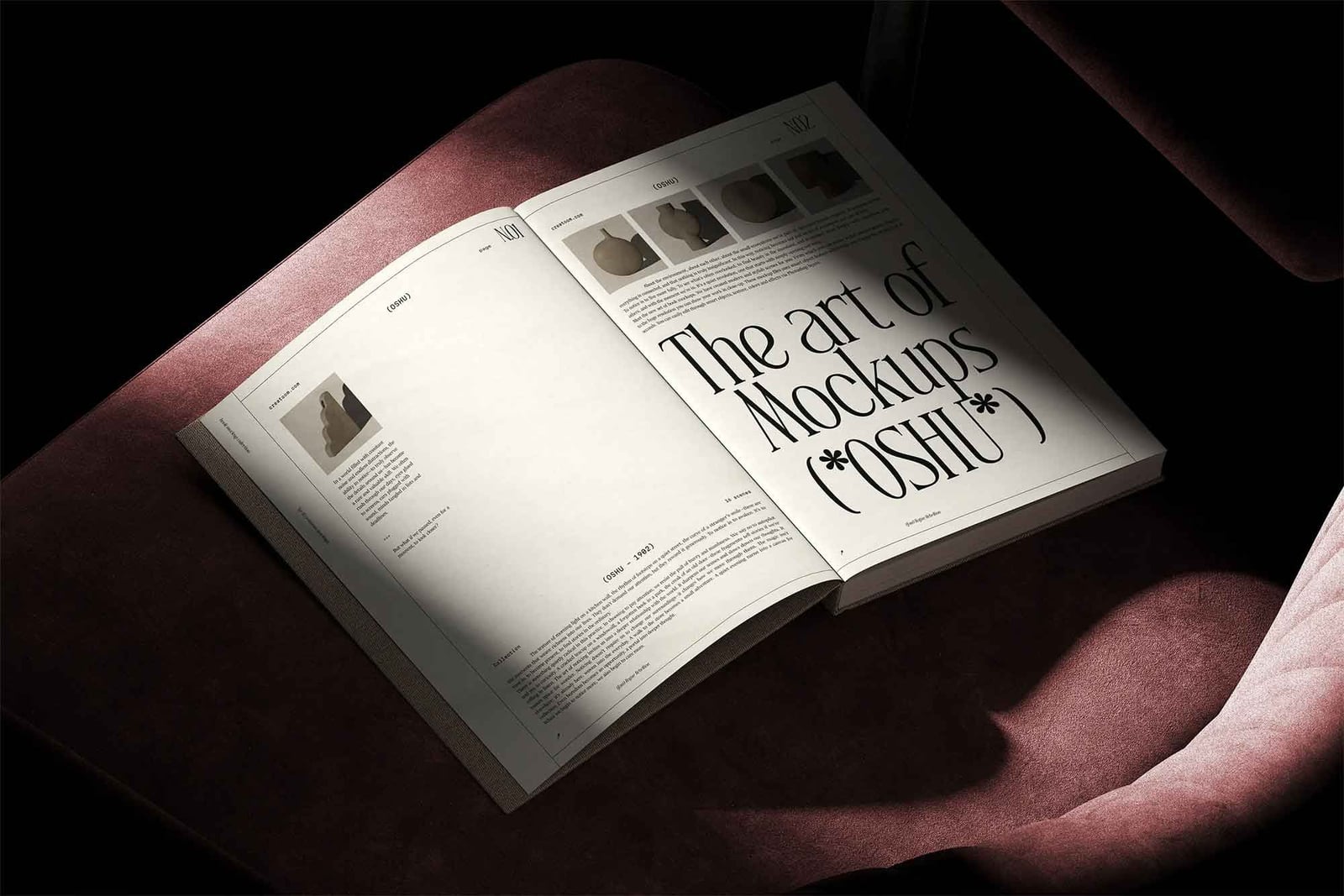
A free book mockup is the quickest way to show an author or publisher how a cover will look in print, before a single copy is made. We checked every download in our old list, removed the ones that have disappeared, and added current free book mockups from the libraries designers use most.
You get 20 mockups grouped by type: hardcover, paperback, open book, in-hand scenes, and children’s book, magazine and digital layouts. Each one lists the format, the size where the author gives it, the licence and a link to the download page. Most are Photoshop files with smart objects, and several also open in a free online editor.
How to choose a free book mockup
- Format: PSD files with smart objects give the most realistic light, paper and shadow. If you do not have Photoshop, pick one with an online editor, or open the PSD in the free browser app Photopea.
- Trim size: match the mockup to the real book. A novel is often around 129 × 198 mm, A5 is 148 × 210 mm, B5 is 176 × 250 mm, and children’s board books are often square. A wrong ratio will stretch your cover.
- Resolution: look for at least 3000 px on the long side. That leaves room to crop for social posts and a store listing.
- Smart objects: check which parts you can edit. The best book cover mockups let you change the front, spine and back, and sometimes the endpapers and inside spreads.
- Licence: some files are free for personal use only. For client work, pick one marked free for commercial use, and never resell the mockup file itself.
Hardcover book mockups
1. Hardcover book PSD mockup

Two hardcover books with dust jackets lie stacked at an angle on a plain grey background. You can show a single book or the stack, and the background colour is on its own layer, so it is easy to match a brand palette. A clean, safe choice for fiction and non-fiction covers alike.
- Format: PSD with smart objects
- Size: 5500 × 4000 px
- Licence: Free for personal use. Commercial use needs a Graphicsfuel Premium plan
- Source: Download on Graphicsfuel
2. B5 hardcover book mockup
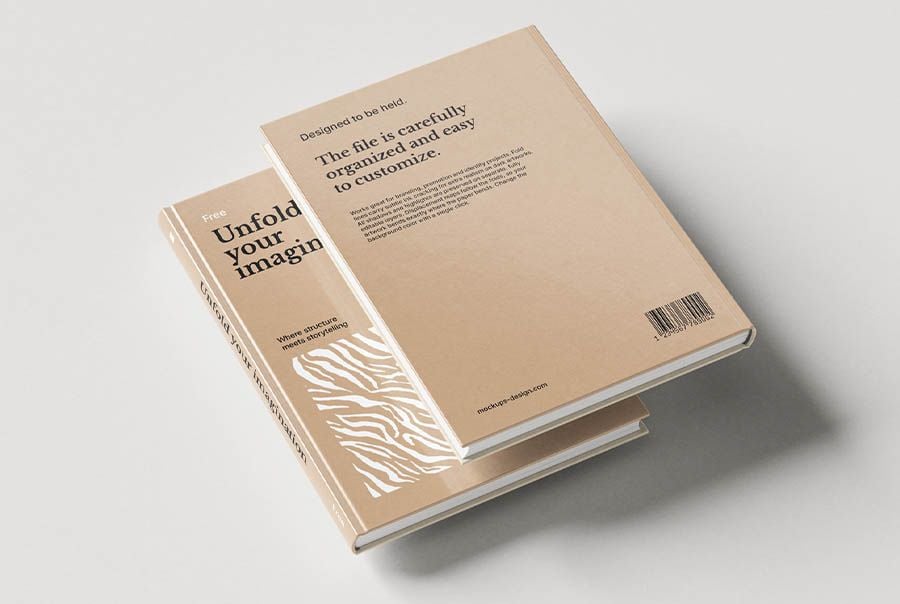
Two beige B5 hardcovers float one above the other, so you see the front cover and the back with its barcode in one shot. The set has seven scenes, including open spreads and title pages, and the endpapers are a separate smart object. B5 (176 × 250 mm) suits manuals, poetry, monographs and academic titles.
- Format: 7 PSD files and online editor
- Licence: Free for commercial use, no attribution needed
- Source: Download on Mockups Design
3. Thick book mockup with nine angles
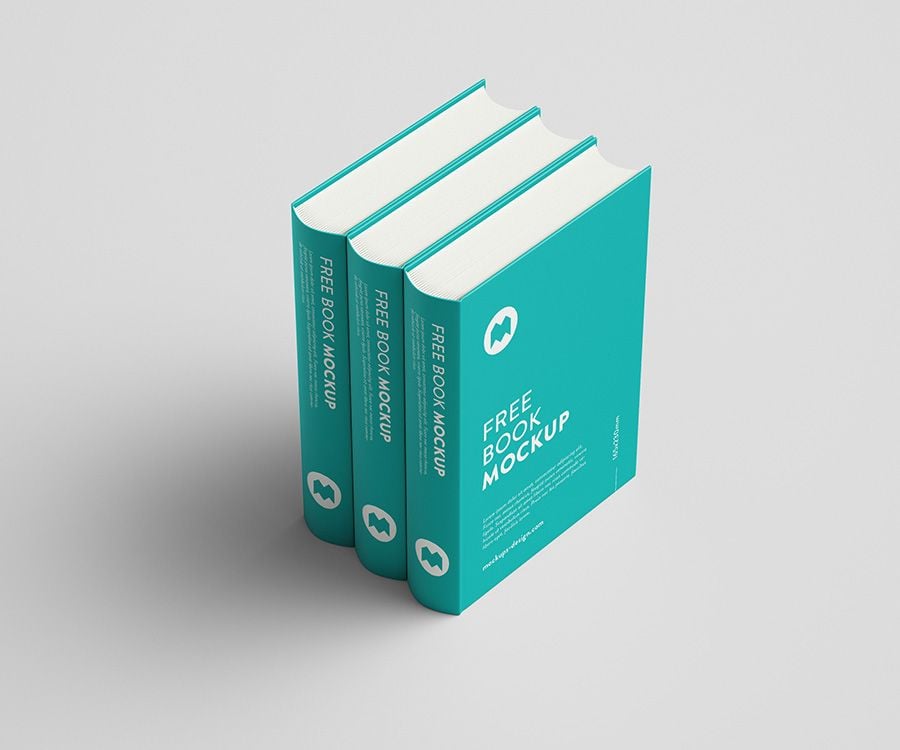
Three thick hardcovers stand upright in a row, showing their spines and the front cover of the last book. The download has nine shots from different angles, and every colour can be changed. Good for series, reference books and anything where the spine design matters.
- Format: 9 PSD files and online editor
- Licence: Free for commercial use, no attribution needed
- Source: Download on Mockups Design
4. Glossy hardcover on a leather chair
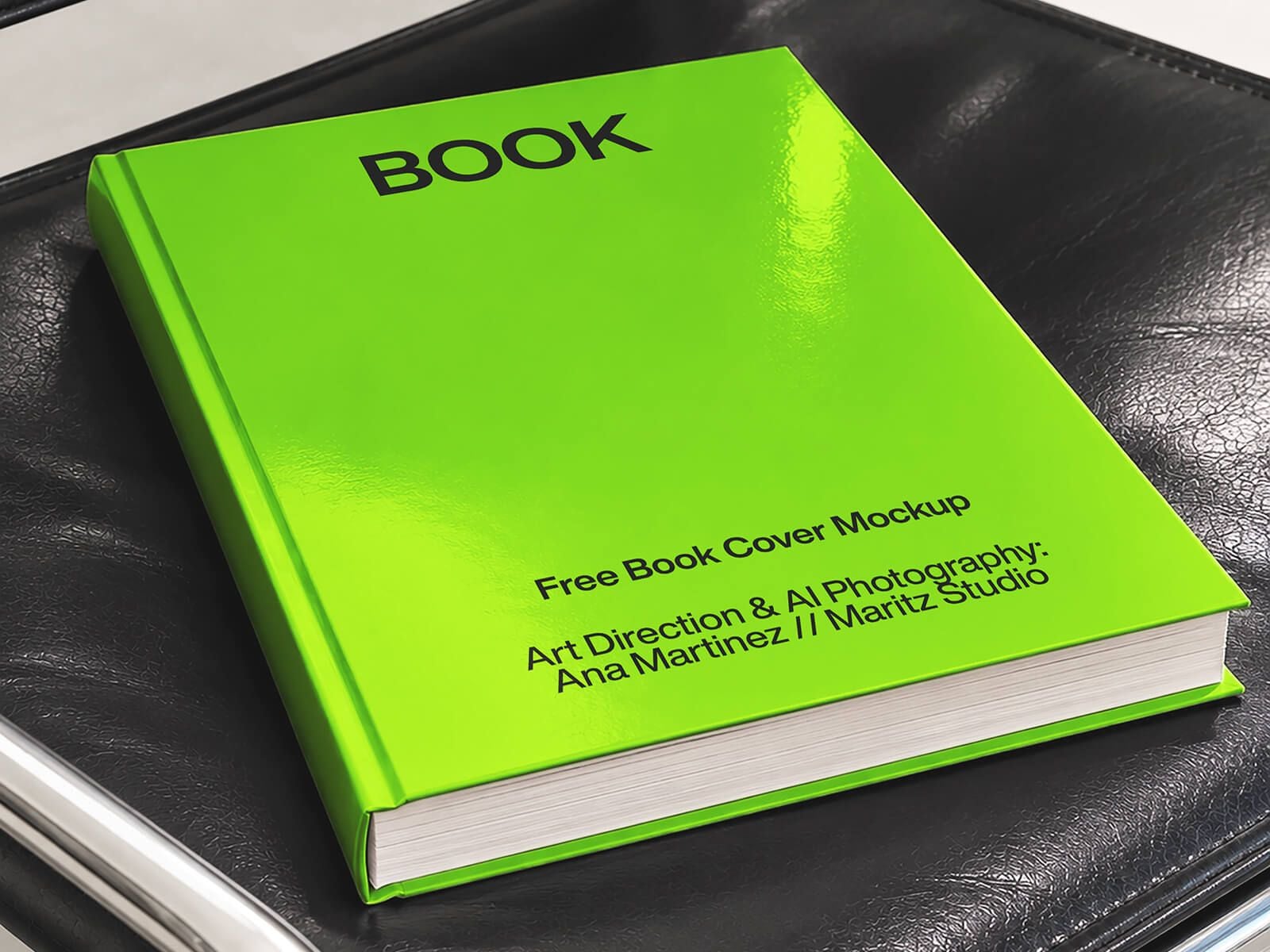
A glossy hardcover lies on a black leather seat, with strong reflections across the cover. The shine works best for bold, high-contrast covers, such as thrillers, business books or design titles. The art direction and imagery are credited to Ana Martinez of Maritz Studio, and the background can be changed.
- Format: PSD with smart object
- Size: 2500 × 3124 px
- Licence: Free for personal and commercial use
- Source: Download on Good Mockups
5. A5 hardcover book mockup
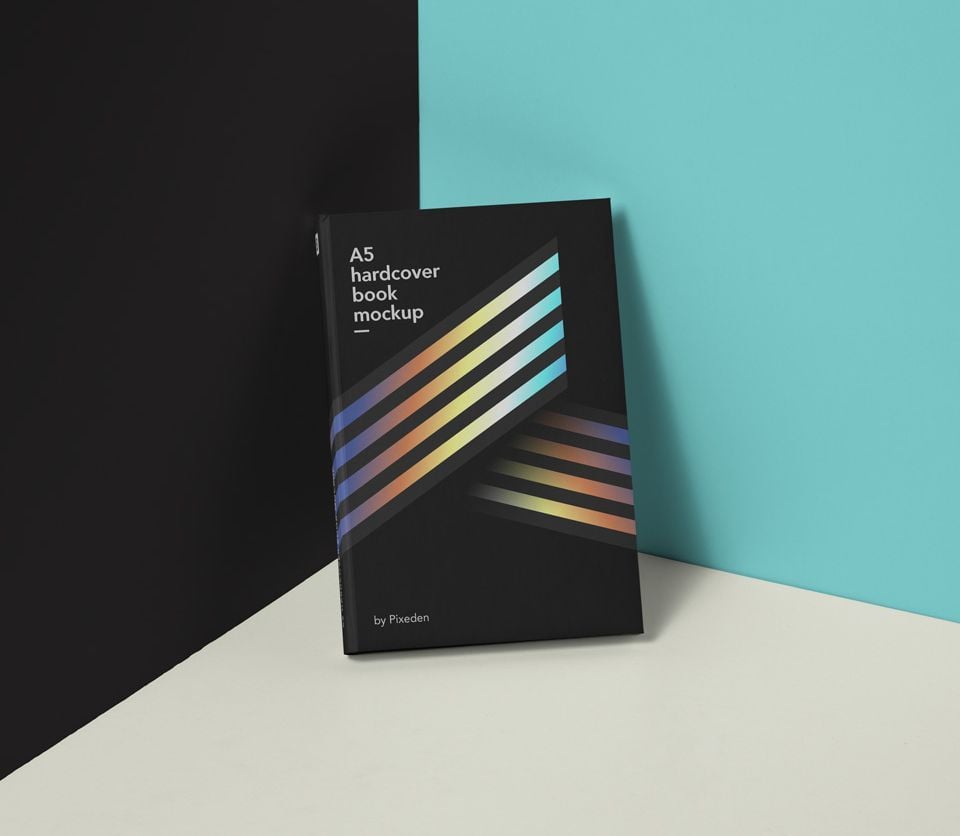
A dark A5 hardcover leans in a corner where a black wall meets a teal one. The split background gives the scene a modern, editorial feel. You can change the book colour and place your cover with a smart layer, which suits novels, journals and small art books.
- Format: PSD with smart layer (163 MB)
- Licence: Royalty free for personal and commercial use
- Source: Download on Pixeden
6. Gravity hardcover book scene
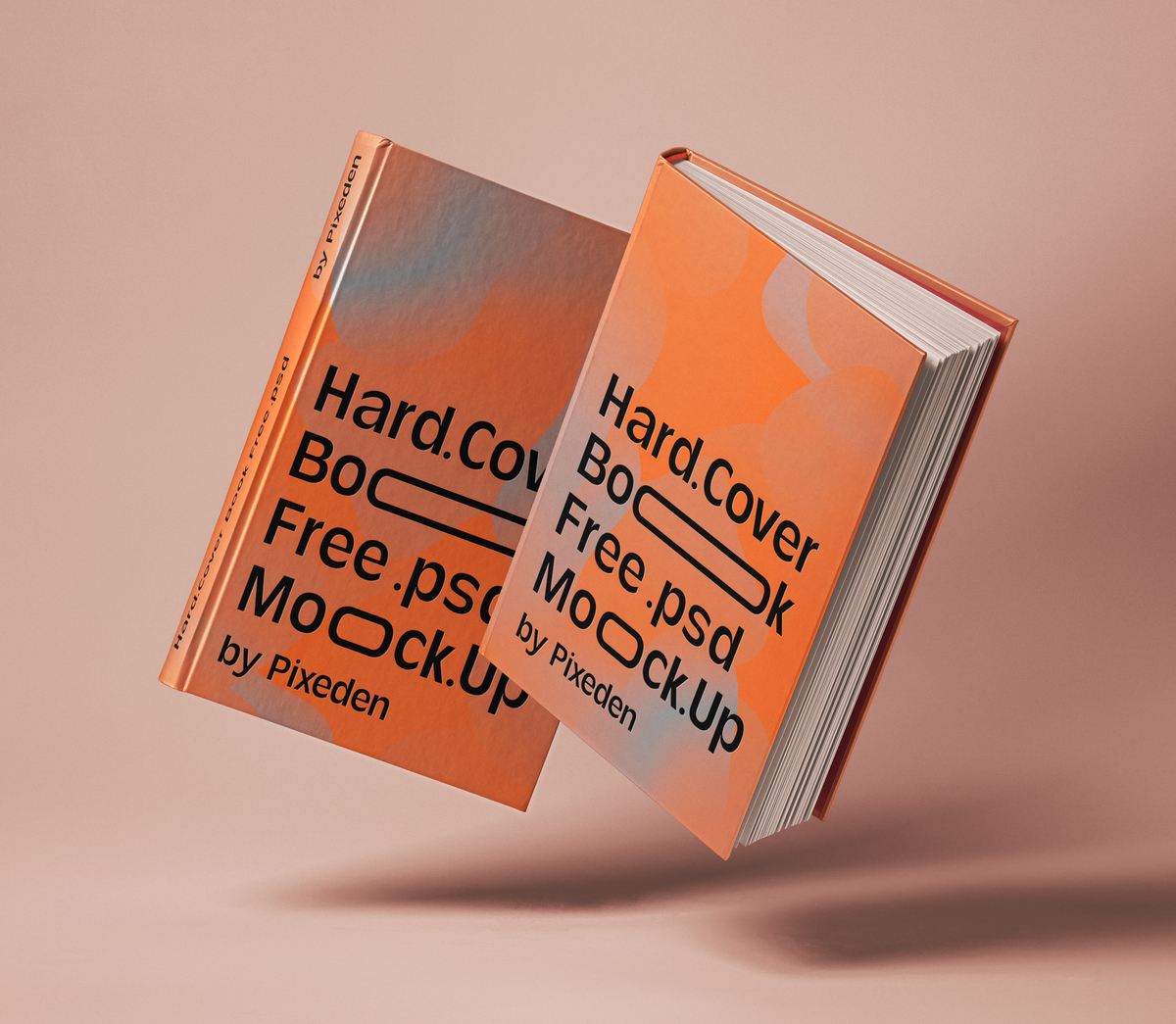
Two hardcovers tumble through the air above a soft peach background, one slightly open so the pages show. The movement makes it a strong hero image for a launch post or a portfolio cover. You add your graphics through smart layers.
- Format: PSD with smart layers (148 MB)
- Licence: Royalty free for personal and commercial use
- Source: Download on Pixeden
7. Three hardcover books on a purple shelf
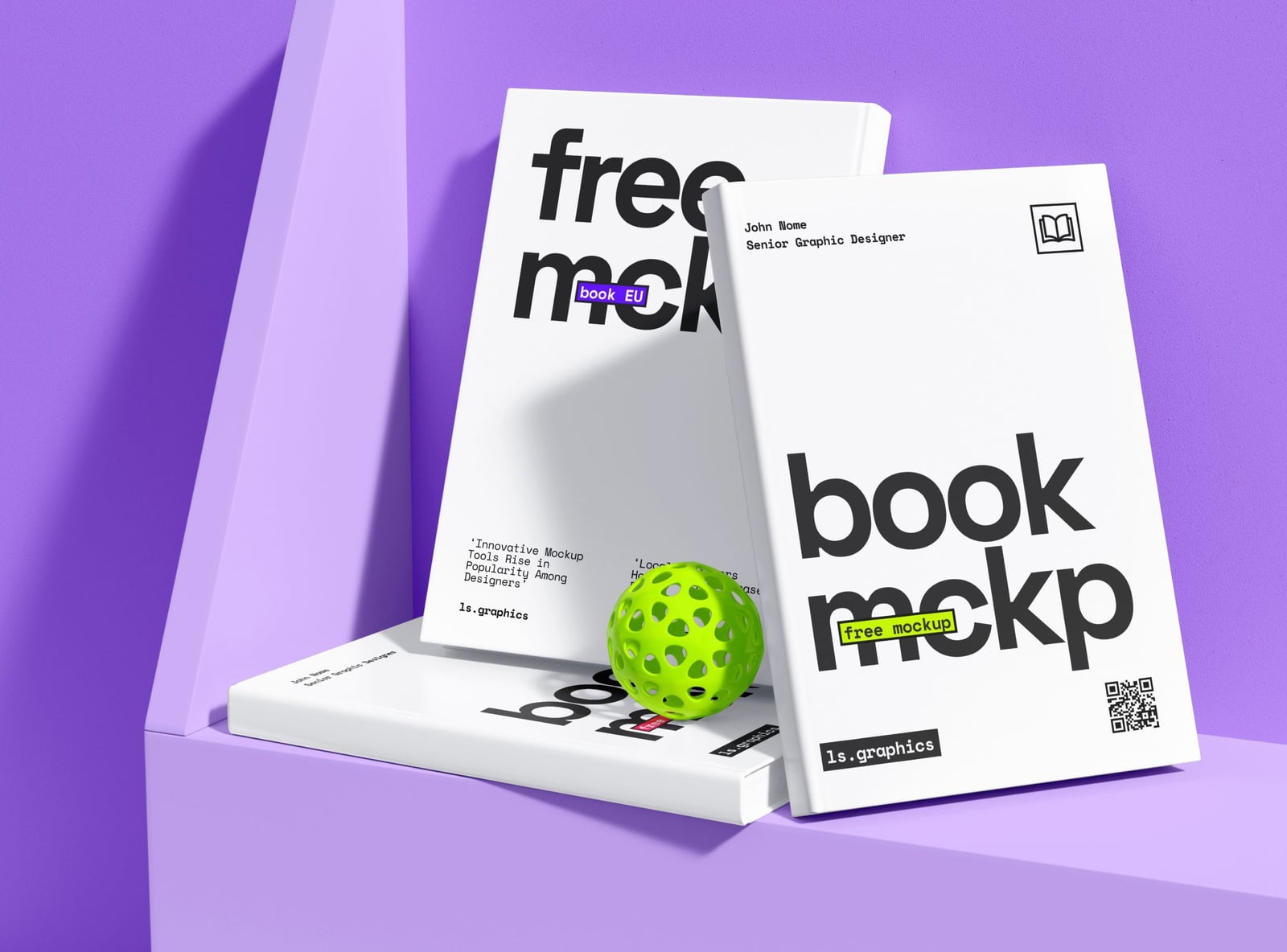
Two white hardcovers stand against a purple step while a third lies flat in front, next to a lime green ball. The bright colour and playful prop suit design books, creative brands and modern non-fiction. Everything is edited through smart objects.
- Format: PSD with smart objects
- Size: 6000 × 4500 px
- Source: Download on ls.graphics
Paperback and softcover book mockups
8. Perfect-bound paperback book mockup
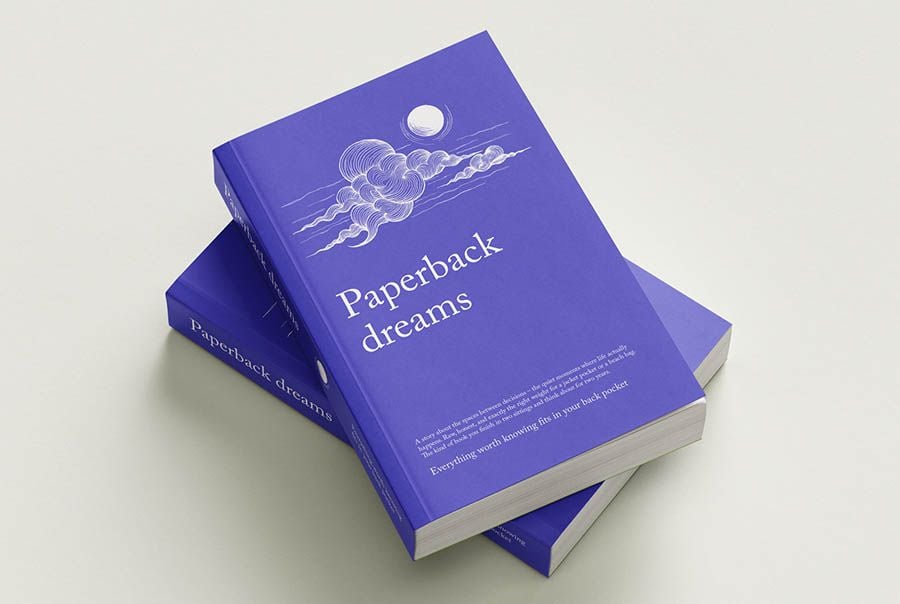
Two purple paperbacks lie stacked at an angle, so you see the front cover and the spine. The set covers closed, stacked and open views, with interior spreads and a title page. At 129 × 198 mm it matches a standard novel, which makes it ideal for self-published fiction and poetry.
- Format: 7 PSD files and online editor
- Licence: Free for commercial use, no attribution needed
- Source: Download on Mockups Design
9. Crown octavo softcover book set
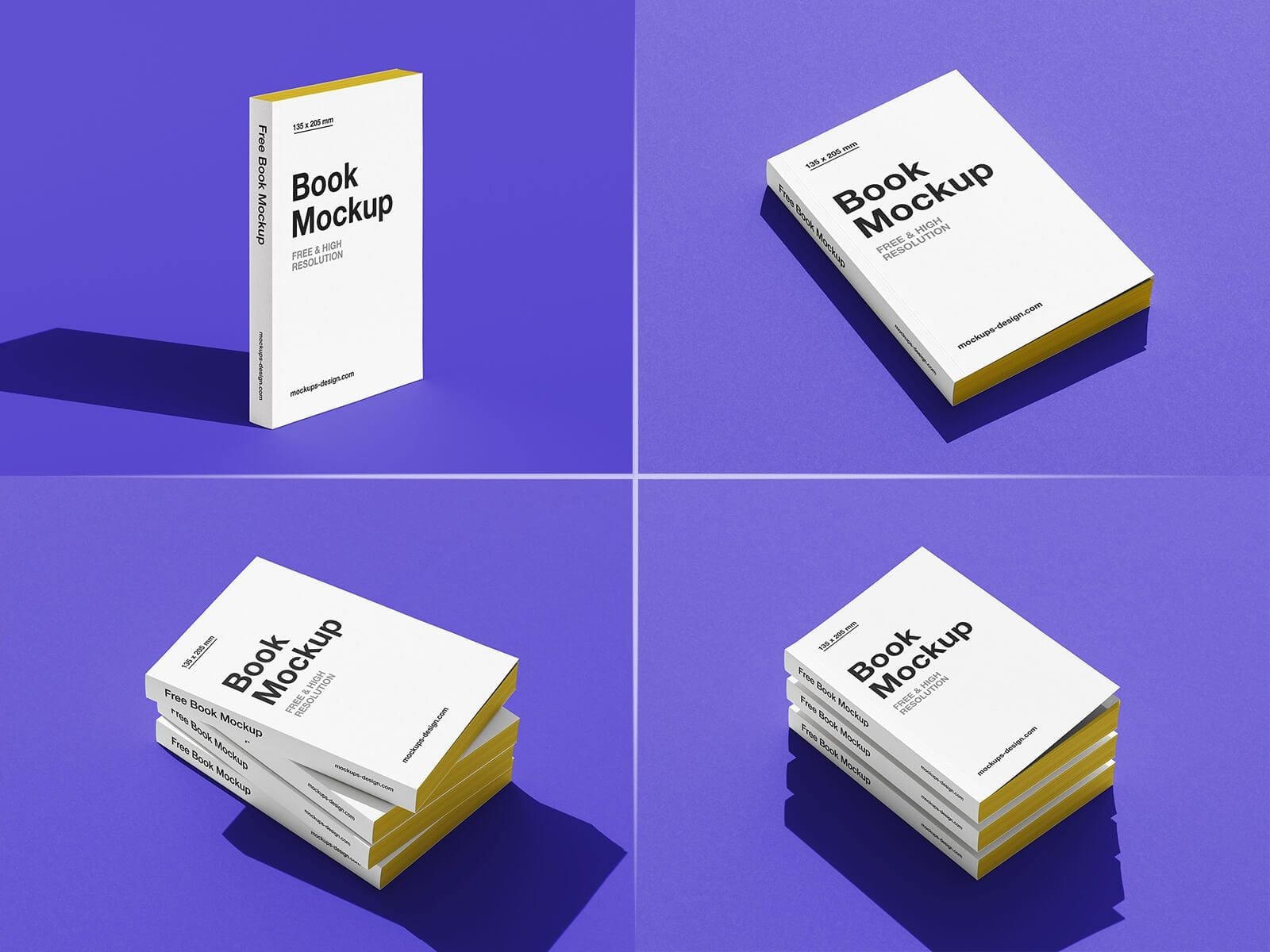
Four views of a small softcover on a purple background: standing, lying flat and in two stacks. You can change the page edge colour as well as the background, so the yellow edges in the preview are only one option. Useful when you need a matching set of shots for a book launch.
- Format: 5 PSD files
- Size: 4000 × 3000 px
- Licence: Free for personal and commercial use
- Source: Download on Good Mockups
10. Thick softcover book mockup
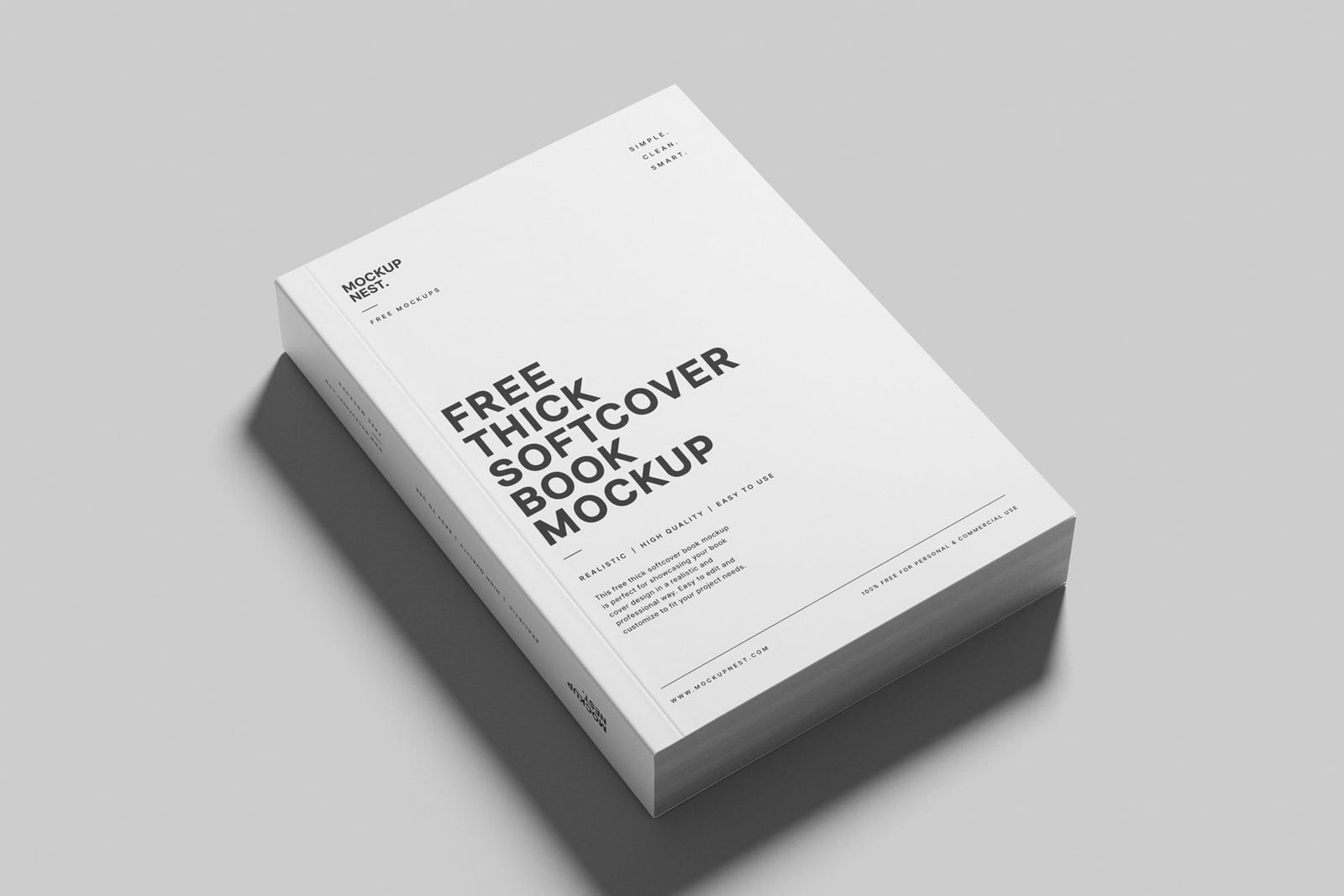
A thick A5 softcover lies at an angle on a grey background, with a clear view of the front cover and the spine. The shadow and background are separate, so you can drop the book into your own layout. Good for workbooks, cookbooks and long non-fiction.
- Format: PSD and online editor
- Size: 4500 × 3000 px
- Licence: Free for personal and commercial use
- Source: Download on Mockupnest
Open book mockups
11. Hardcover open book mockup
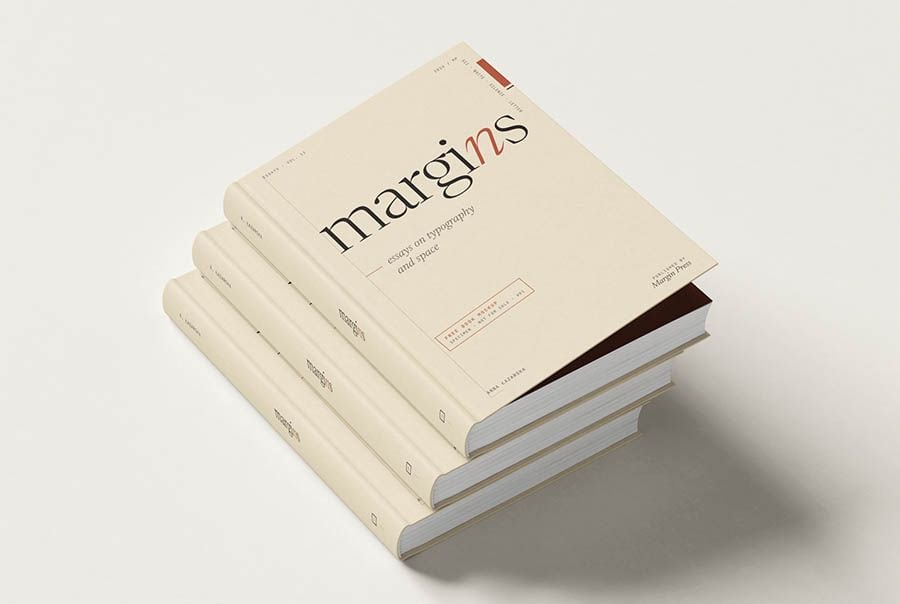
A stack of three cream hardcovers with the top cover lifted to hint at the pages inside. The other scenes in the set show the book open at different spreads, so you can present the cover and the interior layout in one download. It comes in A5 and A4 sizes.
- Format: 7 PSD files and online editor
- Licence: Free for commercial use, no attribution needed
- Source: Download on Mockups Design
12. Top view open hardcover book
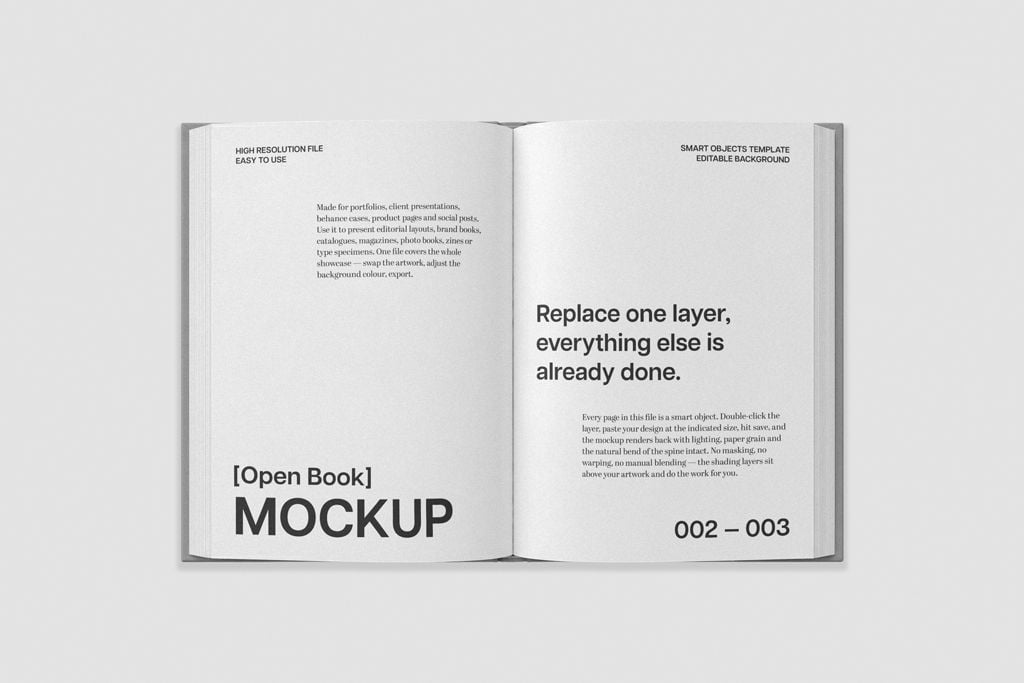
An open hardcover shot flat from above on a light grey background, with a separate smart layer for each page. Because there is no perspective, it shows interior spreads exactly as designed. Use it for editorial layouts, catalogues, photo books and portfolios. It is made by Pixelbuddha and listed on Mockup World.
- Format: PSD with two smart layers
- Size: 4500 × 3000 px at 300 dpi
- Source: Download on Mockup World
13. Open book on a velvet chair
An open book rests on a dark red velvet chair, lit by a single beam of light against a black background. The mood is rich and quiet, which suits literary fiction, art books and premium editorial work. The spread sits under a soft overlay shadow.
- Format: PSD with smart objects
- Size: 4500 × 3000 px
- Licence: Free for personal and commercial use
- Source: Download on Unblast
14. Art book and sketchbook mockup
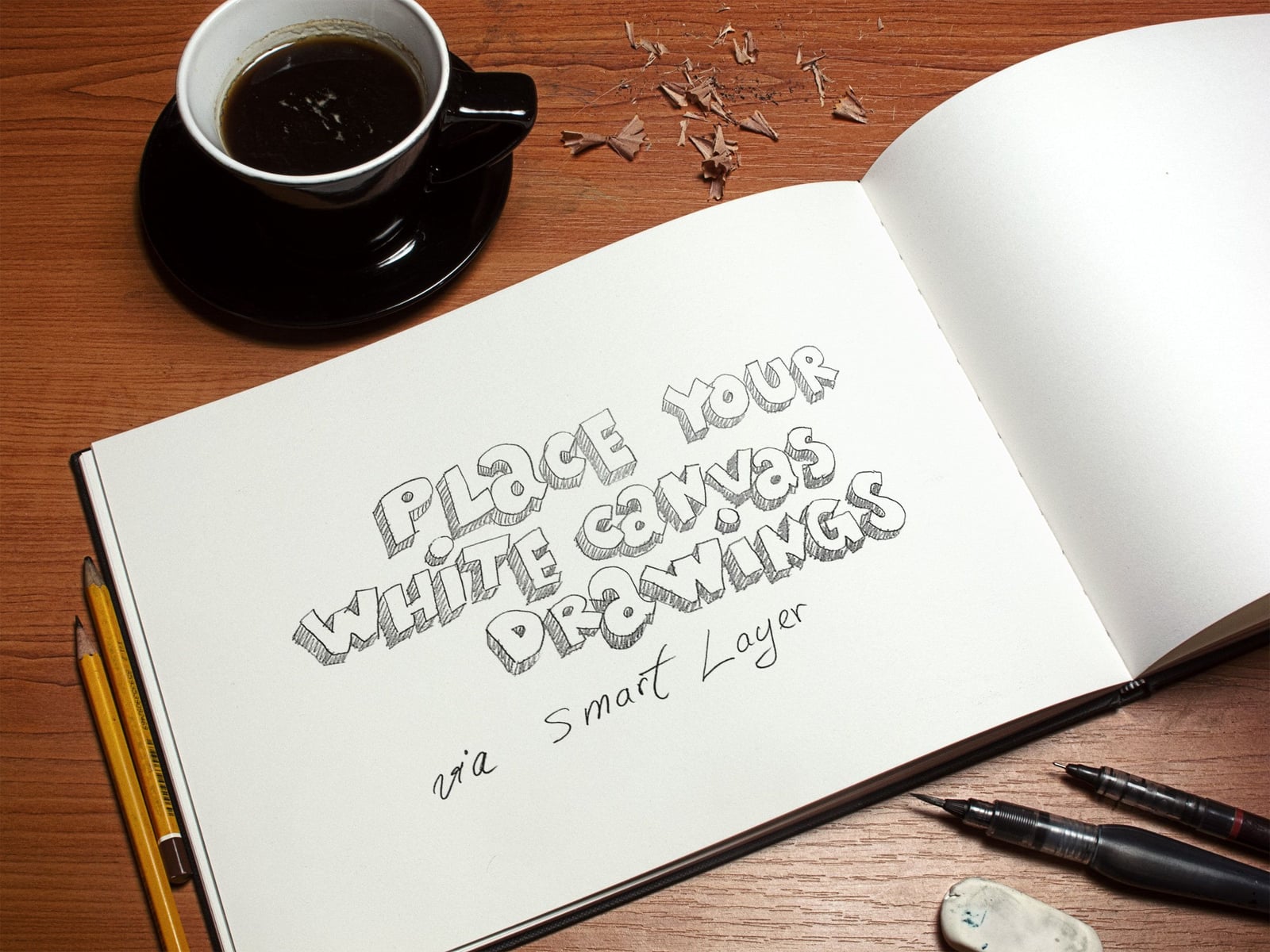
An open landscape sketchbook on a wooden desk, with a cup of coffee, pencil shavings, pencils, ink pens and an eraser around it. It is made for drawings and illustration, so it suits artists, illustrators and children’s book portfolios. The sample artwork is by Alexandru Popa.
- Format: Layered PSD with smart object
- Size: 2400 × 1800 px
- Licence: Royalty free for personal and commercial use
- Source: Download on GraphicBurger
In-hand and lifestyle book mockups
15. Hardcover book in hand
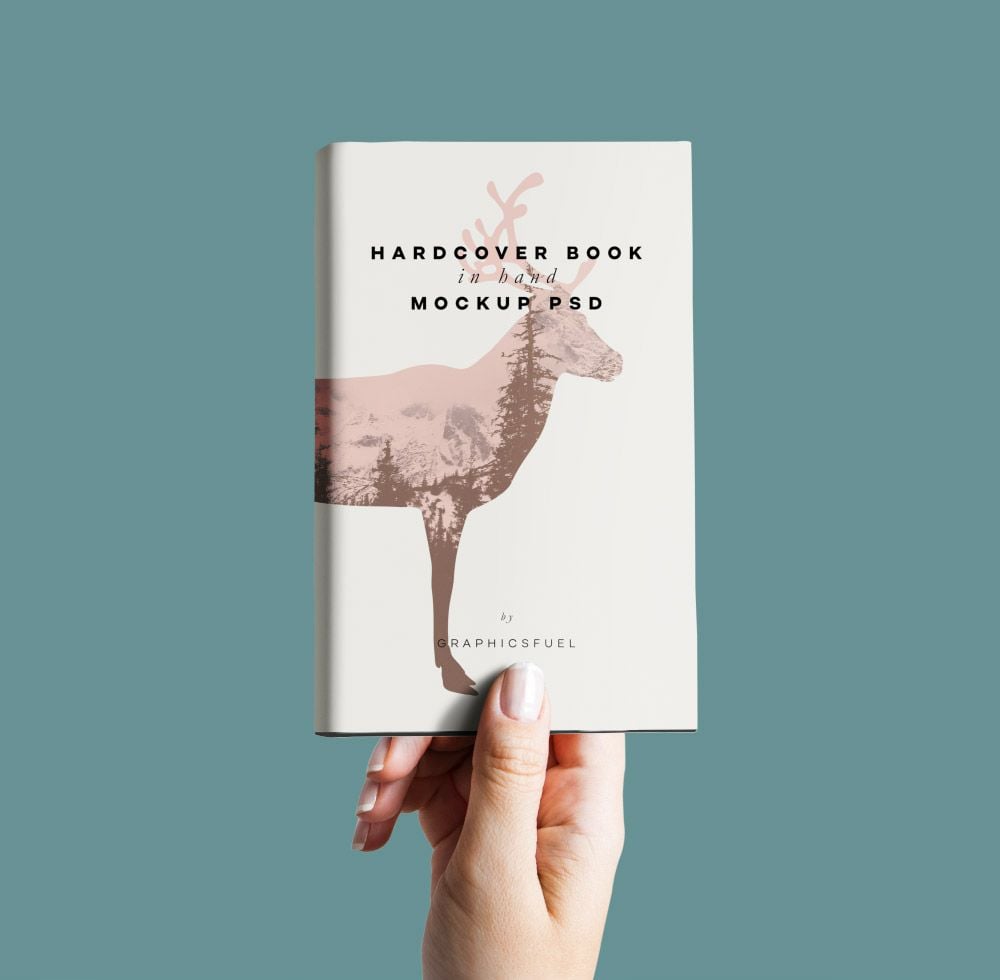
A hand holds up a white hardcover against a flat teal background. It is simple and direct, and it shows the scale of the book at a glance. Use it for social posts and pre-order pages. The background colour can be changed.
- Format: PSD with smart object
- Size: 5000 × 4000 px
- Licence: Free for personal use. Commercial use needs a Graphicsfuel Premium plan
- Source: Download on Graphicsfuel
16. Woman holding an open book
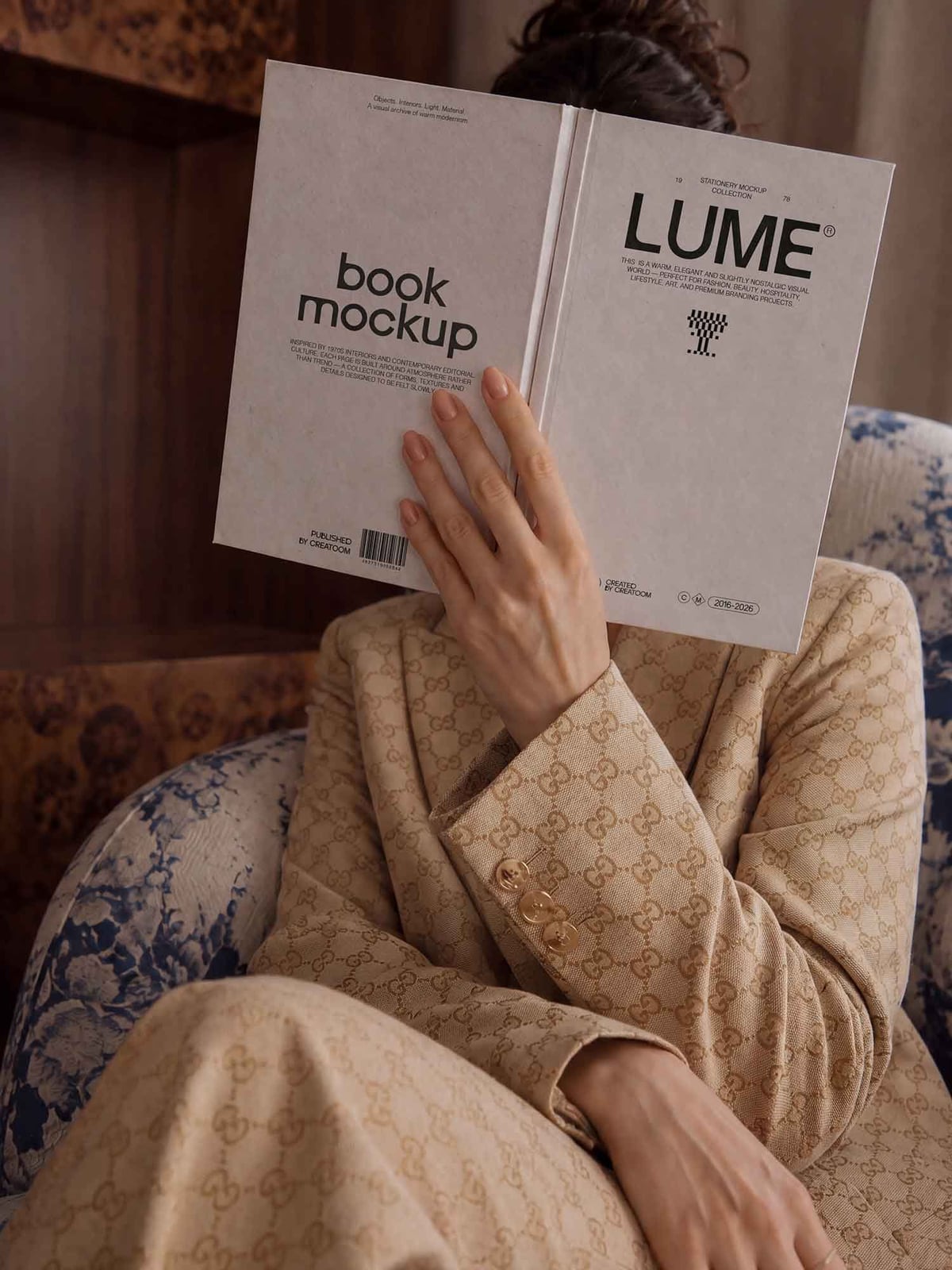
A woman sits in a patterned armchair and holds an open hardcover up in front of her face, so the front and back covers face the camera. It feels like a real reading moment, which works well for author promotions and book club posts. The texture and colours are editable.
- Format: PSD
- Size: 3500 × 4700 px
- Licence: Free for personal and commercial use
- Source: Download on Unblast
17. Low angle hardcover book mockup
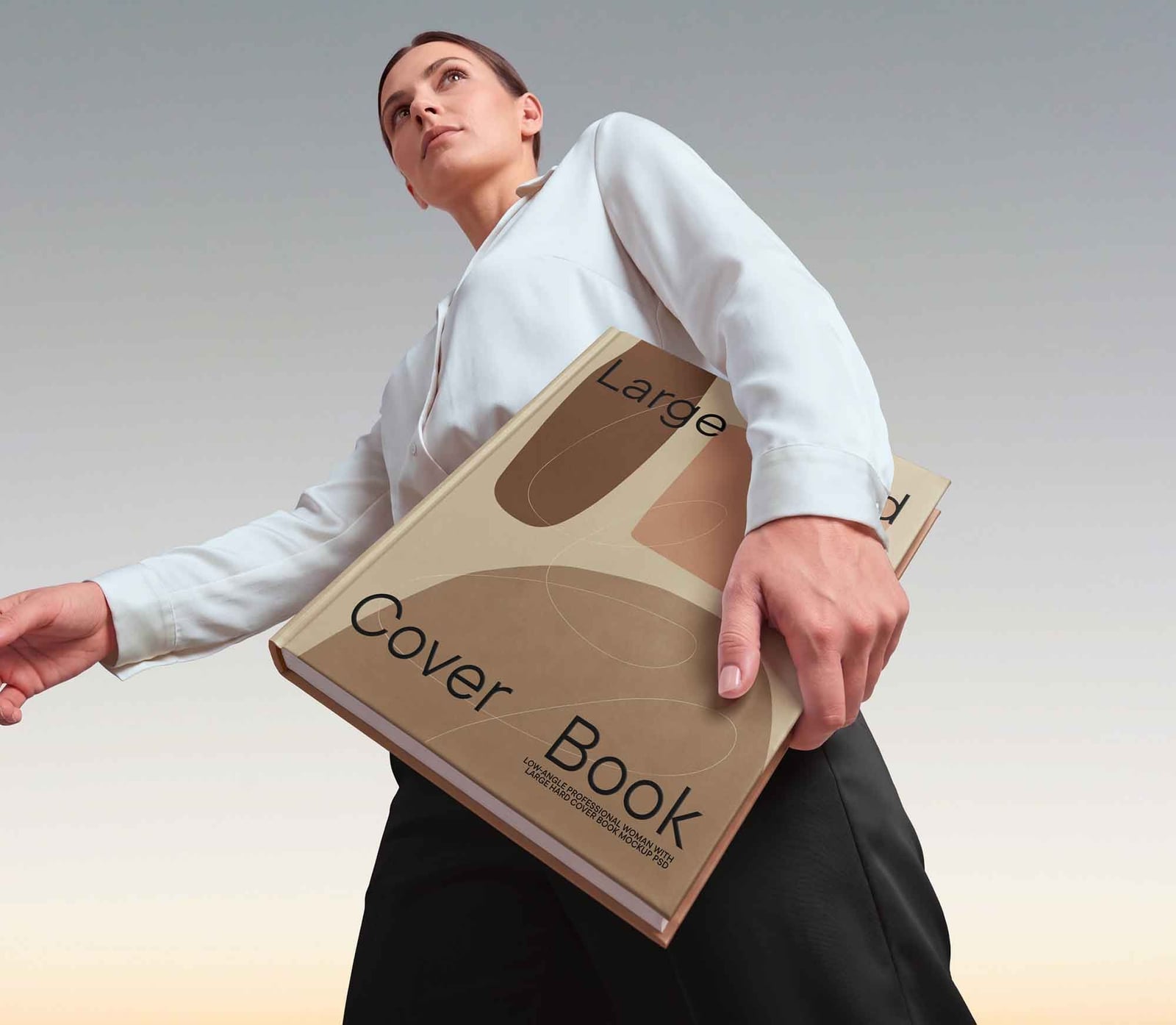
Shot from below, a woman in a white shirt carries an oversized hardcover under her arm against a pale sky. The low angle makes the book look big and important. It suits publishing campaigns, coffee table books and corporate reports.
- Format: PSD with smart objects
- Licence: Free for personal and commercial use
- Source: Download on Unblast
Children’s book, magazine and digital mockups
18. Square board children’s book mockup
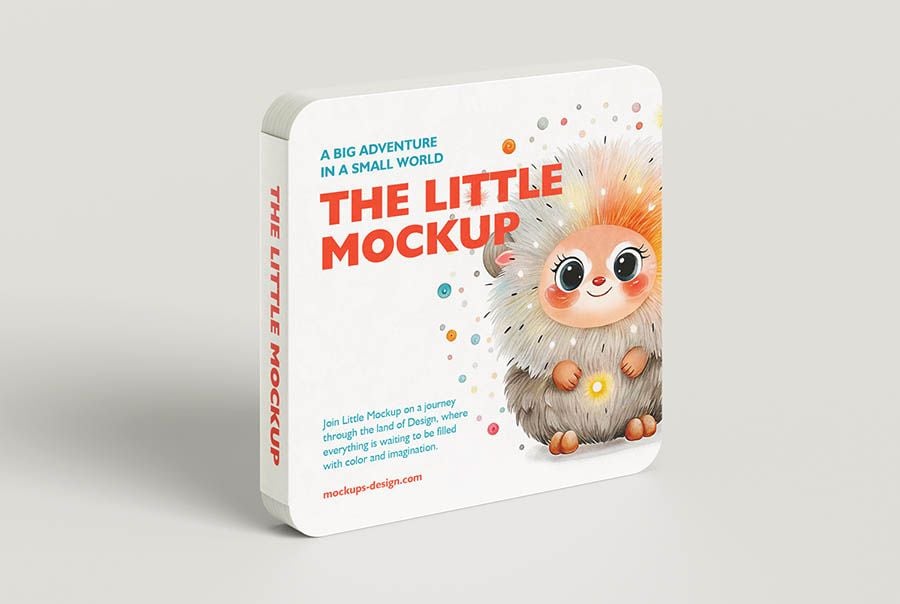
A thick square board book with rounded corners stands on a light background, the kind made for toddlers. The set includes cover, spine and spread views, flat and in 3D. Made for illustrators and self-publishers working on picture books.
- Format: 6 PSD files and online editor
- Licence: Free for commercial use, no attribution needed
- Source: Download on Mockups Design
19. Multi-view magazine mockup
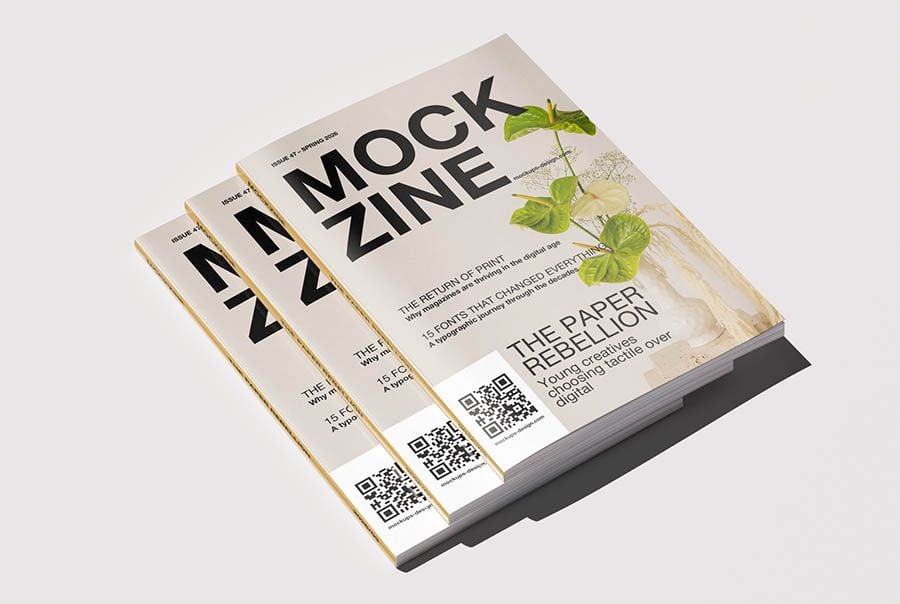
Three copies of an A4 magazine fan out on a light background. The set adds stacked and open spread views, so you can present a cover and the inside pages together. Use it for magazines, catalogues, lookbooks and annual reports.
- Format: 8 PSD files and online editor
- Licence: Free for commercial use, no attribution needed
- Source: Download on Mockups Design
20. Magazine with tablet and phone
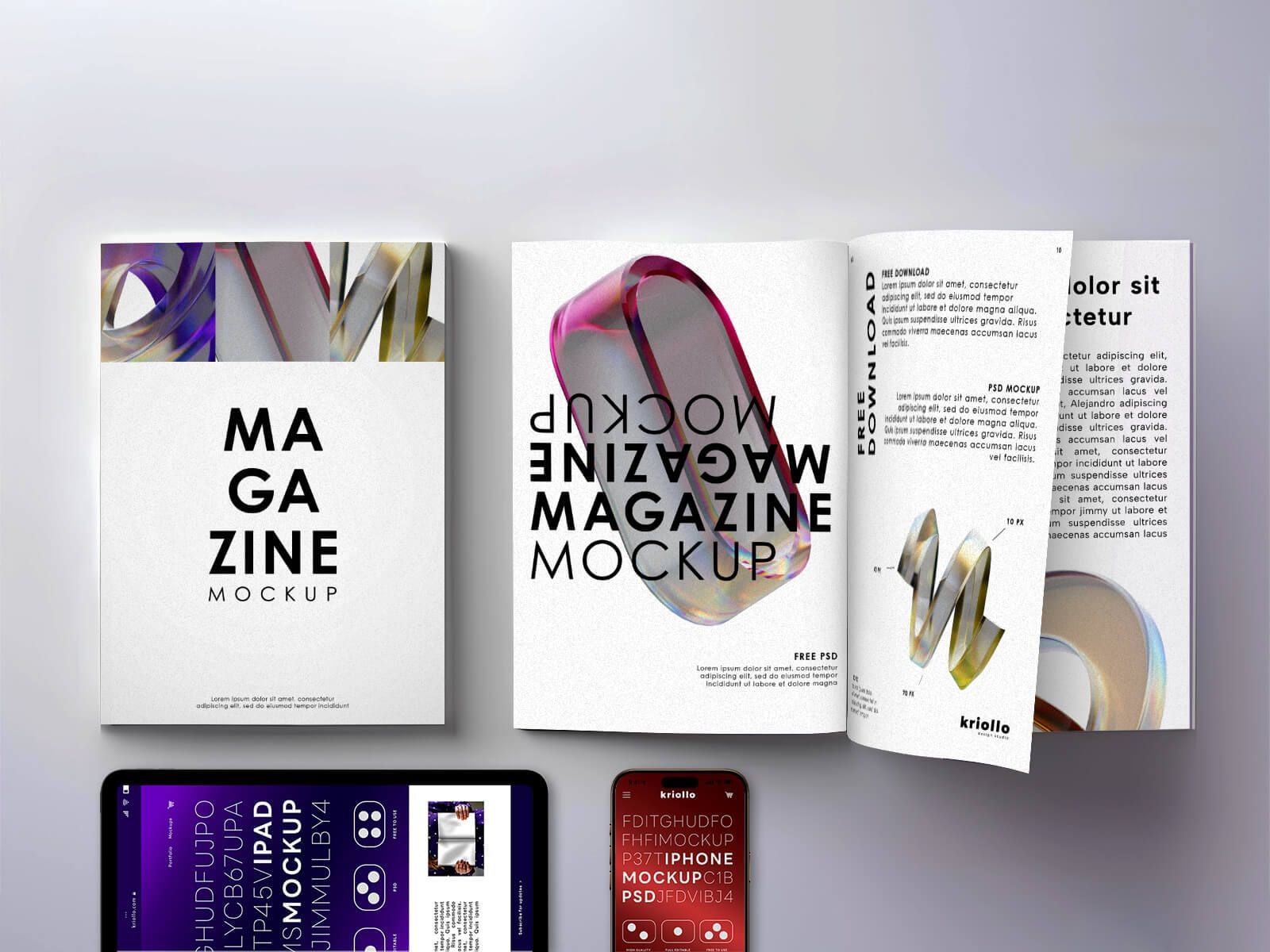
A top view of a closed magazine and an open spread, with an iPad and an iPhone below them. It is the one to use when a publication also has an ebook or digital edition. You can hide the devices and use the magazines on their own.
- Format: PSD with smart objects
- Size: 4000 × 2667 px
- Licence: Free for personal use only
- Source: Download on Good Mockups
Tips for using a book mockup well
- Design the full cover, not just the front. Set up the front, spine and back at the real trim size, and work out the spine width from the page count and paper your printer uses.
- Leave out the bleed. Print files need bleed, but a smart object usually wants the trimmed size. Export a separate RGB version for the mockup so the edges do not get cut off.
- Use real text. A real title, author name and back cover blurb make the mockup believable. Lorem ipsum on a spine is the first thing a client notices.
- Check the type at small sizes. Shrink the finished mockup to thumbnail size, the way it will appear in an online store. If the title is hard to read, fix the cover, not the mockup. Our guides to serif fonts and font pairing can help.
- Show the inside too. For editorial, art and children’s books, add an open spread so the client sees the layout, not only the cover.
- Remember print is different. A mockup is a preview, not a proof. Colours shift on paper, so order a printed proof before the full run. Read what affects print quality before you sign off.
New to mockups? Start with what mockups are and why designers use them. For the rest of a launch, see our free poster mockups and stationery mockups.
Frequently asked questions
Are these book mockups really free?
Yes, every mockup in this list is free to download. Most are free for personal and commercial use. The two Graphicsfuel files are free for personal use only, and the magazine with tablet and phone from Good Mockups is personal use only too. Some sites may ask you to sign in before the download starts.
Can I use a free book mockup for client work?
Yes, if the licence allows commercial use. You can use the finished images in a client presentation, a store listing or an ad. You cannot resell or share the mockup file itself.
How do I make a book cover mockup without Photoshop?
Choose a mockup with an online editor, such as those from Mockups Design and Mockupnest, or open the PSD in Photopea. Double-click the smart object, paste your cover, save, and the 3D book updates.
Is there a free ebook mockup?
Ebooks have no physical cover, so most authors show the cover on a tablet or phone. The magazine with tablet and phone mockup in this list works for that, or you can place your cover on any free tablet mockup.
Need a mockup-ready book cover for a client?
Inkyy is a white label design and development team for agencies. Our in-house designers create book covers, editorial layouts and print-ready files that you present under your own brand, mockups included. See our design services or book a 15-minute call.