How to Vectorize a Logo: 7 Ways Scored, Best to Worst
 10 min read
If you are wondering how to vectorize a logo, you probably have a file that looks right on screen but falls apart everywhere else. Maybe you made it in ChatGPT, Midjourney or Canva in twenty minutes. Maybe it is an old JPG from a designer you can no longer reach. Either way, the printer, the sign shop or the developer just asked you for “the vector file”, and you do not have one.
There are at least seven ways to get from that file to a real vector logo. They are not equal. Below we score each one out of 100, explain what it costs in money, time and skill, and show you how to check the result before you send it anywhere.
Why your AI logo is not a vector yet
AI image generators and most design apps export raster files: PNG, JPG or WebP. A raster file is a grid of pixels at a fixed size. Scale it up for a banner and the edges blur. Shrink it to a favicon and thin details turn into mush.
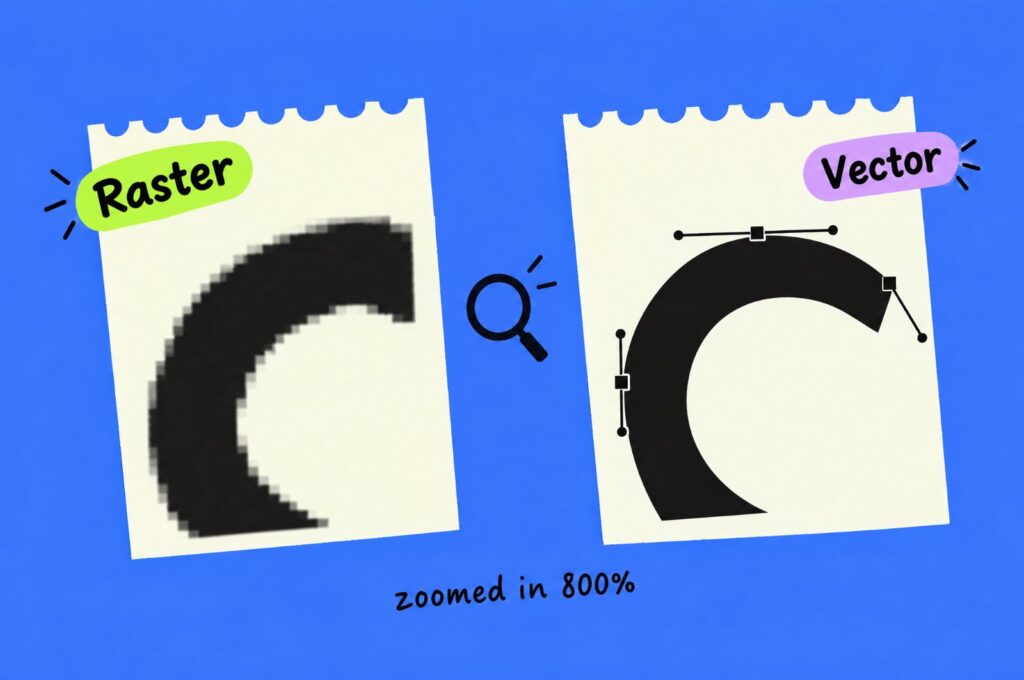
A vector file describes shapes with points and curves instead of pixels, so it stays sharp at any size. That is why printers, embroidery shops, sign makers and developers ask for one. A production-ready vector logo should have:
- clean paths with as few anchor points as the shapes need;
- smooth curves and straight lines that are actually straight;
- real or matched fonts, not traced blobs that only look like letters;
- exact colors written down as HEX, RGB and CMYK;
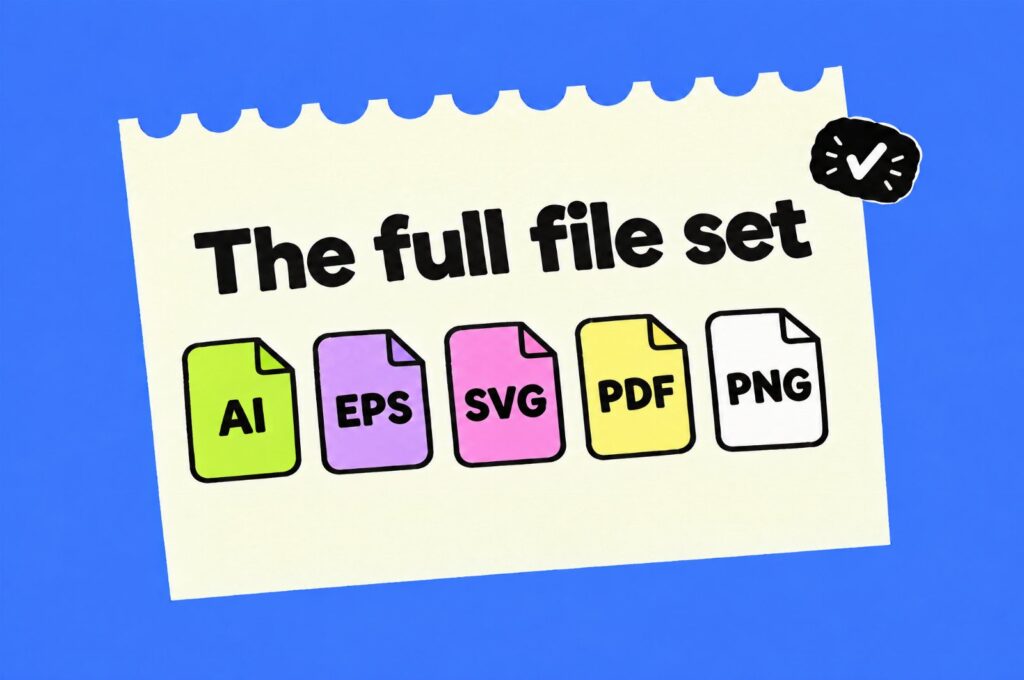
- the usual file set: AI or EPS for print, SVG for the web, PDF for sharing and a transparent PNG for everyday use.
Keep that list in mind. It is the yardstick for every method below. If you also need a stacked version, an icon-only mark or a one-color version, read our guide to logo variations before you order anything.
The scorecard: 7 ways to vectorize a logo
The score is our own judgment of how close each method gets to the production-ready file described above, for a typical logo with a symbol and a wordmark. Prices are list prices we checked in November 2026 and can change.
| Method | Score | Cost | Your time | Skill needed |
|---|---|---|---|---|
| 1. Hand redraw by a designer | 100/100 | From $60 per logo | 10 minutes to brief | None |
| 2. Illustrator Image Trace plus cleanup | 90/100 | About $22.99 a month | 1 to 3 hours | High |
| 3. Vectorizer.AI | 80/100 | About $9.99 a month | 15 to 60 minutes | Low to medium |
| 4. Inkscape Trace Bitmap | 70/100 | Free | 1 to 3 hours | Medium to high |
| 5. Regenerate it as a vector (Recraft) | 60/100 | Paid plan for commercial use | 30 to 90 minutes | Low |
| 6. VectorCraft plus Claude over MCP | 50/100 | Claude plan from $20 a month | Several hours | Technical |
| 7. Free one-click online converters | 40/100 | Free | 5 minutes | None |
1. Hand redraw by a designer: 100/100
This is how agencies and print shops have always done it. A designer places your image in Illustrator and rebuilds every curve with the Pen tool, point by point. They identify the fonts or redraw the letters, set the exact colors and export the full file set. Nothing is guessed by an algorithm, so the result is as clean as a logo designed in vector from day one.
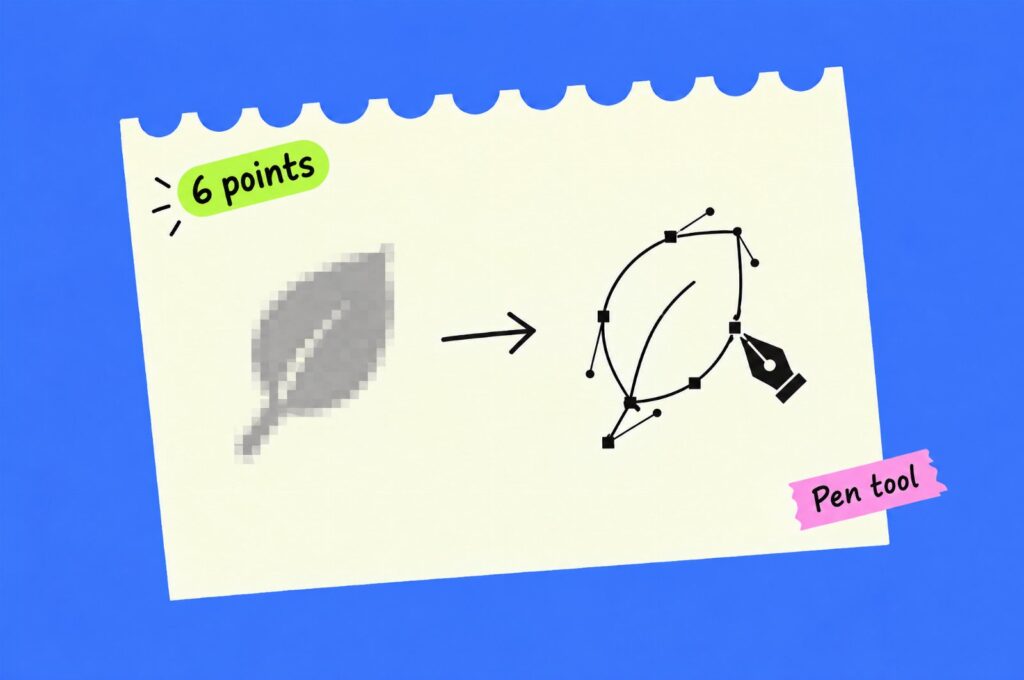
It is the only method on this list that fixes problems instead of copying them. AI logos often have slightly wobbly lines, letters that almost match a font and gradients that do not print well. A good designer straightens those out while redrawing.
- Pros: clean paths, matched fonts, exact colors, every file format, no software or learning curve.
- Cons: it costs more than a free tool, and you wait a few days instead of a few seconds.
- Best for: any logo that will be printed, embroidered, cut, put on a sign or used by a developer.
Our sister studio SkyDesigner offers exactly this. Full disclosure: SkyDesigner was founded by Bojan Sandić, who also runs Inkyy. You send a JPG, PNG, screenshot or even a photo of a sign, they redraw it by hand and send a proof for your approval before you get the files.
SkyDesigner · Logo vectorization
Your logo, redrawn by hand. Not traced.
- AI, EPS, SVG, PDF and transparent PNG
- Fonts matched, colors set to exact HEX, RGB and CMYK
- From $60, 3-day delivery, proof before files
- Rated 4.9 from 24,500+ reviews
2. Adobe Illustrator Image Trace plus cleanup: 90/100
Image Trace is Illustrator’s built-in tracer, and it is the professional standard for doing it yourself. In skilled hands, with manual cleanup afterwards, it gets close to a hand redraw. Without the cleanup, expect closer to 70.
The catch is cost and skill. Illustrator alone is about $22.99 a month on an annual plan, and the all-apps Creative Cloud Pro plan is about $69.99 a month (Adobe US list prices; your region may differ). Adobe offers a 7-day free trial, which is enough for one logo if you already know the tool.
How to vectorize a logo with Image Trace
- Place the largest, sharpest version of the logo you have (File > Place).
- Open the panel with Window > Image Trace and select the image.
- Pick a starting preset: Black and White Logo for one-color marks, or a limited color preset for flat colored logos.
- Open Advanced, lower the number of colors to the real count in your logo and tick Ignore White.
- Adjust Paths, Corners and Noise while watching the preview, then click Trace.
- Choose Object > Image Trace > Expand to turn the trace into editable paths.
- Clean up: delete stray shapes, simplify curves, rebuild wobbly lines with the Pen tool and replace traced text with the real font.
- Set the exact brand colors, then export AI, EPS, SVG, PDF and PNG.
Step 7 is where the time goes. Image Trace is good at shapes and weak at text. Traced letters always look slightly melted, so match the typeface or redraw the letters. Our post on logo design principles explains why simple, consistent shapes matter here.
3. Vectorizer.AI and similar AI tracers: 80/100
Vectorizer.AI is the best known of the newer AI tracers, and on flat, high-contrast logos its output is often cleaner than Illustrator’s default trace. You can upload and preview as many images as you like for free. Downloading needs a subscription, about $9.99 a month for the web app (€8.99 in Europe), billed monthly and non-refundable.
- Pros: fast, good curve fitting, exports SVG, EPS, PDF and DXF, no design skill needed for simple marks.
- Cons: it is still a trace, so text, thin lines and gradients need fixing. Images are limited to 3 megapixels. You pay monthly even if you only need one logo.
- Best for: simple flat logos, or as a first pass before cleanup in Illustrator.
What it does not give you is the rest of the package: no matched fonts, no color spec and no logo variations. You get one traced file and still have to fix and export everything else yourself.
4. Inkscape Trace Bitmap: 70/100
Inkscape is a free, open source vector editor, and its Trace Bitmap tool (Path > Trace Bitmap, or Shift+Alt+B) is the best free way to do this properly. Use Brightness Cutoff for one-color logos and the multiple scans mode for logos with a few flat colors. Then clean up the nodes by hand, just like in Illustrator.
The score is lower because the tracing is rougher on curves and the interface takes longer to learn. If your budget is zero and you have an afternoon, it works. Save as Plain SVG for the web and export a PDF for print.
5. Regenerate the logo as a vector with Recraft: 60/100
Some AI tools now generate vector graphics directly instead of pixels. Recraft is the best known. You describe the logo again, or upload it as a reference, and get editable vector output.
The problem is in the word “regenerate”. You get a new logo that looks similar, not your logo. Details change between generations, text is still unreliable, and on Recraft’s free plan the images are owned by Recraft and not licensed for commercial use. You need a paid plan for full ownership. It is a good option before you settle on a logo, and a weak one after.
6. VectorCraft plus Claude over MCP: 50/100
This is the newest and most technical option. VectorCraft is an open source vector illustration app with a built-in MCP server, so an AI agent such as Claude Code can draw, edit and export inside it the way a person would. In theory you can ask Claude to rebuild your logo shape by shape.
In practice it is a project for developers. You install VectorCraft, register its MCP server with Claude Code from the command line, and need a paid Claude plan (Pro starts at $20 a month). VectorCraft itself describes its current version as alpha. Expect hours of setup and prompting, and a result you still need to check node by node. It is interesting to watch and great for automating repeat work. It is not the quick way to fix one logo.
7. Free one-click online converters: 40/100
Search “PNG to SVG” and you will find dozens of free converters. Most of them run a basic trace and wrap the result in an SVG file. Some only embed your PNG inside an SVG, which is not a vector at all.
They are fine for a quick mockup or a sticker on your laptop. For anything a printer or developer will touch, the jagged curves, hundreds of extra points and traced text will cost you more time to fix than they saved.
How to check if your vector file is clean
Whatever method you choose, run these checks before you send the file to anyone:
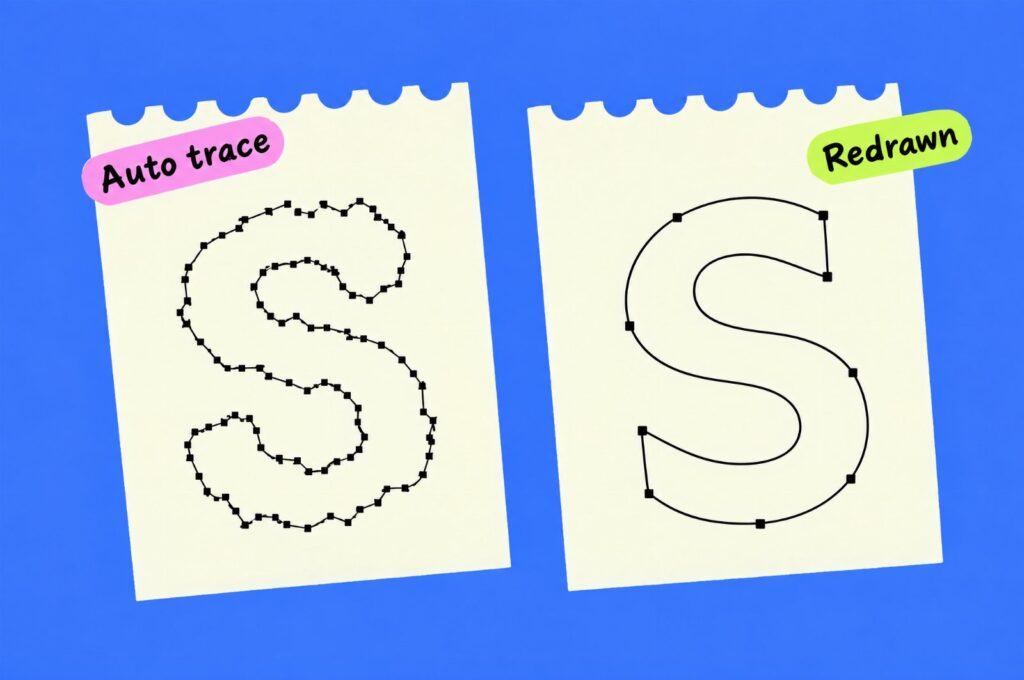
- Zoom to 800%. Curves should stay smooth and straight lines straight. Bumps and wobbles mean a messy trace.
- Switch to outline view (View > Outline in Illustrator, or Cmd/Ctrl+Y). You should see simple shapes, not hundreds of tiny fragments or a hidden image.
- Count the anchor points. Select a letter or shape. A clean “O” needs about four points, not forty.
- Check the text. Letters should match a real font, with even stroke widths and consistent spacing.
- Check the colors. Every fill should use your exact brand HEX values, with no near-duplicates from the trace.
- Open the SVG in a text editor. If you see a long block of “data:image/png;base64”, it is an embedded picture, not a vector.
- Test small and big. Look at it at favicon size and at full screen width. Both should hold up.
Which method should you choose?
- The logo is final and will be printed, embroidered or handed to a developer: hand redraw.
- You already pay for Illustrator and know the Pen tool: Image Trace plus cleanup.
- It is a simple, flat, one or two color mark and you need it today: Vectorizer.AI, then check it with the list above.
- No budget, but you have time to learn: Inkscape.
- You are still exploring logo ideas: generate them as vectors in Recraft from the start.
- You are a developer who wants to automate vector work: try VectorCraft with Claude, but not on a deadline.
Remember that vectorizing is only one step. Most brands also need a few logo variations and a short color and usage sheet. If the AI concept itself feels off, it may be time to refresh the logo instead of copying it exactly. For what a full handoff package should include, see what to do after an AI logo.
From the studio: before any redraw starts, ask for the largest original file, even a screenshot at 2x zoom, and a list of where the logo will be used. A 400px PNG forces the designer to guess at thin details. A short use list (website, shirts, signage) decides whether you need a one-color version, a CMYK file or an icon-only mark, so you order the right files once.
Looking for ideas while you are at it? Browse our collections of minimalist logos and logo presentation examples.
Frequently asked questions
Can I vectorize a logo for free?
Yes. Inkscape’s Trace Bitmap is free and gives usable results on simple logos, but you will need to clean up the paths by hand. Free online converters are faster but usually not good enough for print.
Can ChatGPT or Midjourney make a vector logo?
Not directly. They generate raster images, even when the result looks flat and clean. You need to trace or redraw the image to get a true vector file.
How much does it cost to vectorize a logo?
From free with Inkscape, to about $9.99 or $22.99 a month for Vectorizer.AI or Illustrator, to around $60 and up for a hand redraw by a designer. The price of a redraw depends on how detailed the logo is.
Which file formats do I need?
Ask for AI or EPS for print, SVG for the web, PDF for sharing and a transparent PNG for everyday use. A one-color version of each is worth having too.
Is Image Trace good enough for printing?
For simple flat logos, yes, after you clean up the paths and replace the traced text with a real font. For detailed logos or embroidery, a hand redraw is safer.
Need your logo redrawn as a clean vector?
Send your JPG, PNG or AI-generated logo to SkyDesigner’s logo vectorization service and get it back redrawn by hand in AI, EPS, SVG, PDF and PNG. Agencies that need logo and brand work under their own name can use Inkyy, our white label design team, or book a 15-minute call.