



Free UI Cards Kit for Adobe XD: 27 Travel, Blog and Food Cards
 3 min read

This free UI cards kit for Adobe XD, made by Holla.Today and shared on UI8, has 27 ready-made cards for travel, blog and food layouts. Each card is a photo with a label, a title and a button, in portrait and landscape versions, on a dark background.
Below is what each group shows, what is in the ZIP, and how to open it now that Adobe XD is no longer being developed.
What the UI cards kit includes
UI8 lists 12 travel cards, 6 blog cards and 9 food cards, and the previews match that count. All use rounded corners and a dark grey page.
Travel cards (12)
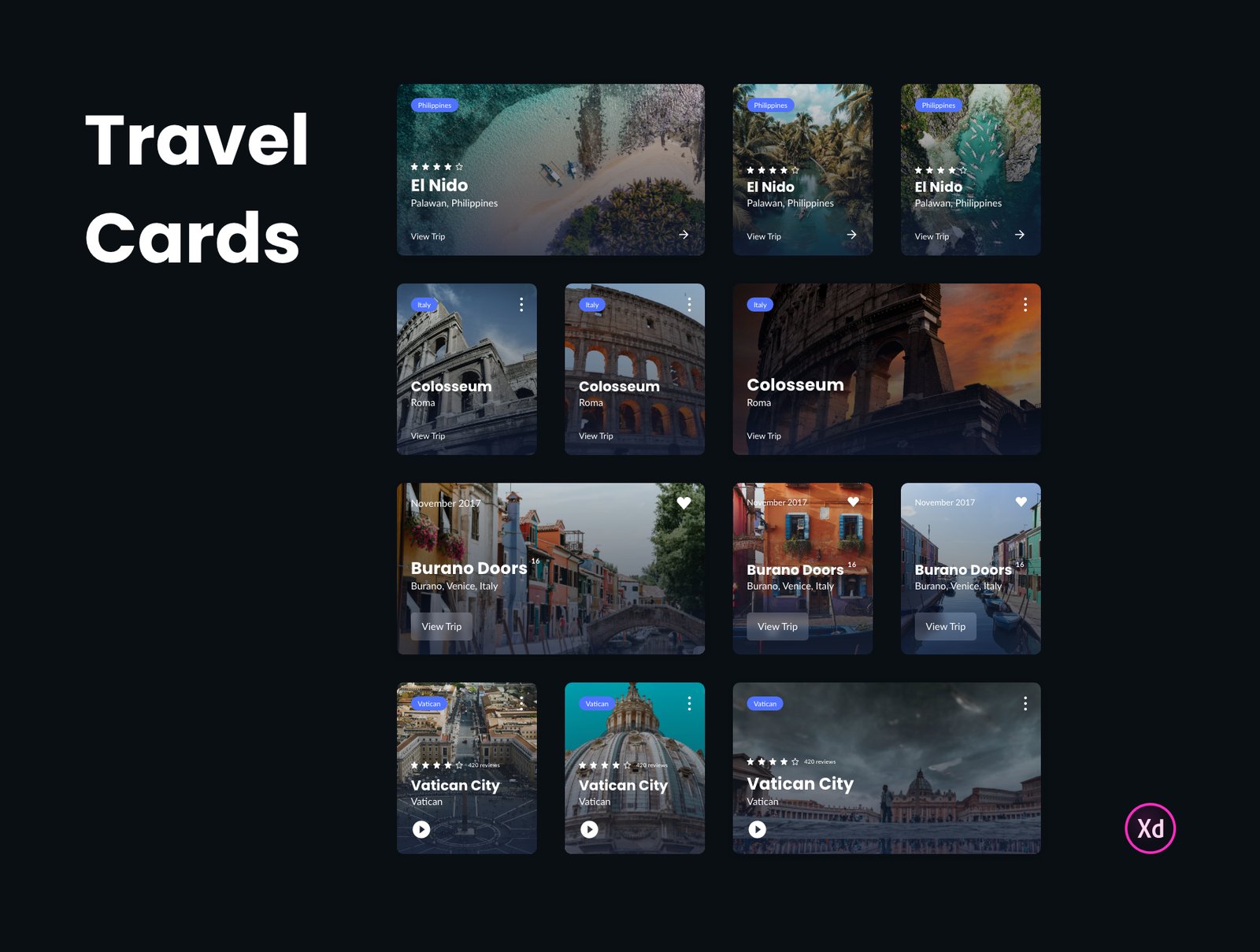
Each travel card has a place photo, a coloured country tag, a name and location, and a View Trip arrow. Some add a star rating, and the Vatican City cards add a play button for video. Others show a heart and a date, as in the Burano Doors cards.
Blog cards (6)
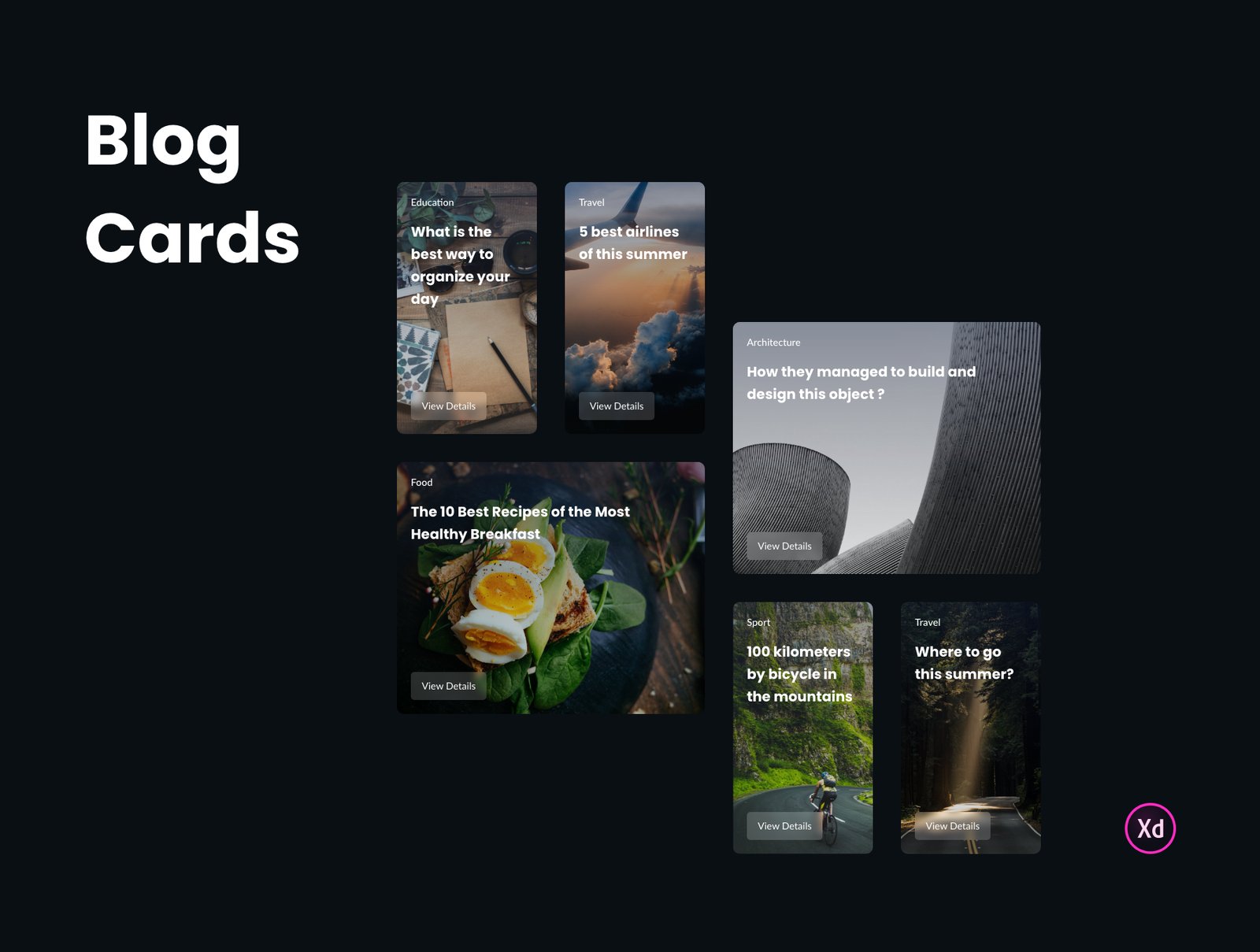
The blog cards put a category label and a bold headline over a photo, with a View Details button at the bottom. They come in tall and wide shapes, with topics such as education, travel, food, architecture and sport.
Food cards (9)
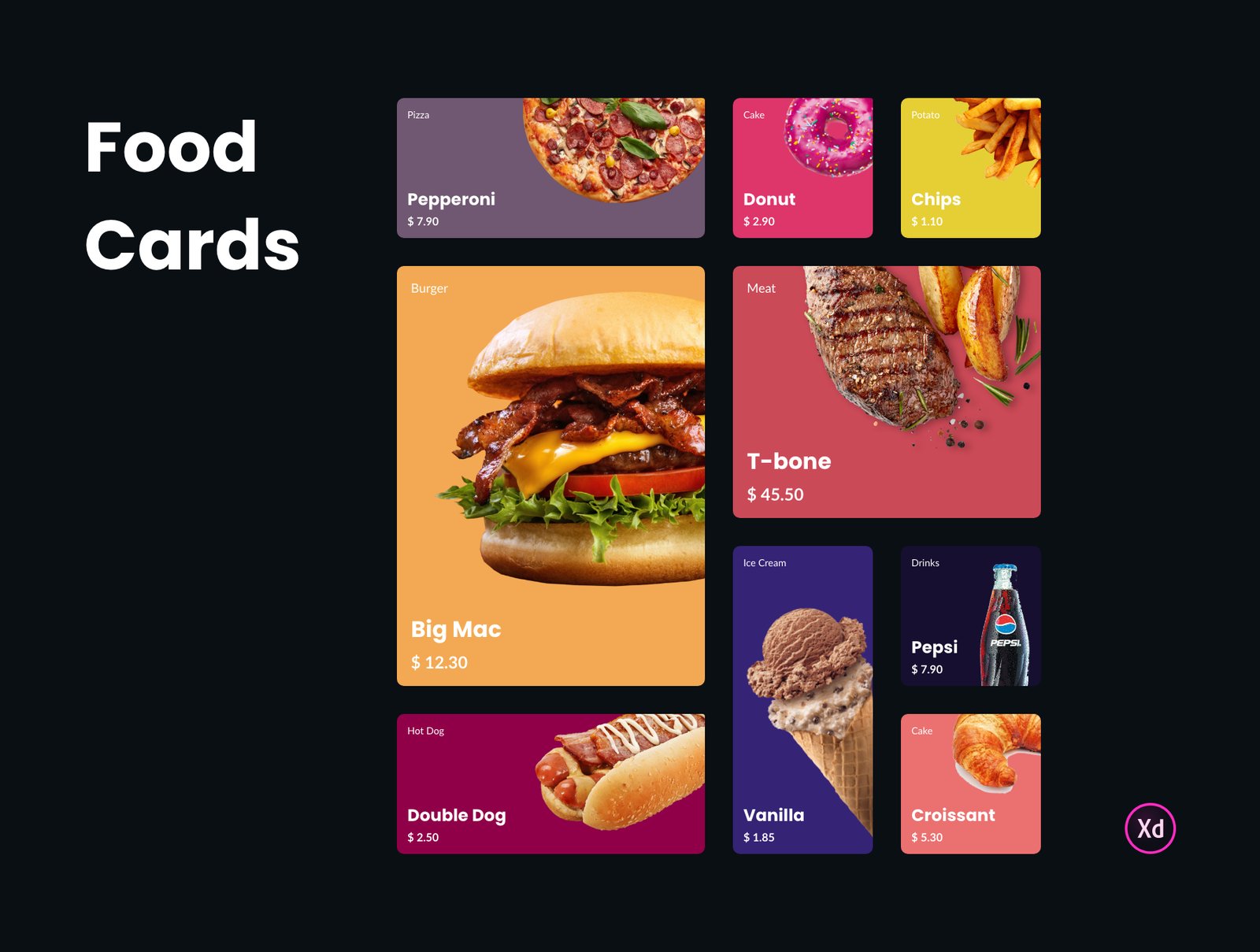
The food cards swap photos for flat colour backgrounds with a cut-out dish, a category label, a name and a price. Sizes run from small tiles to one large burger card.
What is in the download
- File: “UI Cards Kit (Free) Adobe XD.xd.zip”, about 124 MB on UI8, which is large because of the photos. UI8 asks you to log in before it gives you the file.
- Content: the photos are sample images, and some food cards show real brands, such as a Pepsi bottle and a Big Mac. Replace them before you show the design to a client.
- Price: free. UI8 lists it as a freebie, and our original post said you could download it for free. No further licence terms were shown on the page.
Opening it in Adobe XD or Figma
Adobe XD is in maintenance mode. Adobe still fixes bugs and security issues, but it is not adding new features. If XD is installed on your machine, the file opens as normal.
If your team works in Figma, the Convertify plugin can import an .xd file into a new Figma page, including layers, text and images. Check the plugin page for its current pricing. Another route is to export the artboards from XD as SVG and drag them into Figma, then rebuild the text styles and spacing by hand.
Using the cards well
Cards work best when they look like one family. Keep one corner radius, one label style and one button style across the three groups. Put a dark gradient under any text that sits on a photo, so it stays readable on bright images, and keep the whole card tappable on mobile. Our other free cards UI kit for Adobe XD is a good partner for lists and dashboards.
More free XD kits and UI elements
Browse all our free Adobe XD kits, or try these related files:
- Free Cards UI kit for Adobe XD, with different card styles
- UI elements collection for Adobe XD, for the parts around the cards
- Modern and trendy buttons, free XD UI kit, to match the card buttons
- Neomorphic UI elements for XD, for a softer style
Need a website or app designed for a client?
Inkyy is a white label design and development team for agencies. Our in-house designers create websites and apps that you present under your own brand. See our design services or book a 15-minute call.


