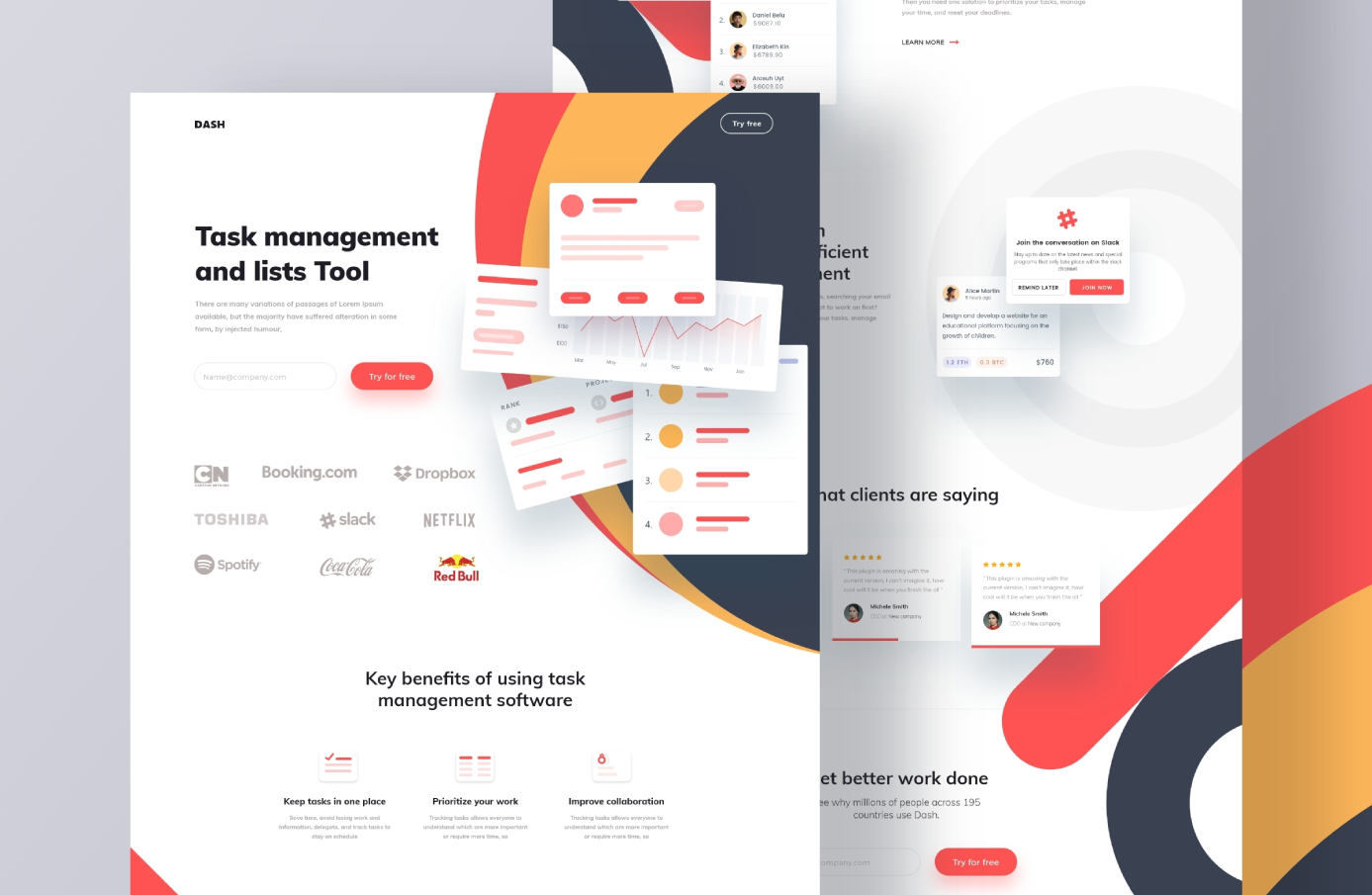
This task management landing page is a free Adobe XD file by Mohammad Shohag, shared as a concept for a web app called Dash. It is a long marketing page for a SaaS product, with a sign-up form, benefits, testimonials and a closing call to action.
Here is what the design contains, where to download it, and how to use it now that Adobe XD is no longer being developed.
What the landing page looks like
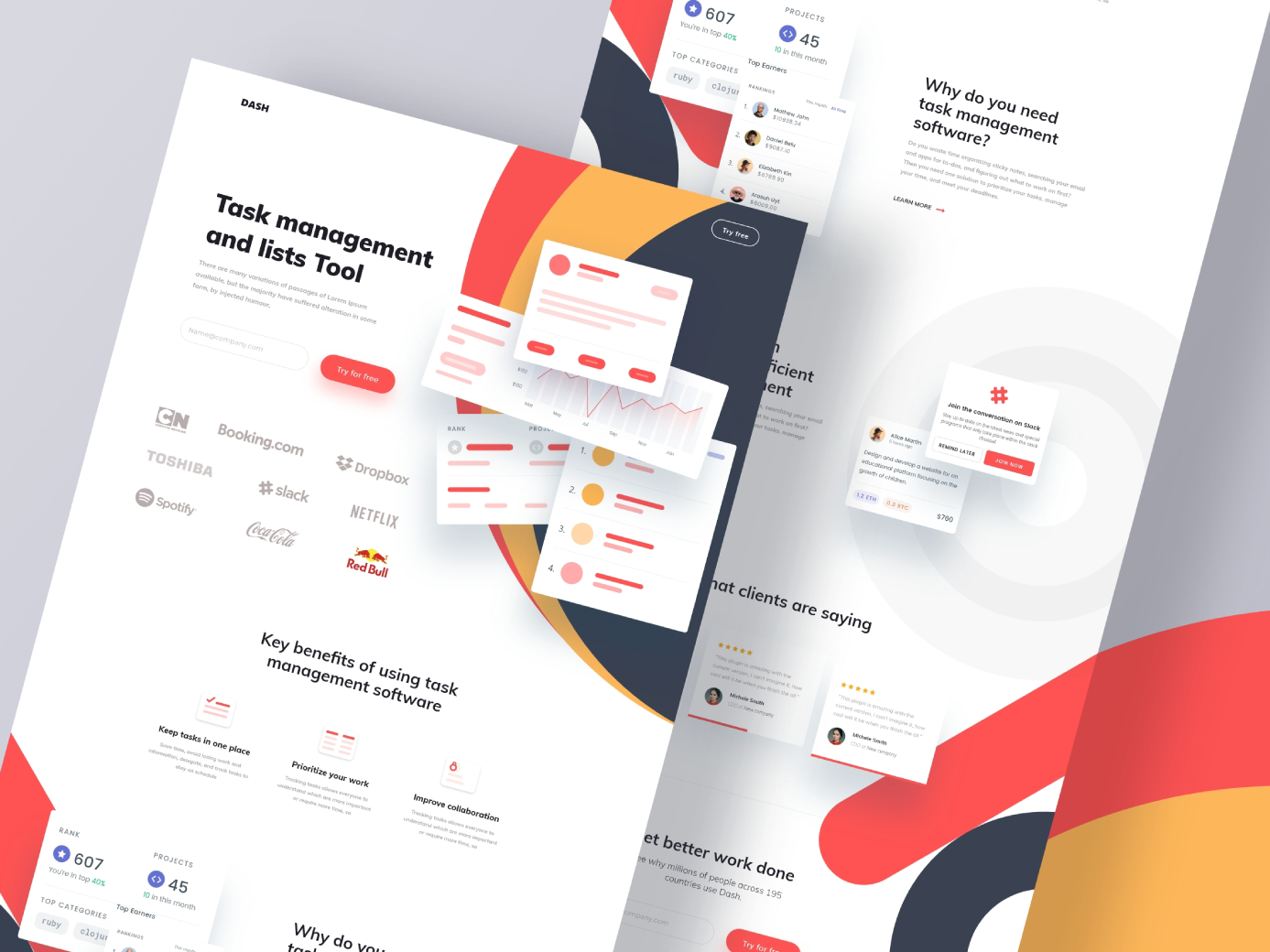
The page sits on a white background with large overlapping curves in coral red, warm yellow and dark navy. Small white cards float over those curves to show the product: a line chart, a numbered list, a profile with stats and a Slack invitation. Coral is the accent colour for every button, so the calls to action are easy to spot. The preview shows these sections:
- Hero: the headline “Task management and lists Tool”, a short intro, an email field and a “Try for free” button.
- Logo row: nine well-known company logos used as social proof.
- Key benefits: three points with small icons: keep tasks in one place, prioritise your work and improve collaboration.
- Feature blocks: “Why do you need task management software?” with a Learn more link, plus cards for a leaderboard, a job brief and a Slack integration.
- Testimonials: “What clients are saying”, with star ratings and small avatars.
- Closing call to action: “Get better work done” with a second email field and button.
File details and licence
- Format: Adobe XD.
- Width: 1920 px, a desktop layout. The preview shows no mobile version.
- Designer: Mohammad Shohag, who offers the file as a free download from his Dribbble shot.
- Licence: the designer shares it as a free download, but our original listing did not state licence terms. Read the shot description, or ask the designer, before you use it in paid client work.
Using the file now that Adobe XD is in maintenance mode
Adobe XD is in maintenance mode. Adobe still fixes bugs and security issues, but it is not adding new features. If you have XD installed, the file opens as normal.
To move the layout into Figma, the Convertify plugin can import an .xd file into a new Figma page, with its layers, text and images. Check the plugin page for its current pricing, and install the fonts used in the file before you import. You can also export the artboard from XD as SVG and drag it into Figma, then tidy up the text and spacing by hand.
Who it suits
The structure fits most SaaS tools, not only task managers: project boards, time trackers, CRM tools or team chat apps. The order of hero with sign-up, proof, benefits, features, testimonials and a final sign-up is a common pattern, so it is a useful starting point for a client pitch. Before you show it to anyone, replace the brand logos in the logo row with real customers, or remove the row. Those logos belong to their companies, and showing them as clients you do not have is misleading.
More free templates
Browse all our free Adobe XD kits, or try these:
- Free Adobe XD kit for SaaS websites, made by Inkyy
- Free Adobe XD dashboard template, for the app behind the landing page
- Squid, a free Figma SaaS template, if your team has moved to Figma
- The best SaaS website designs, for more layout ideas
Need a SaaS landing page designed for a client?
Inkyy is a white label design and development team for agencies. Our in-house designers create landing pages and web app interfaces that you present under your own brand. See our design services or book a 15-minute call.
 Book a Meeting