



Vault: Free Security App UI Kit for Adobe XD
 3 min read
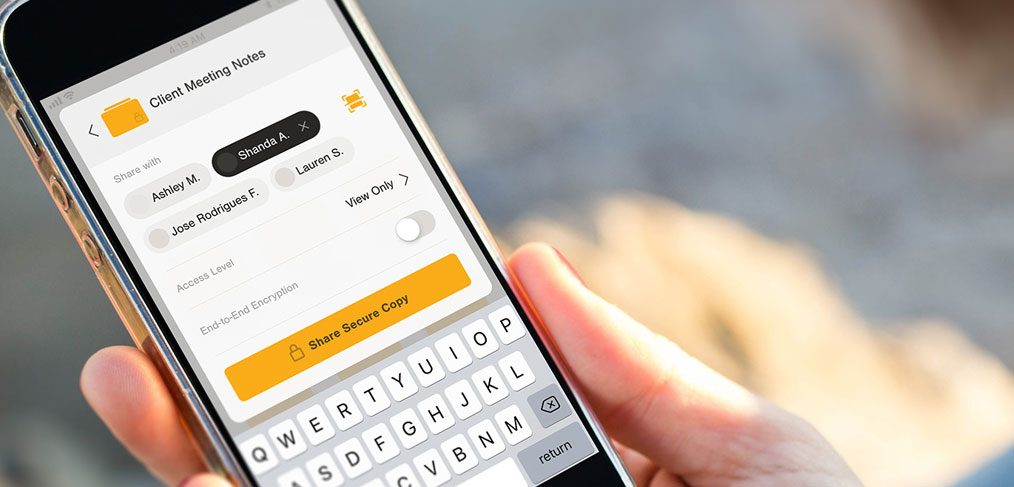
Vault is a free security app UI kit for Adobe XD by Kerem Suer, made with Ame Elliott of the non-profit Simply Secure. It is a prototype for an app where people store files in a private vault and share them securely with one person or a small group.
Adobe released the kit as a free download, and the file is still live. Below is what the screens show, what is inside the file and how to open it now that Adobe XD is no longer being developed.
What the Vault kit looks like
The cover is a photo of a hand holding a phone. On screen is a Client Meeting Notes page with a list of people to share with, a View Only switch, an access level, an end-to-end encryption option and a yellow Share Secure Copy button above the keyboard. Yellow on warm grey and charcoal is the palette throughout, and the intro screen asks you to “Share files. Securely.” with Sign up and Sign in buttons.
Inside the file there are 25 screens and overlays, grouped like this:
- Intro and sign in: four intro variations in two colours, one colour, light and dark, then phone number sign in, a code entry screen, a Touch ID overlay, an SMS overlay and a spinner.
- Private Vault: the main file view with folder action and menu overlays.
- Secure Share: a share sheet with keyboard, a single person, people as pills and a scanner with default, success and card states.
- Files: Shared, Folder, Files and Edit Mode screens, an activity Log and a keyboard overlay.
What is in the download
- File: a ZIP of about 8.6 MB from Adobe, with one XD file inside.
- Style guide: a long board with colours, the type styles, folders, progress indicators, icons, file types, number pads, search fields, button types, an action sheet, tab bars and the share sheet.
- Prototype: the file includes interaction links, so you can preview the flow in XD.
- Fonts: the style guide specifies Nimbus Sans, and system text uses SF Pro. Install them first, or pick replacements.
- Price: free. Adobe lists no licence terms with it, so check before using it in paid client work.
Adobe also explains the kit in its announcement post.
Opening it in Adobe XD or Figma
Adobe XD is in maintenance mode. Adobe still fixes bugs and security issues, but it is not adding new features. If XD is installed on your machine, the file opens as normal.
To bring the screens into Figma, the Convertify plugin can import an .xd file into a new Figma page, with its layers, text and images. Check the plugin page for current pricing. Alternatively, export the screens from XD as SVG, drag them into Figma and rebuild the text styles.
Who it suits
The kit fits a file storage app, a password or document manager, or any product that has to explain privacy. The Secure Share screens are the most useful part, because they show how to make a permission choice clear: who can see this, can they edit it and is it encrypted. If you build on it, add the states a real product needs, such as recovery, a lost device and failed sign in. Keep security wording plain, and link to our guide to IT security in the design process for the wider picture.
More free kits to try
Browse all our free Adobe XD kits, or try these related files:
- 10 login screen templates for Adobe XD, for sign in and sign up
- Cookie banner UI kit for XD, for privacy prompts
- Cooin crypto free UI kit for Adobe XD, for a wallet or finance app
- Adobe XD mobile UI kit, for general app screens
Need a secure app designed for a client?
Inkyy is a white label design and development team for agencies. Our in-house designers create mobile apps and dashboards for security and privacy brands that you present under your own brand. See our design services or book a 15-minute call.


