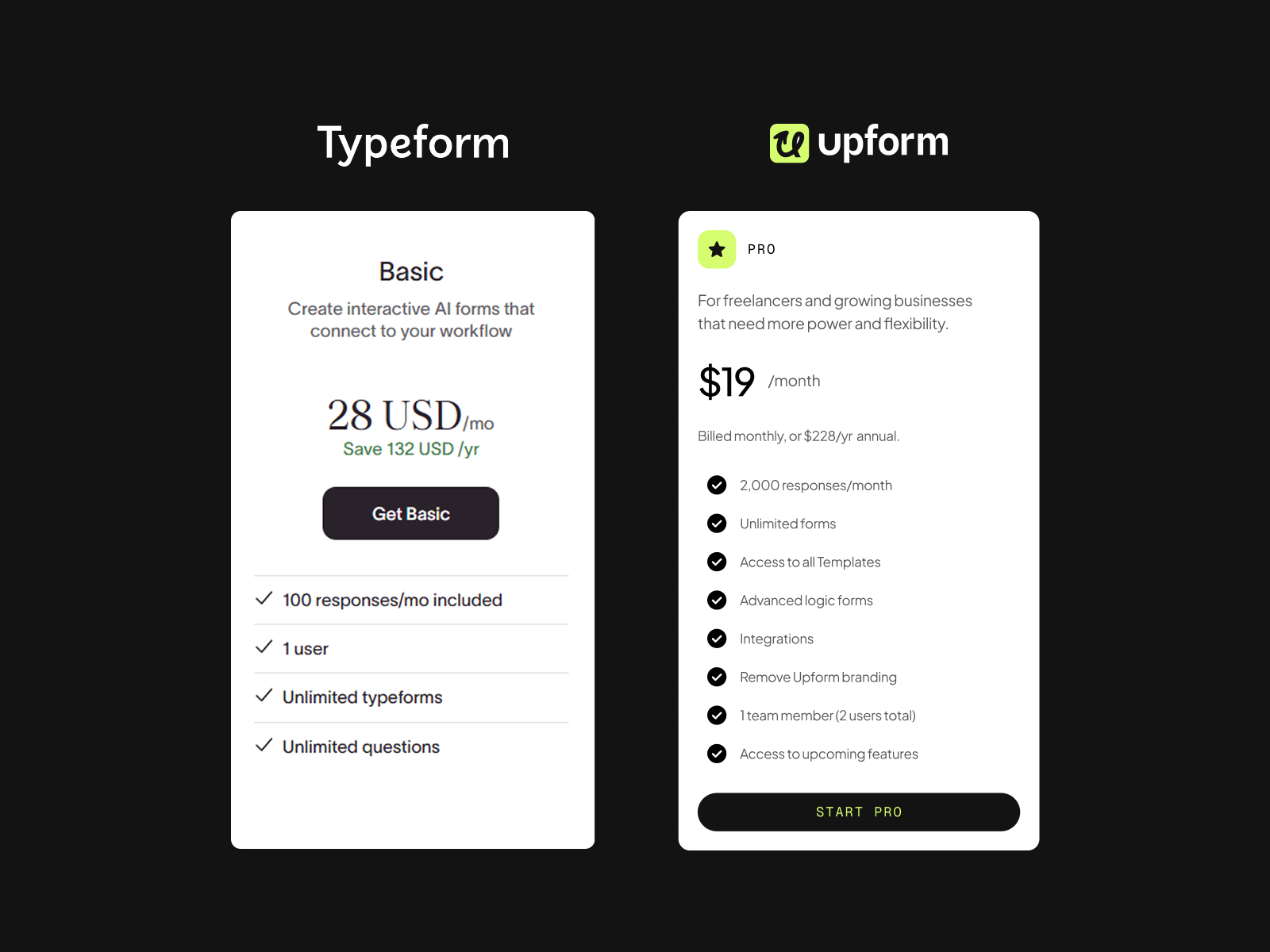
Typeform’s pricing has gotten out of hand. The free plan caps you at 10 responses per month, and the first paid tier costs $39/month for just 100 responses. If you’re collecting leads, running surveys, or managing client intake forms, those limits disappear fast.
Here are five cheaper typeform alternatives that won’t drain your budget. I’ve tested each one and included real pricing, feature comparisons, and when each tool makes sense.
Quick Comparison Table
| Tool | Free Plan | Paid Plan | Best For |
|---|---|---|---|
| Upform | Unlimited forms & responses | $19/month (Pro) | Budget-conscious teams, Best Design |
| Tally | Unlimited forms & responses | $29/month (Pro) | Startups needing unlimited submissions |
| Google Forms | Unlimited | Free forever | Basic surveys, internal use |
| Jotform | 5 forms, 100 submissions | $34/month (Bronze) | Template-heavy workflows |
| FormGrid | Unlimited forms & responses | $8/month | Developers needing HTML backends |
1. Upform — Best Free Alternative Overall
Pricing: Free forever (Premium tier available)
Free Plan Includes: Unlimited forms, unlimited responses, drag-and-drop builder, integrations (Slack, HubSpot, Calendly), ready-made templates
Upform is the most generous free Typeform alternative in 2026. Unlike Typeform’s 10-response cap, Upform gives you unlimited forms and unlimited responses without paying anything.
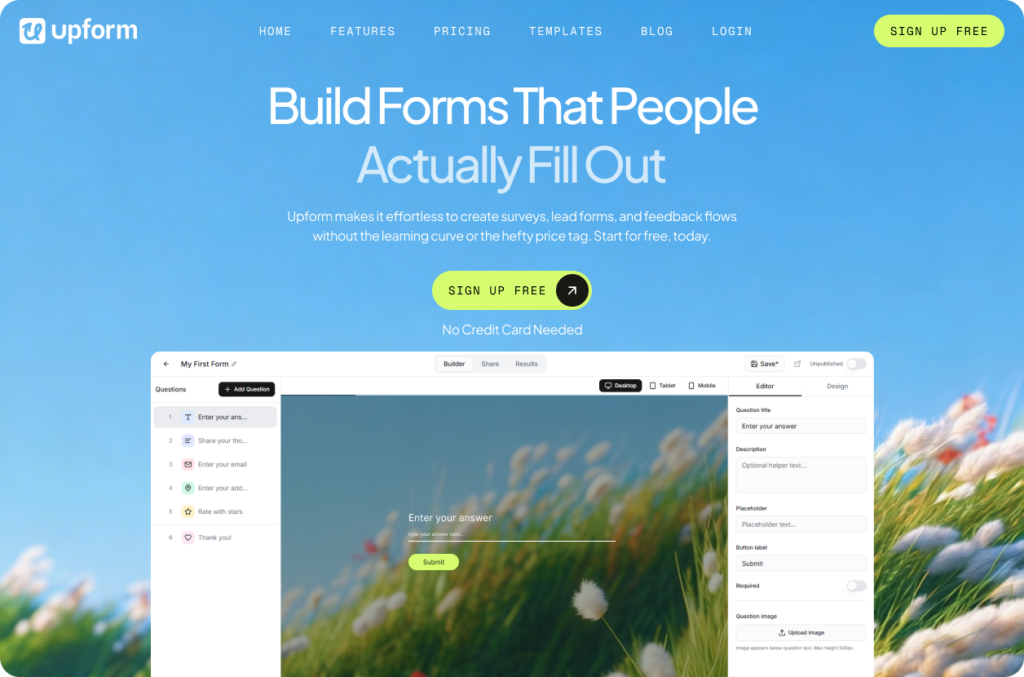
What makes Upform stand out:
- Drag-and-drop builder that’s actually easy to use (no coding required)
- 50+ features on the free plan including conditional logic
- Integrates with Google Analytics, Slack, Zapier, Sheets, and Salesforce
- Ready-made templates for every niche
- Easy embedding into WordPress, Webflow, or any website builder
When to use Upform:
You need unlimited form submissions without monthly costs. Perfect for small businesses, startups, and agencies collecting leads or client information.
Bottom line: If Typeform’s pricing is the main problem, Upform solves it. You get the core features without response limits.
2. Tally — Best for Notion/Airtable Users
Pricing: Free (unlimited), Pro at $29/month, Business at $89/month
Free Plan Includes: Unlimited forms, unlimited submissions, conditional logic, file uploads, Stripe payments, signatures
Tally feels like building forms in a Notion document. You type to add questions, no drag-and-drop required. The free plan is surprisingly complete—most teams never need to upgrade.
What makes Tally stand out:
- Native Stripe integration (accept payments for free)
- Syncs directly to Notion, Airtable, and Google Sheets
- E-signature support (useful for contracts)
- Partial submissions (capture incomplete responses)
- GDPR-compliant, hosted in Europe
Limitations:
- Custom domains require Pro ($29/month)
- Conditional logic setup is less visual than Typeform
- No native video embedding
When to use Tally:
You’re already using Notion or Airtable and want forms that sync automatically. Great for startups avoiding Typeform’s $39/month Basic plan.
Bottom line: Tally offers more on the free plan than Typeform gives you at $39/month. Best value if you hit Typeform’s response limits.
3. Google Forms — Best for Simple Internal Surveys
Pricing: Free forever
Includes: Unlimited forms, unlimited responses, Google Workspace integration, basic conditional logic
Google Forms is boring, but it works. If you just need to collect data without worrying about design, it’s hard to beat free + unlimited.
What makes Google Forms stand out:
- Zero learning curve (everyone knows how to use it)
- Auto-saves to Google Sheets (instant data analysis)
- Works perfectly on mobile
- Collaboration built-in (multiple people can edit)
Limitations:
- Design options are basic (can’t match Typeform’s look)
- No payment processing
- No advanced conditional logic
- Looks dated compared to modern form builders
When to use Google Forms:
Internal surveys, feedback forms, event RSVPs where design doesn’t matter. Skip it for client-facing forms or anything requiring custom branding.
Bottom line: Still the king of “good enough” forms. Free forever, zero limits, but don’t expect it to impress clients.
4. Jotform — Best for Template Library
Pricing: Free (5 forms, 100 submissions), Bronze at $34/month (1,000 submissions), Silver at $39/month (2,500 submissions), Gold at $99/month (10,000 submissions)
Free Plan Includes: 5 forms, 100 monthly submissions, 10,000+ templates, conditional logic, payment integrations
Jotform has the biggest template library in the industry—over 10,000 pre-built forms. If you need something specific (rental applications, medical intake, event registration), chances are Jotform has it.
What makes Jotform stand out:
- 10,000+ professionally designed templates
- Supports 40+ payment gateways (Stripe, PayPal, Square, Venmo)
- “Card form” mode mimics Typeform’s one-question-at-a-time flow
- HIPAA compliance available (Gold plan required)
Limitations:
- Free plan is restrictive (5 forms, 100 submissions)
- Gets expensive fast ($34-$99/month for reasonable limits)
- All plans are single-user only (Enterprise required for teams)
- Interface feels cluttered compared to Typeform
When to use Jotform:
You need a specific template or heavy payment processing. Worth it if templates save you hours, but pricing adds up quickly.
Bottom line: Better template library than Typeform, but you’ll pay for it. Bronze ($34/month) gives you 10x the submissions of Typeform’s free plan.
5. FormGrid — Best for Developers
Pricing: Free (unlimited), $8/month for Pro features
Free Plan Includes: Unlimited forms, unlimited responses, grid-based layout builder, HTML form backend
FormGrid is different—it’s both a visual form builder AND an HTML backend for static sites. If you’re a developer or designer, this is the cheapest serious alternative.
What makes FormGrid stand out:
- Build forms on a visual grid (not limited to vertical flow)
- Provides HTML backend for Webflow, Next.js, or static sites
- AI form generator (describe your form, it builds it)
- Pro plan is $8/month (cheapest paid tier on this list)
Limitations:
- Not as feature-rich as Typeform for non-developers
- Smaller integration ecosystem
- Less beginner-friendly than Tally or Upform
When to use FormGrid:
You’re building client sites and need both a form builder for non-technical clients AND a backend for your own projects. At $8/month, it replaces multiple tools.
Bottom line: Best developer-focused alternative. If you code, FormGrid does more for less than any competitor.
Which One Should You Choose?
Choose Upform if: You want unlimited everything for free. Best all-around replacement for Typeform’s free plan.
Choose Tally if: You use Notion/Airtable and need native Stripe payments. Best for startups avoiding subscription costs.
Choose Google Forms if: Design doesn’t matter and you just need data. Best for internal use.
Choose Jotform if: You need specific templates or heavy payment processing. Worth paying for if templates save hours.
Choose FormGrid if: You’re a developer needing both a form builder and HTML backend. Cheapest paid option at $8/month.
Pricing Breakdown: Typeform vs Alternatives
For 1,000 monthly form submissions:
- Typeform: $39/month (Basic plan)
- Upform: $0 (free forever)
- Tally: $0 (free forever)
- Google Forms: $0 (free forever)
- Jotform: $34/month (Bronze plan)
- FormGrid: $0 or $8/month for pro features
You could save $468/year by switching from Typeform Basic to Upform or Tally.
The Bottom Line
Typeform pioneered beautiful forms, but its pricing model doesn’t make sense in 2026. Tools like Upform and Tally offer the same core features—unlimited submissions, conditional logic, integrations—without the monthly bill.
If you’re hitting Typeform’s response limits or can’t justify $39/month for 100 submissions, any of these five alternatives will save you money without sacrificing quality.
Start with Upform (completely free, unlimited) or Tally (free with Stripe payments). Test them for a week. If they handle your use case, cancel Typeform and pocket the savings.
 Book a Meeting